Apple Intelligence Guide
Apple Intelligence on your Mac. — What works, what's gated, what to disable.
Apple Intelligence quietly grew into a useful daily-driver in 2026. Writing Tools, Genmoji and a vastly smarter Siri run on-device on any M1+ Mac — and most of it is finally usable from South Africa.
- required silicon
- M1+
- minimum OS
- macOS 15+
- no subscription
- Free

Requirements — and the South African reality
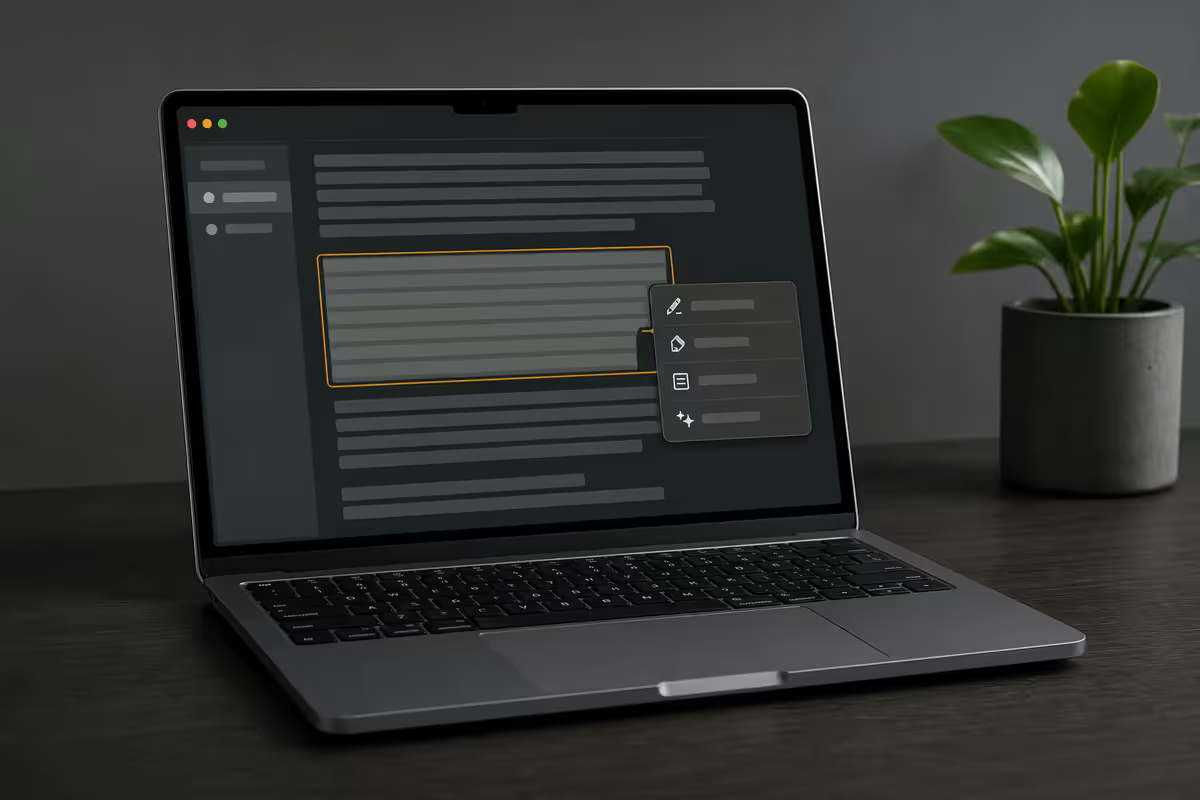
Apple Intelligence is gated by silicon. Any Apple silicon Mac — M1, M2, M3 or M4 — running macOS 15 Sequoia or later qualifies. Intel Macs are excluded and that exclusion is permanent: the on-device models lean on the Neural Engine that Intel Macs don't have.
| Component | Minimum | Comfortable |
|---|---|---|
| Chip | M1 | M2 / M3 / M4 |
| macOS | 15 Sequoia | 15.2+ for full SA feature set |
| Unified memory | 8 GB | 16 GB (image gen feels instant) |
| Storage free | ~4 GB | Models download once on enable |
| Region / language | Supported English | English (ZA), US, UK, AU, CA all OK |
On the SA availability question: Apple staggered the rollout through 2025, adding additional English locales (including English South Africa) through 15.x updates. By mid-2026 every feature this guide covers is live for SA users — including the conversational Siri update — provided your Mac language and Siri language are both set to a supported English variant.
Writing Tools — the one that actually changes how you work
Writing Tools is the system-wide AI text feature most likely to become a daily habit. Select any text in any app, right-click, choose Writing Tools. It works in Mail, Notes, Pages, Safari forms, Slack desktop, Bear, iA Writer, VS Code comments, anywhere AppKit text fields live.
What you actually get:
- Proofread. Tracks-changes-style suggestions with one-click accept. Best-in-class for short emails and Slack messages.
- Rewrite. Choose Friendly, Professional or Concise. Useful for the email-to-the-boss vs the-email-to-your-team distinction.
- Summarize / Make a list / Make a table. Paste in a long brief, get a structured digest. The Make a Table option is the underrated one — converts comparison-style paragraphs into clean Markdown tables.
- Compose. Opens a blank workspace where you draft new text from a prompt. Closest equivalent to a built-in ChatGPT for short writing tasks.
Short text (under ~200 words) processes entirely on-device on the Neural Engine. Longer requests route to Apple's Private Cloud Compute. Either way, you don't see latency on M3 or M4 — outputs typically appear in under two seconds.
Image Playground & Genmoji
Image Playground is a standalone app (free, pre-installed on macOS 15.2+) that generates illustration-style images from prompts. Apple deliberately limited the output style — animation, sketch and illustration — so it can't be mistaken for a photo. That's a feature, not a bug. If you need photorealistic, you're using the wrong tool.
Use it for: blog post headers, Notion cover images, kids' bedtime story illustrations, Slack profile pic experiments, mood-board concepts. Don't use it for: ID photos, product photos, anything claiming to be real.
Genmoji is the smaller, more delightful one. Tap the emoji picker, hit the Genmoji tab, type a prompt ("a corgi in a wizard hat") or pick someone from your Photos library. The Mac generates a stamp-sized custom emoji in 3-8 seconds. It works inline in Messages, Mail, Notes and any app supporting Apple's emoji APIs. Slack and Discord render them as inline images.
Siri 2026 — the conversational upgrade
The 2026 Siri update is the one that finally makes Siri feel like a 2024-era LLM assistant rather than a 2014-era voice command tree. Three changes matter:
- Conversational memory. Follow-ups work. Ask "what's the weather in Cape Town" then "and tomorrow?" and Siri remembers the city.
- Type to Siri. Double-tap the bottom of the screen on a MacBook trackpad, or press Cmd+Space twice, to type rather than speak. Quieter, faster for complex queries, and the input field auto-completes as you go.
- App actions. Siri can perform actions across apps — "summarise this email and add it to my Tuesday meeting notes" actually works in Mail + Notes, with Apple's first-party apps leading the rollout. Third-party apps adopting Apple's App Intents API are growing slowly.
Things Siri still won't do well: deep coding questions, current events beyond a day or two, generative image work (that's Image Playground's job). For those, Siri itself will offer to hand off to ChatGPT — which is where the integration comes in.
Mail Smart Reply & Notification Summary
Smart Reply in Mail is the quietest-but-most-useful feature. Open an email containing a question, and Mail surfaces a one-line summary plus suggested reply options at the top of the message. Click one and Mail drafts a complete reply. You still edit and send manually — Apple Intelligence never sends mail on your behalf.
Notification Summary consolidates noisy notifications — Slack channels, news apps, group iMessages — into a single summary line on your lock screen. Some categories (work apps, news headlines) work brilliantly. One category — private messages between two people — Apple paused after early-2025 feedback about misleading summaries. By mid-2026 the feature is opt-in per app, and you should leave it OFF for personal messaging.
The ChatGPT integration — free vs Plus
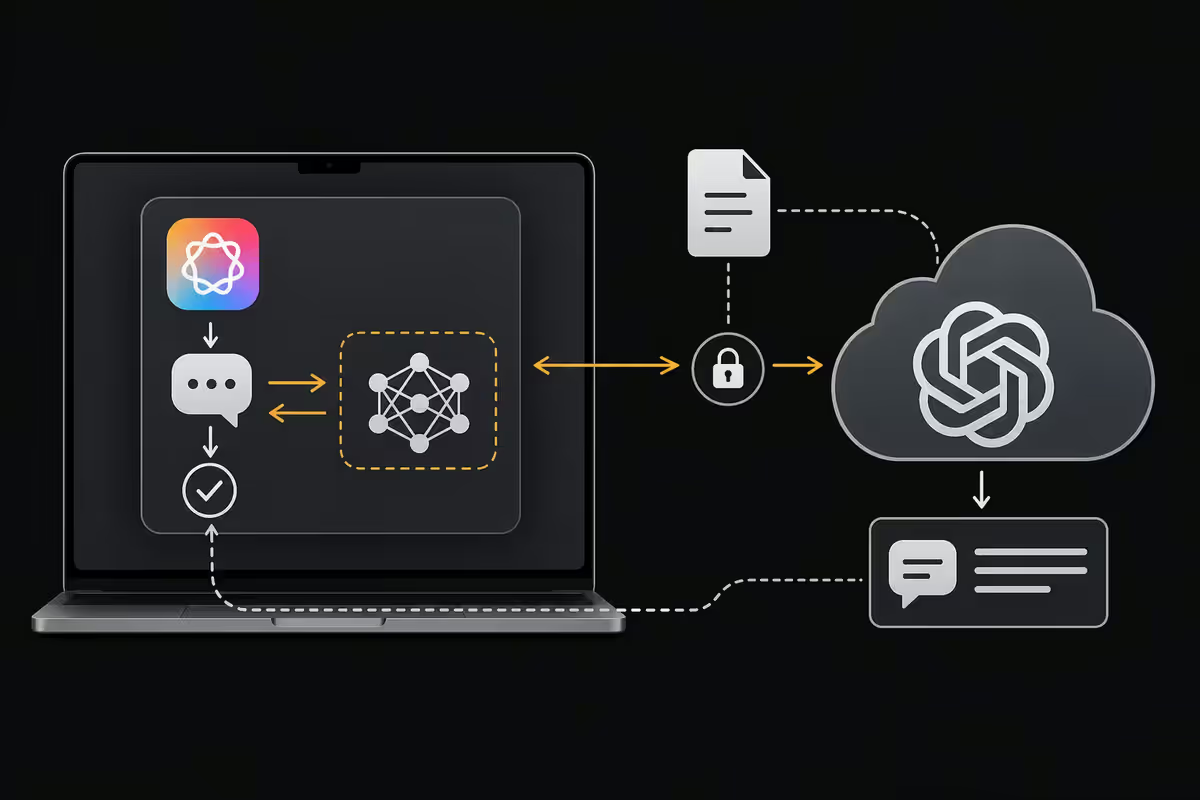
Apple Intelligence treats ChatGPT as an optional partner, not a core dependency. When Siri or Writing Tools detect a query better served by a frontier model — coding questions, multi-step reasoning, document Q&A — they offer to hand off. You consent each time, or once per session if you tick the box.
The free tier:
- Access to the base ChatGPT model — capable, generally the latest non-reasoning model OpenAI ships.
- Anonymous — Apple proxies the request, OpenAI sees no IP or user identifier.
- Rate-limited per Apple ID per day. Most users never hit the limit.
- No login or subscription required.
If you link a ChatGPT Plus account (R420/month), you get higher rate limits and access to OpenAI's reasoning models for harder queries. The login happens inside System Settings → Apple Intelligence & Siri → ChatGPT. You can unlink at any time.
If you don't want the handoff at all: System Settings → Apple Intelligence & Siri → Extensions → ChatGPT → Off. Apple Intelligence's on-device features continue to work without ChatGPT — you just lose the smart escalation path.
Privacy, on-device compute & battery reality
Apple Intelligence's privacy story is meaningfully different from cloud-only AI assistants. Three points worth knowing:
- Most requests stay on your Mac. Writing Tools for short text, Notification Summary, Smart Reply, Image Playground and Genmoji all run on the Neural Engine. Nothing leaves the device.
- Private Cloud Compute handles longer or complex requests. The servers run Apple's custom silicon, requests are not stored, and Apple has published the server code for independent security researchers to audit.
- ChatGPT handoff is opt-in per request (or per session). Apple proxies the request — OpenAI never sees your IP.
Battery reality: on M3 and M4 MacBooks, day-to-day battery impact is in the noise — under 4% extra drain in heavy use. On M1 MacBook Air with 8GB it's slightly more noticeable, especially with Notification Summaries running constantly.
Feature-by-feature recommendation table
| Feature | Verdict | SA availability |
|---|---|---|
| Writing Tools (Proofread, Rewrite) | Use daily | Live · all SKUs |
| Notification Summary (news/work) | Worth it | Live · opt-in per app |
| Notification Summary (personal chat) | Leave off | Off by default 2026+ |
| Smart Reply Mail | Daily time-saver | Live |
| Image Playground | Useful, novelty | Live · 15.2+ |
| Genmoji | Genuinely fun | Live · 15.2+ |
| Siri 2026 conversational | Big upgrade | Live · English variants |
| ChatGPT integration (free) | Optional | Live · consent-gated |
| ChatGPT Plus link (R420/mo) | Only if you already pay | Live · OpenAI billing |
Key takeaways
- Any M1+ Mac on macOS 15+ runs Apple Intelligence free. Set language to a supported English variant — English (South Africa) works.
- Writing Tools (right-click any text) is the daily-driver feature. Map it to Cmd+Shift+W and it becomes muscle memory.
- Siri 2026 actually holds conversations. Type to Siri (Cmd+Space twice) beats voice for complex queries.
- ChatGPT integration is opt-in and consent-gated. Free tier handles most queries; Plus (R420/mo) only if you already pay.
- Battery tight on M1 8GB? Disable Notification Summary for chat apps and AC-only image generation — recovers 60-90 min.
Frequently asked questions
Which Macs support Apple Intelligence?
Any Apple silicon Mac — M1, M2, M3, M4 family — running macOS 15 or later. Intel Macs are excluded and will not be added. 8GB minimum, 16GB recommended.Is Apple Intelligence available in South Africa?
Yes. Through 2025-2026 Apple added English (South Africa) and other English locales. Set both Mac language and Siri language to a supported English variant. Full feature set is live on macOS 15.2+.Does Apple Intelligence cost extra?
No. Free with macOS on a supported Mac. ChatGPT Plus link is optional (R420/month, OpenAI billing); free ChatGPT integration is built in and requires no login.What are Writing Tools and where do they work?
System-wide text AI. Select any text, right-click, choose Writing Tools to Proofread, Rewrite (Friendly/Pro/Concise), Summarize, Make a list/table, or Compose. Works in Mail, Notes, Pages, Safari forms, Slack desktop, third-party text fields.What is Image Playground and Genmoji?
Image Playground generates illustration-style images (deliberately not photorealistic) on-device. Genmoji generates custom emoji from prompts or Photos library people. Both free, both private — nothing leaves your Mac.How does the ChatGPT integration work?
Optional handoff for harder queries. You consent each time (or once per session). Apple proxies the request — OpenAI doesn't see your IP. ChatGPT Plus link is optional for higher limits and reasoning models.Should I disable Apple Intelligence to save battery?
On M3/M4, impact is under 4% — leave it on. On M1 8GB if battery feels tight, disable Notification Summary for chat apps and set image generation to AC-only — recovers 60-90 min mixed use.Is Apple Intelligence private?
Yes by design. Most requests run on-device. Larger requests use Private Cloud Compute (Apple silicon servers, no logging, audited by independent researchers). ChatGPT handoff is opt-in and IP-proxied.
Get the Evetech app
Exclusive app-only prices, daily flash sales, and free delivery on orders over R4,000 — download the app and start saving.