Gaming Mouse Buying Guide
How to choose a gaming mouse.
— Sensor, weight, shape. Everything else is theatre.
- everything downstream
- Sensor first
- FPS target weight
- Under 80g
- in 2026
- Wireless = wired
What actually matters on a gaming mouse
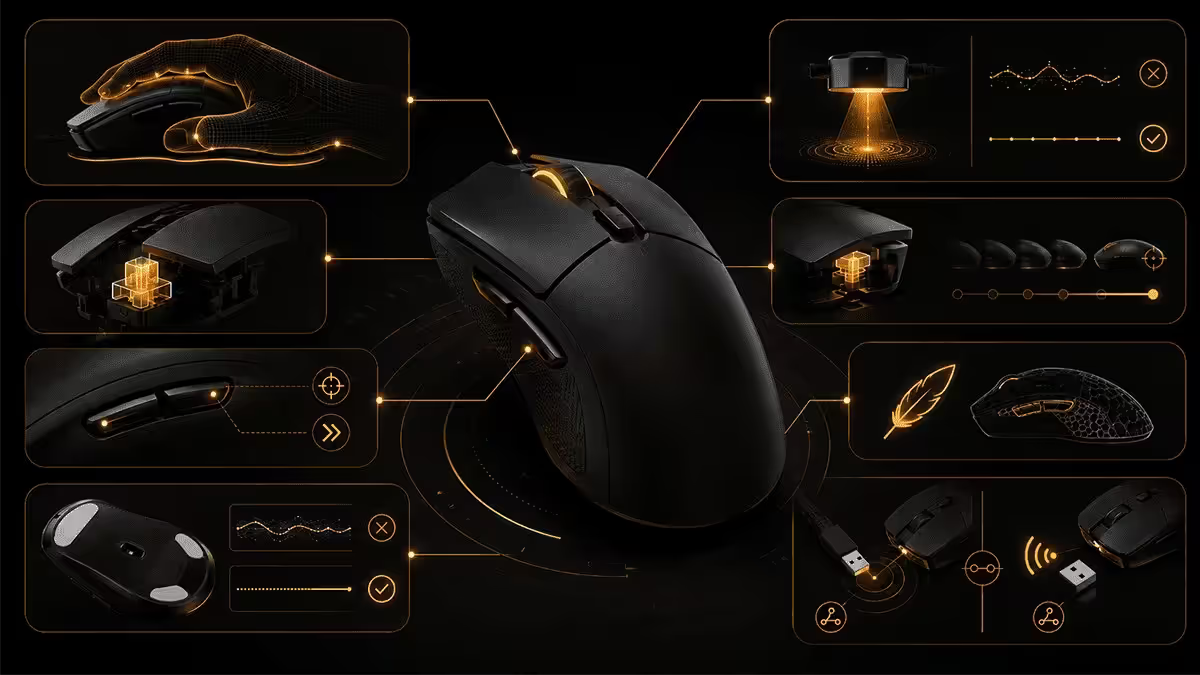
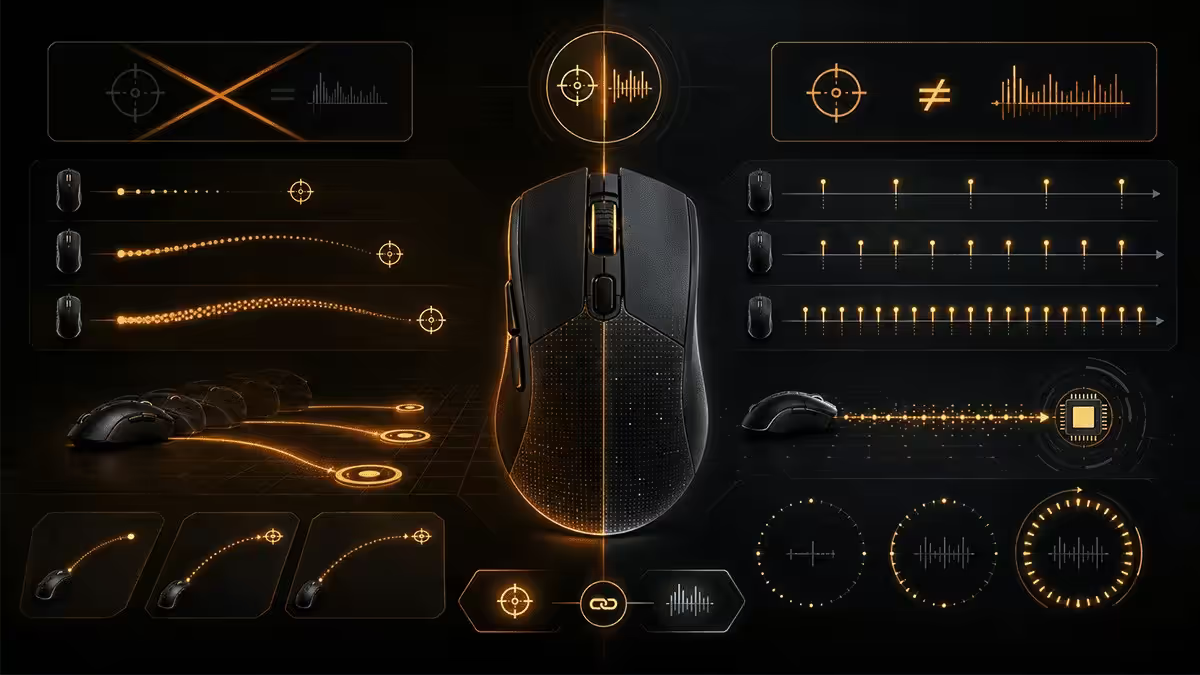
Three things determine whether a mouse feels great to use for the next four years: the sensor's tracking accuracy, the weight in your hand, and the shape's fit against your grip style. Everything else — RGB, button count, software ecosystem, marketing DPI numbers — is downstream of these three.
Across 2026, the difference between the best R600 mouse and the best R3500 mouse in the things that matter is smaller than ever. A modern budget mouse with a PAW3950 sensor will track as accurately as the flagship Logitech G Pro X Superlight 2 — within a 0.2ms latency band that no human can perceive. The premium spend is paying for: wireless freedom, lower weight, build quality and shell finish, switch tactile feel, software polish, and warranty support. None of those things make you a better player in raw aim mechanics, but several make the experience meaningfully more enjoyable over years of daily use.
The mouse community in 2026 has consolidated around a clear hierarchy of what to evaluate, in priority order:
- Sensor — modern flagship or nothing. PAW3950, PAW3395, HERO 2.
- Weight — under 80g for FPS, under 100g for general gaming.
- Shape — must fit your hand size and grip style.
- Wireless — 2.4GHz proprietary, never Bluetooth for gaming.
- Build quality — solid shell, quality switches (Kailh GX/GO, Omron, Huano).
- Software — light enough not to be a background tax.
Sensor ranking — what to look for in 2026
Three sensor families dominate the premium gaming mouse market in 2026. All three deliver zero-acceleration, zero-smoothing, accurate tracking from 0 to 750+ IPS (inches per second of movement). Any of these is "good enough" — pick the mouse, not the chip.
| Sensor | Used in | Tier |
|---|---|---|
| PixArt PAW3950 | Most 2026 flagship mice (Razer Viper V3 Pro, Pulsar X2H, Endgame Gear OP1 8K, Glorious Series One Pro) | Top-tier |
| Logitech HERO 2 | Logitech G Pro X Superlight 2, G502 X Plus, G309 Lightspeed | Top-tier (proprietary) |
| PixArt PAW3395 | Mid-2024 flagships still in production (Razer DeathAdder V3 Pro, Pulsar X2) | Top-tier (previous flagship) |
| PixArt PAW3370 / PAW3389 | Budget tier (Logitech G203 Lightsync, Glorious Model O) | Mid-tier, slight acceleration in fast moves |
| PixArt PAW3325 / older | Entry-level office mice rebranded gaming | Avoid for FPS |
What sensors used to matter for, and don't anymore: spinning out at high movement speeds (now sensor IPS limits exceed any human movement), prediction smoothing (turned off by default since 2022), surface tracking on glass (most flagship sensors track on tempered glass without a mousepad).
The one sensor caveat in 2026: sensor placement. A few mice put the sensor toward the front of the shell rather than dead-centre. This changes how the cursor responds to wrist vs arm movement. Pick mice with centred sensor placement (the modern norm) unless you specifically prefer forward placement.
Weight and shape — the fit that lasts
Weight defines what's possible in fast aim. Shape defines whether the mouse is comfortable for the four to eight hours a day you'll use it for two to four years. Both matter — neither should be ignored.
Weight targets in 2026
- Under 60g — ultra-light esports tier. Razer Viper V3 Pro (54g), Pulsar X2 Mini (52g), Endgame Gear OP1 8K (50g). Specialist FPS use.
- 60-80g — competitive FPS sweet spot. Logitech G Pro X Superlight 2 (60g), Pulsar X2 (52g), Razer DeathAdder V3 Pro (63g). Right answer for most competitive players.
- 80-100g — general gaming comfort tier. Logitech G502 X (89g), Razer Basilisk V3 (101g). Good for mixed gaming + work.
- 100g+ — MMO and feature-loaded tier. Razer Naga V2 Pro (135g), Logitech G600 (133g). Multi-button, less aim-critical.
Shape categories
Ambidextrous — symmetric left-right shape, side buttons typically only on left (for right-handed use). Logitech G Pro X Superlight 2, Razer Viper V3 Pro, Pulsar X2. Fits the broadest range of hand sizes and grip styles. Default safe choice if you can't try in store.
Right-handed ergonomic — asymmetric shape with right-side curve to match palm. Razer DeathAdder V3 Pro, Logitech G502 X Plus. More comfortable for palm-grip users with medium-large hands. Doesn't work for lefties.
Compact / small — smaller shells for smaller hands or fingertip grip. Razer Viper Mini Signature Edition, Pulsar X2 Mini, Logitech G Pro X Superlight 2 (Small variant). Often overlooked but crucial for users with hands under 18cm.
Grip style
Palm grip — entire hand rests on the mouse, fingers flat. Suits ergonomic shapes and palm-fill mice. Most comfortable for long sessions.
Claw grip — fingers arched, palm contact only at back. Suits medium-sized symmetric shapes. Most common competitive grip.
Fingertip grip — only fingertips touch shell, palm floats. Suits ultra-light shapes. Highest precision potential but tires hands over multi-hour sessions.
Wired vs wireless — 2026 is wireless
The wireless-gaming argument is over in 2026. Logitech Lightspeed, Razer HyperSpeed Wireless and Pulsar Fusion deliver 1-2ms total click-to-screen latency — measured, not marketed. That's within the noise floor of input latency variance from frame timing alone. You cannot feel the difference between a quality 2.4GHz wireless mouse and the same mouse with a cable, full stop. Multiple pro players have switched without dropping in benchmark scores.
The cable drag on even premium paracord cables is a measurable performance hindrance compared to wireless. The argument has actually inverted — wireless is now slightly better than wired for fast movements because the cable's weight and friction subtly affect mouse motion.
What still matters:
- Use the 2.4GHz USB dongle, not Bluetooth. Bluetooth latency is 30-50ms — fine for productivity, terrible for gaming.
- Battery life on premium models is 70-100+ hours with RGB off. Most last 5-7 days of heavy use between charges.
- The dongle should sit close to the mouse — within 1-2 metres unobstructed. A USB extension cable to bring the dongle to the desk surface is standard practice.
- Charging — USB-C is standard in 2026. Avoid micro-USB models still floating around in older inventory.
Wired makes sense only if: you're on a tight budget and the equivalent wired model saves R500+, or you specifically prefer never thinking about charging. Otherwise, wireless wins.
DPI vs polling rate — the myth-busting section
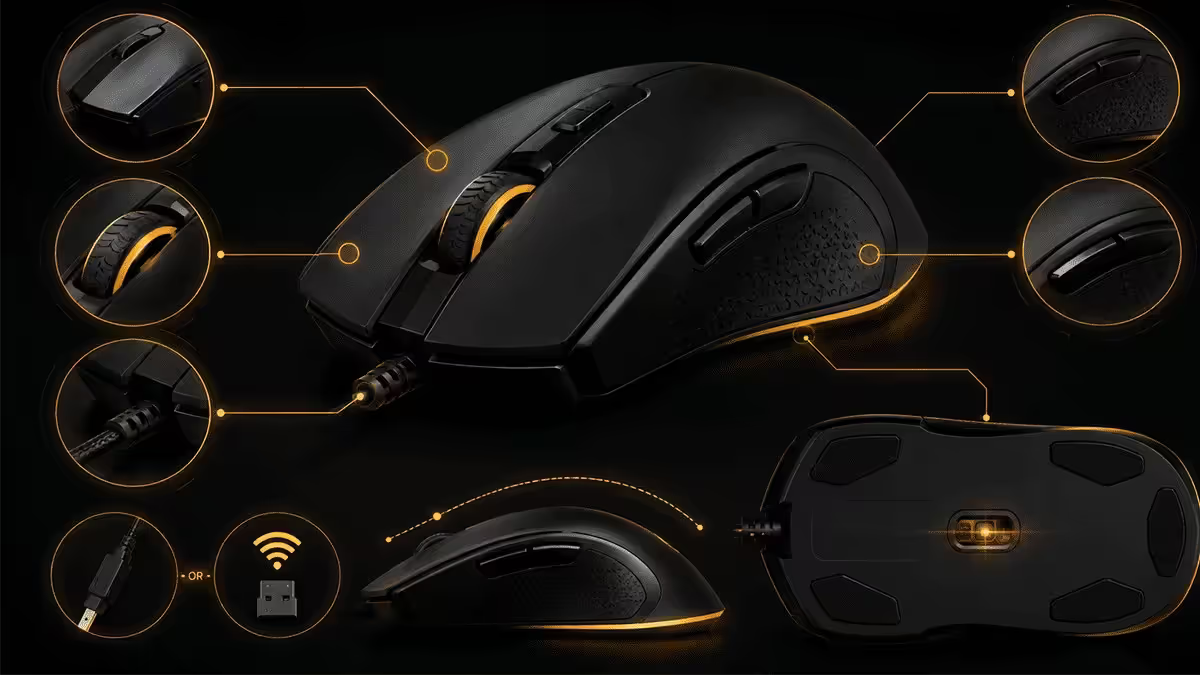
Two specs on the box that get more attention than they deserve.
DPI / CPI — almost all marketing
DPI (dots per inch, sometimes called CPI for counts per inch) is the number of pixels the cursor moves per inch of mouse travel. Higher DPI means faster cursor for the same physical movement.
What pros actually use: Most professional CS2, Valorant, Overwatch and Apex players sit between 400 and 1600 DPI. Many of the best CS2 players in the world run 400 DPI with 1.0-2.0 in-game sensitivity. The 26000 DPI and 32000 DPI ceilings advertised on boxes are not used by anyone competitively.
How to set DPI: aim for a 360-degree turn to require 25-35cm of mouse movement. That's the "edpi" (effective DPI = DPI × in-game sensitivity) range used by most aimers. Lower edpi = more arm aim, more precision, more desk space needed. Higher edpi = more wrist aim, less precision, fits a smaller desk.
Why high DPI is theatre: at very high DPI (above 3200), modern sensors begin to introduce micro-jitter, and Windows cursor speed multipliers start interacting unpredictably with in-game sensitivity. 800 or 1600 native DPI with low in-game sensitivity is what every coaching guide recommends.
Polling rate — where 1000Hz is right
Polling rate is how often the mouse reports its position to the computer. Higher polling = lower input lag, theoretically.
1000Hz = 1ms between updates. The default standard since 2010. Right answer for 95%+ of players.
4000Hz = 0.25ms between updates. Real measurable latency reduction (~0.4ms total). Worth it if you play at the pro level and have a high-end CPU. Available on Razer Viper V3 Pro, Logitech G Pro X Superlight 2, Pulsar X2H.
8000Hz = 0.125ms between updates. Diminishing returns vs 4000Hz. Causes measurable CPU overhead on weaker chips (3-7% CPU usage in some games). Worth it only for serious esports on high-end builds. Available on Razer Viper V3 Pro, Endgame Gear OP1 8K.
The honest truth: the latency difference between 1000Hz and 8000Hz is real (~0.4-0.8ms) but smaller than the difference between a 144Hz monitor and a 240Hz monitor (~2.8ms per frame). If you're not already running 240Hz+ and a high-end CPU, polling rate above 1000Hz delivers nothing perceivable.
Software and customisation
Every gaming mouse comes with a configuration suite. Quality and bloat vary wildly.
Logitech G HUB: reasonably polished, slow to launch, occasionally requires updates that break in-game functionality temporarily. Bind keys, set DPI stages, RGB profiles. Heavier than needed but reliable.
Razer Synapse 4: the most feature-complete, the most aggressive about cloud sync and account requirements, and the heaviest on system resources. The Synapse 4 redesign (2024) improved over Synapse 3 considerably. Per-game profiles are powerful but the install footprint is large.
Glorious Core / Pulsar Fusion: lightweight, no account required, runs only when you need to configure. The model for what gaming mouse software should be in 2026.
SteelSeries GG: middling — adequate, not exciting. Bundle includes Engine + Sonar + Moments, which is more than most people need.
Recommendation: install the software, configure your DPI, key bindings and RGB profile, then uninstall or disable startup launch. All these mice save their settings to onboard memory. There's no reason for the software to launch every time you boot the PC.
SA brand picks (mid-2026)
| Tier / use case | Pick | SA price |
|---|---|---|
| The default flagship | Logitech G Pro X Superlight 2 | R3200-R3500 |
| Best ambidextrous esports | Razer Viper V3 Pro | R3200-R3600 |
| Best value flagship | Pulsar X2H (HD sensor) | R2200-R2500 |
| Pure esports specialist | Endgame Gear OP1 8K | R2400-R2700 |
| Ergonomic palm grip | Razer DeathAdder V3 Pro | R3000-R3300 |
| Mid-range wireless | Logitech G309 Lightspeed | R1500-R1800 |
| Best entry-level wireless | Glorious Model O Wireless | R1100-R1400 |
| Best wired budget | Logitech G203 Lightsync / Pulsar X2 Wired | R450-R800 |
| MMO multi-button | Razer Naga V2 Pro / Logitech G600 | R2200-R3500 |
| SteelSeries lightweight wireless | SteelSeries Aerox 5 Wireless | R2200-R2600 |
Common gaming mouse mistakes
Buying based on DPI ceiling. A "32000 DPI" mouse offers nothing over a "16000 DPI" mouse for any human user. Sensor quality at your actual DPI matters; the maximum number is theatre.
Buying based on what your favourite streamer uses. Streamers have specific hand sizes, grip styles and play styles. A mouse that fits a 21cm-handed FPS pro will not necessarily fit you. Measure your hand first, then look at what fits.
Skipping wireless to save R500. Wireless premium pays off every single session for the next 3-4 years. R500 over a 3-year mouse lifespan is R0.45 per day. Spend it. The exception is genuine budget builds under R10k total — there, save the R500 and accept a quality wired mouse.
Believing 8000Hz polling is mandatory. 1000Hz is right for 95%+ of players. 4000-8000Hz is real but small, and only worth enabling on top-tier CPUs paired with 240Hz+ monitors.
Running RGB at full brightness. RGB at default brightness cuts wireless battery life roughly in half. Disable it or run at minimum. The RGB on a mouse is one of the least visible RGB zones in a build — you cover it with your hand the entire time you use it.
Reusing an old mousepad. Mousepad surface dramatically affects sensor accuracy. A worn-out cloth pad with worn fabric texture causes the sensor to lose tracking in fast moves. Replace your mousepad every 18-24 months, and ensure it's at least 40×45cm for low-DPI arm aim.
Key takeaways
- Sensor first — PAW3950, PAW3395 or Logitech HERO 2. Everything else is downstream.
- Weight matters: under 80g for competitive FPS, 80-100g for general gaming, 100g+ for MMO.
- Wireless is fully matched to wired in 2026 — Logitech Lightspeed, Razer HyperSpeed, Pulsar Fusion all 1-2ms.
- DPI is theatre above 1600 — pros run 400-1600 with low in-game sens.
- Measure your hand (wrist to fingertip) and match mouse length within 2cm. The biggest mouse mistake is buying without measuring.
Frequently asked questions
What is the most important spec on a gaming mouse?
The sensor — PAW3950, PAW3395 or Logitech HERO 2 for accurate tracking. Weight is the second most important spec. Everything else (DPI, RGB, buttons) is downstream.How heavy should a gaming mouse be?
Under 80g for competitive FPS. Top esports models 55-75g. Up to 95g fine for mixed gaming. 100g+ acceptable for MMO mice with extra buttons.Is wireless gaming mouse better than wired in 2026?
Wireless 2.4GHz is now indistinguishable from wired in latency (1-2ms). Cable drag actually makes wired slightly worse. Use proprietary 2.4GHz, not Bluetooth.What DPI should I use for gaming?
800-1600 DPI for almost everyone. Higher numbers are marketing. Most CS2 and Valorant pros sit at 400-800 DPI with low in-game sensitivity.What polling rate do I need on a gaming mouse?
1000Hz is default and right for 95%+ of players. 4000-8000Hz delivers real but tiny latency reduction worth enabling only on high-end CPUs for competitive play.Should I choose a claw, palm or fingertip grip mouse?
Match the mouse shape to your hand size and natural grip. Palm = ergonomic shapes, larger hands. Claw = medium ambidextrous shapes. Fingertip = ultra-light small shapes.Are mouse holes (honeycomb shells) worth it?
Outdated in 2026. Modern lightweight mice (G Pro X Superlight 2, Viper V3 Pro, Pulsar X2) hit sub-60g with solid shells. Honeycomb is now budget-tier.Which gaming mouse brands are best in South Africa?
Logitech G, Razer, Pulsar, Glorious, SteelSeries are the top picks. Endgame Gear niche but excellent. Avoid no-name RGB mice from Bid/Bob Shop.
Get the Evetech app
Exclusive app-only prices, daily flash sales, and free delivery on orders over R4,000 — download the app and start saving.