Printer Buying Guide · Home & Office
How to choose a printer. — EcoTank pays for itself in 6 months.
Most SA households spend more on ink in a year than the printer cost. Modern refillable-tank printers flipped that maths — and most buyers haven't caught up. Here's what's actually worth your money in 2026.
- EcoTank payback
- 6 months
- per A4 page
- R0.10
- wireless ready
- AirPrint
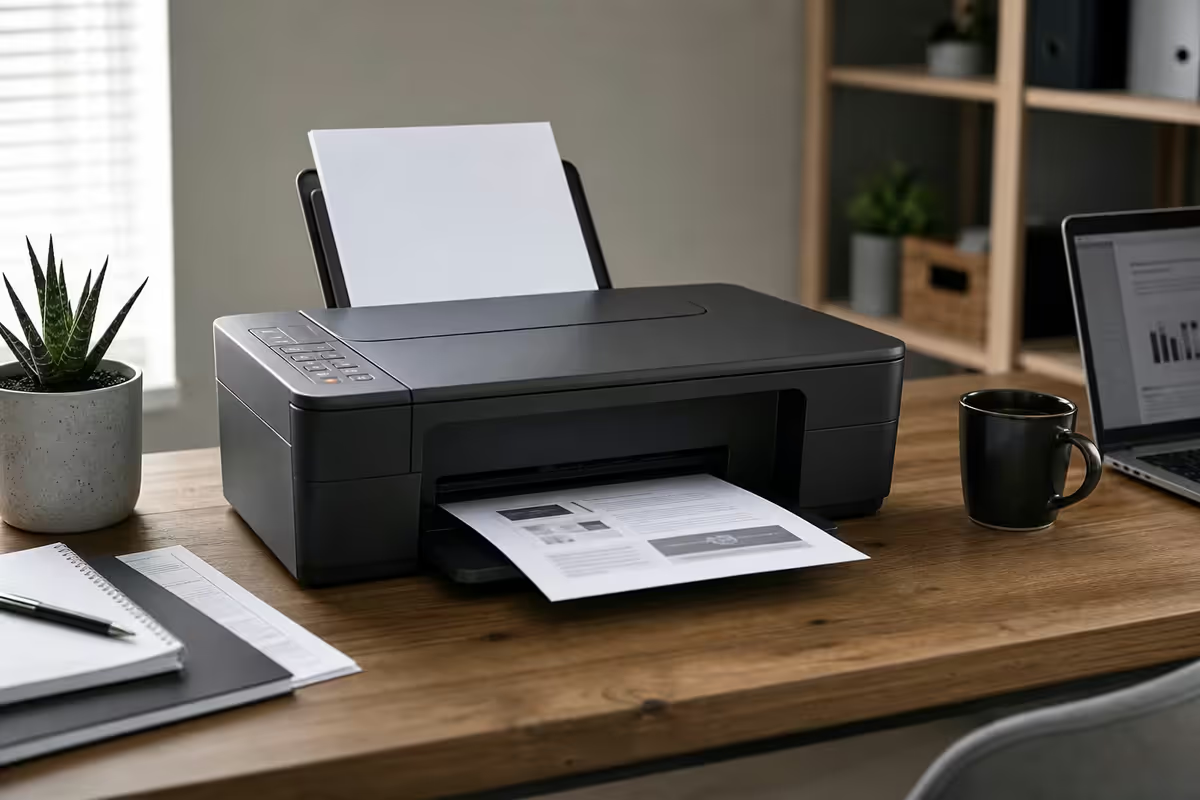
Inkjet vs laser — pick the right family first
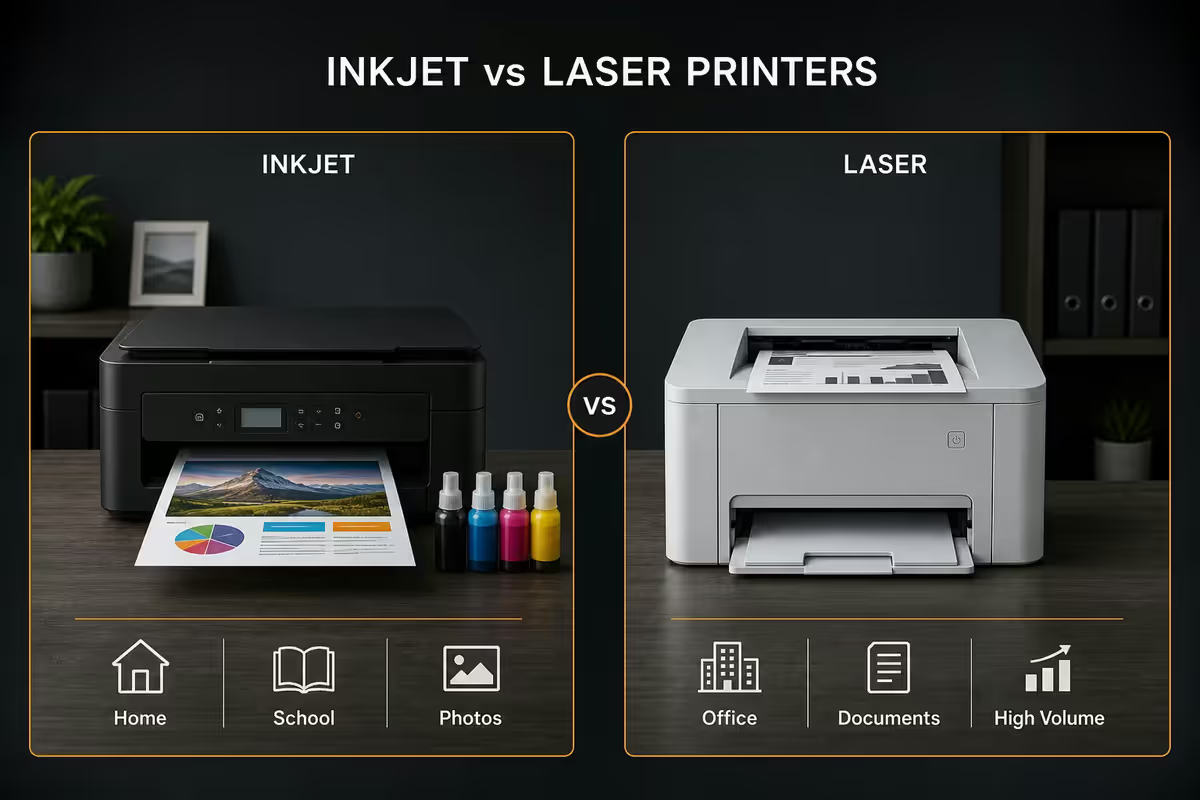
Every printer in 2026 still falls into two practical families. The marketing throws a thousand model numbers at you, but the buying decision is genuinely binary: ink or toner.
| Type | Best for | Real-world cost-per-page |
|---|---|---|
| Cartridge inkjet | Almost nobody in 2026 | R2.00 - R2.80 (mixed colour) |
| EcoTank / InkTank inkjet | Home + small office, colour, photos | R0.08 - R0.15 |
| Mono laser | High-volume B&W documents | R0.15 - R0.30 |
| Colour laser | Branded office docs (not photos) | R0.80 - R1.20 |
Inkjet is the right family if you print colour, photos, or under 200 pages a month. Modern refillable-tank inkjets (Epson EcoTank, Canon PIXMA G-series, HP Smart Tank) eliminated the old "ink costs more than champagne" problem.
Laser is the right family for high-volume, mostly black-and-white documents — invoices, contracts, manuals. Pages come out faster, the paper path is straighter (fewer jams), and toner doesn't dry out if the printer sits idle for a month.
For 80% of SA homes and small offices, an EcoTank colour all-in-one is the right answer. Most people print less than they think — and when they do, they want the option of colour for a child's project or a wedding RSVP.
EcoTank & InkTank — the tier that changed everything
Before 2018, buying an inkjet meant signing up for a ransom note: the printer was R900 and the ink was R900 every few months. Manufacturers locked the cartridges with chips so you couldn't buy generic.
Then Epson launched the EcoTank range — printers with refillable ink tanks built directly into the chassis. Canon followed with PIXMA G-series InkTank, HP with Smart Tank. You buy a 70ml bottle of ink, pour it in, get 4 000–7 500 pages per refill at R200–R350 per bottle.
The maths is unambiguous: at any monthly print volume above ~100 pages, an EcoTank pays back its premium versus a cartridge inkjet inside 6 months. After that, you're effectively printing for free for years.
The SA EcoTank lineup worth knowing:
- Epson EcoTank L3250 (R4 999) — the default. Colour AIO, scan + copy, Wi-Fi, AirPrint/Mopria. Right for almost every household.
- Epson EcoTank L5290 (R6 499) — adds ADF (auto document feeder), fax, faster duplex. The small-office step-up.
- Epson EcoTank L6290 (R8 999) — bigger ADF, faster speeds, more robust paper handling. For offices printing 500+ pages/month.
- Canon PIXMA G3270 (R4 299) — the value alternative. Slightly slower than EcoTank, but cheaper and SA-stocked.
- HP Smart Tank 615 (R5 499) — solid build, decent app, but historically jams more on light paper than Epson.
Cost-per-page — the only number that matters
Forget hardware price for a moment. The real cost of owning a printer is what you pay per page over 5 years. Let's run the maths for an SA household printing 100 pages a month (school work, kids' projects, the occasional homework printout, a few work documents).
| Printer | Cost/page | 5-year total (ink + hardware) |
|---|---|---|
| Cartridge inkjet (R1 500 hardware) | R2.50 | R16 500 |
| EcoTank L3250 (R4 999 hardware) | R0.10 | R5 599 |
| Mono laser MFP (R4 500 hardware) | R0.25 (mono only) | R5 250 |
| Colour laser MFP (R8 500 hardware) | R0.90 | R13 900 |
The cartridge inkjet costs nearly 3x as much to own over 5 years as the EcoTank — even though it looked R3 500 cheaper on the shelf. This is the trap retailers rely on. Sticker price is misleading; cost-per-page is the truth.
For a small office printing 500 pages a month, mostly mono, the maths flips: a Brother mono laser MFP at R0.20/page beats an EcoTank's slightly higher mono cost over volume. For colour-heavy creative work, EcoTank wins again — colour laser toner is far more expensive per page than tank ink.
All-in-one reality — scan, copy, print, (skip) fax
Practically every printer above R3 500 is an all-in-one (AIO) MFP — multi-function printer. You get scan, copy, and print in one box. Most also include:
- ADF (Auto Document Feeder) — feeds 20–50 pages automatically for batch scanning or copying. Worth the step-up for anyone who scans contracts or invoices regularly.
- Duplex printing — automatic two-sided printing. Standard above R5 000; manual duplex below.
- Scan-to-email / scan-to-cloud — modern AIOs can scan straight to Gmail, OneDrive, Dropbox via the printer's mobile app.
- Fax — included on some models but functionally dead for almost all SA users. Skip it unless you specifically know you need it for legal, medical, or government workflows.
The fax question: if you're not sure whether you need fax, you don't. Even SA government departments increasingly accept scanned email PDFs in place of faxes. The few R1 000–R1 500 you save by skipping fax-enabled models is better spent on a model with a bigger ADF.
Wireless, AirPrint and Mopria — it actually works in 2026
For the first decade of wireless printing, "Wi-Fi printer" was synonymous with "frustration." That's genuinely over for any printer shipped after 2022.
What's universal now:
- AirPrint — Apple's standard. Print from iPhone, iPad, Mac with zero driver install. Discoverable on the same Wi-Fi network.
- Mopria — the Android/Windows equivalent. Same principle: print from any modern phone or PC on the same network with no driver setup.
- Wi-Fi Direct — connect a phone to the printer without a router (useful at home if your Wi-Fi is flaky).
- Mobile apps — Epson Smart Panel, Canon PRINT, HP Smart, Brother Mobile Connect. All handle initial Wi-Fi setup and scan-to-cloud.
In practice: plug in, run the manufacturer's mobile app, follow the 4-step Wi-Fi setup, and the printer appears in every device's print dialog within minutes. The old days of installing CD drivers and fighting Windows print spoolers are gone for modern hardware.
Evetech has been kitting out SA home offices and small businesses for many years. Across the printers we've supplied and supported, the pattern is unmistakable: customers who chose EcoTank or a mono laser MFP almost never come back for ink-related complaints. Customers on cartridge inkjets are back within months — sometimes spending more on ink than the printer cost. We sell cartridge inkjets when a customer specifically asks for one; for everyone else we steer toward an L3250 or a Brother laser. Cheaper to own, fewer support calls, happier desks.
Evetech Office Hardware Team
Recommended printers by use case (SA, 2026)
| Use case | Pick | SA price |
|---|---|---|
| Best for most households | Epson EcoTank L3250 | R4 999 |
| Small office (ADF + duplex) | Epson EcoTank L5290 | R6 499 |
| Higher-volume office | Epson EcoTank L6290 | R8 999 |
| Value EcoTank alternative | Canon PIXMA G3270 | R4 299 |
| High-volume mono only | Brother HL-L2400D (printer) or MFC-L2900DW (AIO) | R3 499 / R6 999 |
| Photo-quality printing | Epson EcoTank Photo ET-8550 | R17 999 |
| Workgroup / 5 000+ pages/month | HP LaserJet Enterprise MFP M430 or Brother MFC-L8900CDW | R18 000 - R28 000 |
| Bare-minimum cheap inkjet | HP DeskJet 2820e (only if you print < 30 pages/month) | R1 499 |
Common printer-buying mistakes
Buying the cheapest printer in the shop. A R1 500 cartridge inkjet looks like a bargain until the first round of ink — R900 for two cartridges, around 200 pages, gone in 2 months. Five years in, you've spent R15 000+ on consumables.
Ignoring monthly volume when choosing inkjet vs laser. The right answer depends on how many pages you print per month and whether colour matters. Print 50 pages/month with the occasional colour photo? EcoTank. Print 400 pages/month of invoices? Mono laser. Don't pick based on the marketing copy on the box.
Paying for fax you'll never use. Fax-enabled models cost R1 000–R1 500 more than the equivalent fax-less SKU. Unless you have a specific known workflow that requires fax, that money is wasted.
Buying a colour laser hoping for photo prints. Colour laser is for branded office documents — charts, headers, light marketing. Toner cannot match inkjet for photo quality. If photos matter, buy an inkjet (EcoTank Photo ET-8550 or any mid-tier PIXMA).
Not factoring in print frequency. Inkjets — including EcoTank — clog if unused for weeks. If your printer will sit idle for months between bursts of use, buy a mono laser even if cost-per-page maths suggests inkjet. A clogged inkjet at month 6 is a more expensive problem than a marginally worse cost-per-page.
Buying based on "pages per minute" specs. Above R3 000 every printer is fast enough for a home or small office. PPM is the spec sheet equivalent of horsepower in a daily-driver car — interesting, almost never the bottleneck.
Key takeaways
- Epson EcoTank L3250 (R4 999) is the right pick for 95% of SA homes and small offices.
- EcoTank pays back its premium over a cartridge inkjet inside 6 months at 100 pages/month — and saves R10 000+ over 5 years.
- Go laser only if you print 200+ mono pages/month — Brother HL-L2400D or MFC-L2900DW.
- Skip fax. AirPrint and Mopria genuinely work. Pay for ADF, duplex and tank ink instead.
- Cost-per-page is the only number that matters. Sticker price is misleading; 5-year ownership cost is the truth.
Frequently asked questions
Should I buy an inkjet or a laser printer?
Inkjet if you print colour, photos, or under 200 pages/month — an EcoTank costs around R0.10 per page. Laser if you print 200+ mono pages/month — a Brother mono laser is faster and roughly R0.15–R0.20 per page.Is an EcoTank or InkTank printer really cheaper than a cartridge inkjet?
Yes. Cartridge ink is ~R2.50 per A4 page; EcoTank is ~R0.10. At 100 pages/month, the EcoTank saves R240/month in ink — paying back the R3 500 premium in under 6 months.What's the best printer for a small home office in 2026?
Epson EcoTank L3250 (R4 999) for most. Step up to L5290 (R6 499) if you need ADF and faster duplex. For high-volume mono offices, Brother MFC-L2900DW (R6 999) is the workhorse.Do I still need a printer with fax in 2026?
Almost certainly not. Fax is effectively dead outside a few legal, medical and government workflows. If you don't already know you need fax, you don't — save R1 000–R1 500 on the fax-less SKU.How much should I spend on a printer in South Africa?
R1 500 entry, R3 000–R5 000 sweet spot, R6 000–R8 000 upper-mid, R20 000+ workgroup. Most SA households should land in R3 000–R6 000 — that's where EcoTank and quality laser MFPs live.Does AirPrint and Mopria actually work, or is wireless printing still a nightmare?
It works in 2026. Any printer shipped post-2022 has AirPrint and Mopria baked in. Plug in, run the manufacturer's mobile app for Wi-Fi setup, and the printer appears in every device's print dialog.Which printer brand has the fewest paper-jam problems?
Brother lasers are gold standard — straight paper path. Epson EcoTank inkjets close behind. HP cartridge inkjets and Smart Tank models jam more often on light paper. Canon PIXMA sits in the middle.Will a colour laser printer give me better photo prints than an inkjet?
No. Colour laser is faster and cheaper per page for office colour documents, but inkjet still wins decisively for photos. If photos matter, buy an Epson EcoTank Photo ET-8550 or a mid-tier inkjet.