Twitch Streaming · Lifestyle Guide
How to start streaming on Twitch in SA.
The dual-PC streaming meta is dead, fibre upstream is finally cheap, and a single RTX 4070 handles 1080p60 AV1 with room to spare. Here's the SA-specific playbook to go from cold install to Affiliate.
- followers to affiliate
- 50
- upstream needed
- 10 Mbps
- bitrate target
- 6000 kbps
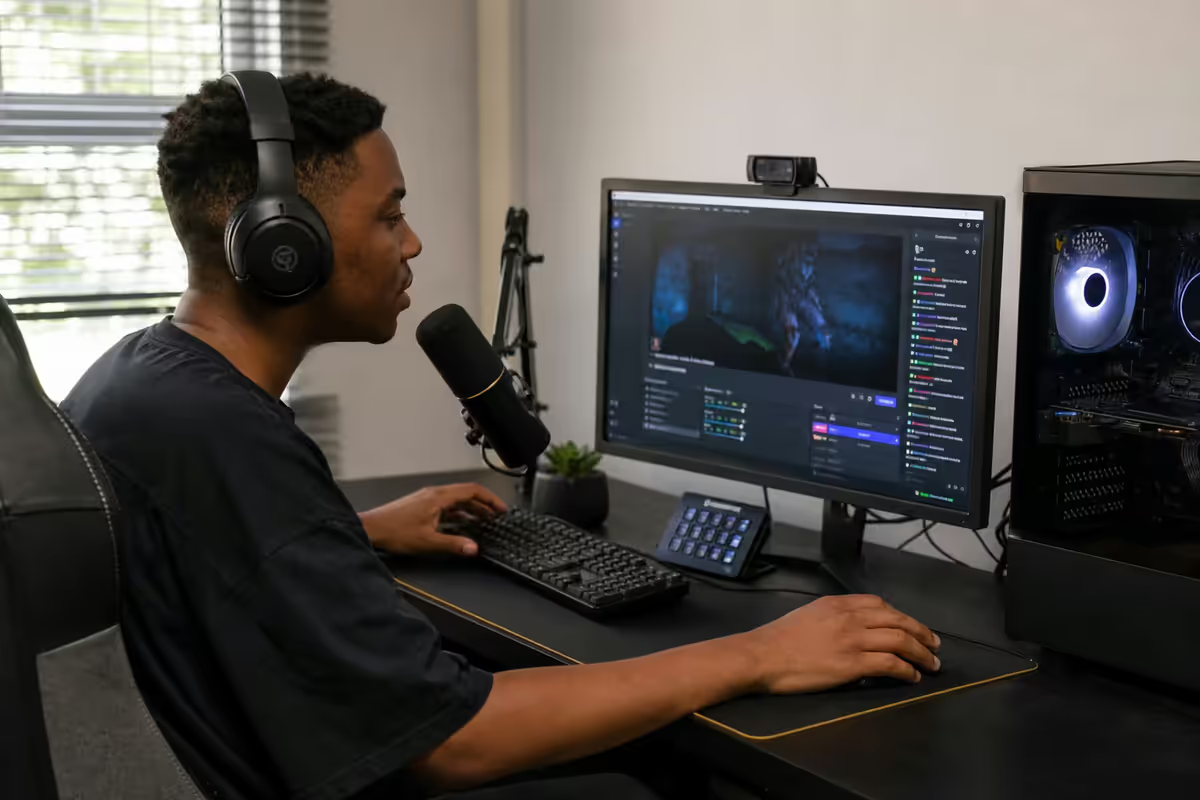
One PC or two? The NVENC AV1 reality
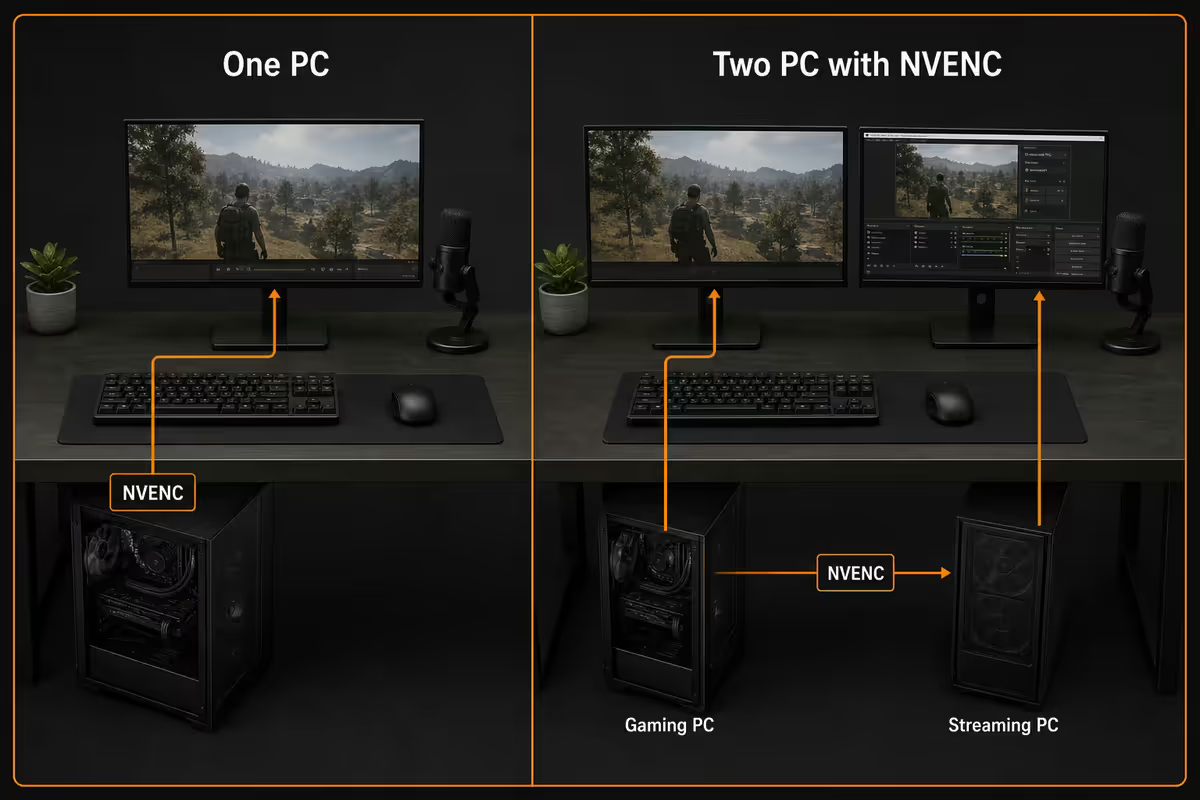
For most of the 2010s, serious Twitch streamers ran a dual-PC setup: one machine for the game, a second to handle OBS encoding so the streaming workload didn't eat into game framerate. That advice is now a decade out of date for new SA streamers, and following it will cost you R20,000–R40,000 you don't need to spend.
The single biggest shift came with NVIDIA's 8th-generation NVENC encoder on the RTX 40-series cards. Modern NVENC encodes H.264 at quality indistinguishable from x264 medium, and adds dedicated AV1 encoding that produces visibly cleaner motion at the same bitrate. The encoder sits on a separate silicon block from the CUDA cores doing your game rendering — meaning it adds essentially zero frame-time cost while OBS hands off the encoding workload.
In practical SA terms: an RTX 4060 (~R8,500) or RTX 4070 Super (~R15,500) handles 1080p60 streaming plus AAA gaming on the same PC with negligible game-FPS impact. The RTX 5070 and 5080 push this even further with dual AV1 encoders. Unless you're already a top-tier streamer running 4K60 or doing concurrent multistream to YouTube, Kick and Twitch, a single-PC build is the right call.
SA upstream reality — fibre vs LTE
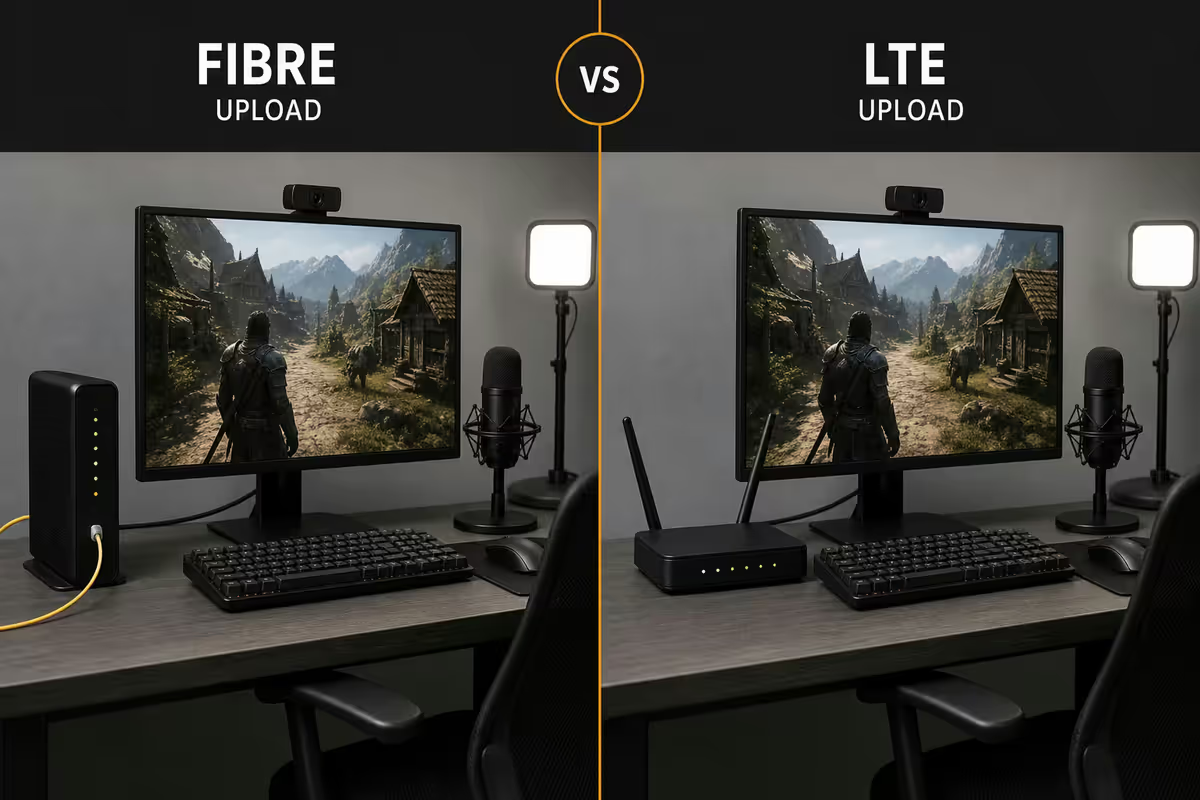
Bandwidth is where most aspiring SA streamers get stuck. Twitch's encoder eats a consistent upstream pipe — not bursty download capacity. You need a true sustained 10 Mbps upstream as your minimum for stable 1080p60 at 6000 kbps. Anything less and your viewers see frame drops, "Buffering" indicators and a noticeably blurry stream when the bitrate adapts down.
The good news for SA streamers in 2026: symmetric fibre is now the default offering across the major networks. Vumatel, Openserve, MetroFibre and Frogfoot all deliver the same up and down speed on residential lines. The 25/25 Mbps tier is the practical entry point for serious streamers.
| SA upstream | What it enables | Typical 2026 cost |
|---|---|---|
| LTE / 4G hotspot | Emergency chat-only fallback. Too jittery for live video. | R299–R599/mo |
| DSL legacy (4 Mbps up) | 720p30 at 2500 kbps — viewer-quality compromise | R399–R499/mo |
| 10/10 Mbps fibre | 1080p30 at 4500 kbps stable. The bare minimum for serious streaming. | R449–R599/mo |
| 25/25 Mbps fibre | 1080p60 at 6000 kbps with comfortable headroom. The sweet spot. | R599–R799/mo |
| 50/50 Mbps fibre | 1080p60 + simultaneous Discord, browser sources, multistream to Kick | R749–R999/mo |
| 100/100 Mbps fibre | 1440p60 streaming, dual-platform multistream, OBS recording uploads | R899–R1,299/mo |
| 200/200 Mbps fibre | 4K60 multistream, content uploads in parallel — overkill for most | R1,299–R1,799/mo |
A real-world watch-out: the marketed line speed and the sustained speed you actually get to Twitch's ingest servers in Frankfurt or Singapore aren't identical. Run Twitch Inspector (inspector.twitch.tv) at your normal stream time for a week before committing to a tier. If your 25/25 line tests at 18 Mbps sustained upstream to the nearest Twitch ingest, you have your real headroom — bitrate ceiling around 4500–5000 kbps for a comfortable margin.
OBS scene setup — sources, transitions, the right order
OBS Studio is the engine almost every Twitch streamer runs underneath whatever pretty UI they've layered on top. Install it free from obsproject.com, run the auto-config wizard (select Optimise for streaming, then 1920x1080 at 60 fps), and you're 80% of the way to your first scene.
A clean OBS scene structure for a typical gaming streamer looks like this:
- Starting Soon — looping video, holding music, countdown timer. Run this for the first 5–10 minutes while viewers trickle in.
- Main Gameplay — Game Capture source (not Display Capture — see below), webcam in bottom-right with rounded corner mask, chat overlay top-right, alerts browser source, mic VU meter overlay.
- Just Chatting — large webcam centre, background image or video loop behind, chat overlay larger and more readable.
- BRB / Be Right Back — single static image or short looping video for short breaks.
- Stream Ending — outro card with social handles, schedule, Discord invite.
Game Capture vs Display Capture: Always prefer Game Capture for the actual game source. It's a direct DirectX/Vulkan hook into the game's render pipeline — lower CPU overhead, no chance of capturing notifications or browser tabs by accident, and HDR-aware. Display Capture should be reserved for non-game scenes (Just Chatting with browser visible, tutorial streams showing a desktop app).
Source order matters: OBS draws sources top-to-bottom in the Sources panel. Put your alerts browser source above the webcam (so follow alerts overlap the cam), webcam above the game capture (so it shows on top), and the game capture as the bottom-most source. Lock every source as soon as you're happy with placement — you'll thank yourself the first time you accidentally drag your webcam at 2am.
The Twitch Affiliate path
Twitch Affiliate is the first monetisation tier and the only realistic goal for your first few months. The requirements are universal regardless of country — Twitch doesn't apply different criteria for SA streamers — and they're achievable inside two months of consistent streaming for most people.
The four conditions, all measured over the trailing 30 days:
- 50 followers — by far the easiest. Most streamers cross this in week 1–2 by sharing the channel with a Discord community, gaming friends and a Twitter/X presence.
- 500 minutes broadcast — that's about 8h 20m total over the month. Two 4-hour streams a week clears it easily.
- 7 unique broadcast days — you need to go live on at least 7 different calendar days. Consistency beats marathon streams.
- Average 3 concurrent viewers — the trickiest one for new streamers. Cross-promotion, raid trains and discoverable game categories help. Variety streamers often get stuck here longer than IRL or Just Chatting streamers.
Once you hit all four, Twitch sends an email invitation typically within 24–72 hours. Accepting unlocks subscriptions (Tier 1 = R110/month, ~50% to you after Apple/Google fees), Bits (Twitch's tipping currency), and ad revenue. Payout works in SA through PayPal — Twitch processes once you hit $100 USD (roughly R1,800), typically the 15th of the month following the threshold.
Mic, cam, lighting — the visible upgrades
After the PC and fibre, the next investments determine how professional you look and sound on stream. The biggest perceived quality jumps come from audio first, lighting second, webcam third — not the other way around. A R2,500 mic in a well-treated room sounds better than a R10,000 mic in an echoey lounge.
Microphone
For first-time streamers a good USB condenser like the HyperX QuadCast S (~R3,500) or Elgato Wave 3 (~R5,500) covers you for the first year. Both have built-in pop filters, decent rejection of off-axis noise and plug-and-play setup. The QuadCast's tap-to-mute is genuinely useful mid-stream.
If you want broadcast-quality audio, upgrade to an XLR setup with a Shure SM7B or Rode PodMic (~R7,500–R8,500 for the mic) plus a GoXLR Mini or Focusrite Scarlett Solo audio interface (~R6,500–R4,500). The GoXLR Mini is especially popular with SA streamers for its physical fader control over game audio, chat, music and mic levels.
Webcam
The Logitech C920 (~R1,400) is the eternally-recommended budget pick — solid 1080p30, good colour science, no DSP gimmicks. Step up to the Logitech Brio (~R4,000) for 1080p60 and 4K HDR if you want extra polish. The Elgato Facecam MK.2 (~R4,500) is the premium option with a Sony Starvis sensor and locked manual exposure controls.
Frame yourself with the rule of thirds: your eyes should sit on the upper third line of the frame, with comfortable headroom above and one-third negative space to the side facing the camera. Don't centre your face — it looks amateur and leaves no breathing room for overlays.
Lighting
Lighting transforms a stream more than any webcam upgrade. The Elgato Key Light (~R5,500) is the SA streamer default — bias-lit panel, app-controllable colour temperature and brightness, no flicker on camera. The smaller Logitech Litra Glow (~R2,200) is a great budget option that clips to your monitor for direct face lighting.
A practical setup: one key light at 45° above and to the side of your face (your "good side"), a softer fill from the opposite direction at 30% intensity, and avoid backlight from windows or screens behind you. Five thousand Rand on lighting beats fifteen thousand on the next-gen webcam.
OBS vs Streamlabs vs StreamElements
The production stack of overlays, alerts, chat widgets and donation pages is where streamers get sucked into endless tool comparisons. The honest answer for 2026: vanilla OBS Studio plus StreamElements browser sources is the best combination for most streamers. Here's why.
| Tool | Strengths | Trade-offs |
|---|---|---|
| Vanilla OBS Studio | Free, open source, lightest CPU overhead, every plugin compatible | No built-in alerts — needs widget URLs |
| Streamlabs Desktop | All-in-one UI, built-in alerts and themes, beginner-friendly | ~30% more CPU than OBS, heavier RAM use, occasional update bugs |
| StreamElements (widgets) | Free, robust browser-source widgets, OWN3D-style theme library | Cloud-dependent — needs internet to load widgets |
| OBS Studio + SE widgets | Best balance: lightweight engine + production-quality alerts/chat | Two services to manage. Worth it. |
| Streamlabs Cloud (paid Prime) | Multistream, alerts, mobile control — ~R220/mo | Paywalls features that StreamElements gives free |
Donations and tips in ZAR are where SA streamers find the most friction. Twitch Bits work natively but Twitch keeps 30%+ of the value. Better options:
- Streamlabs Tip Pages — accepts PayPal (auto-converts ZAR to USD), Skrill, crypto. Free to use.
- StreamElements Tip Pages — similar feature set, often slightly lower processor fees.
- Tipeee — popular with SA streamers for one-off "buy me a coffee" style tips. Lower fees on small ZAR amounts.
- Streamlabs Charity — for charity streams, 100% to the cause, processes ZAR via PayPal.
- Yoco / PayFast custom page — for established streamers wanting direct ZAR with no forex conversion.
Across the 200,000+ custom PCs we've shipped from our Centurion warehouse, we've built streaming rigs for top SA Twitch and Kick partners — including dual-RTX 5080 setups for SA Valorant content creators and single-PC RTX 4070 Super rigs for full-time variety streamers. The clearest pattern from those builds: a single modern NVENC card on a stable fibre line outperforms a dual-PC setup on lousy upstream every time. Spend the money on the fibre upgrade and a better mic before you spend it on a second PC.
Behind the Build · Evetech Content Creator Desk
Loadshedding survival as a SA streamer
No streaming guide for SA is complete without addressing the elephant in the room. Loadshedding stages 4–6 still hit periodically in 2026, and a 2.5-hour blackout mid-stream is more than enough to lose the viewer momentum you've spent two months building. The defence has three layers.
Layer one — router and ONT on UPS. A 1500VA line-interactive UPS (~R3,500 from Mecer, APC or Eaton) keeps your fibre ONT, router and a mobile fallback hotspot running for 4–8 hours. Even if your streaming PC dies, your Discord stays alive so you can post a schedule update to your community.
Layer two — full-stack inverter trolley. A 5kVA inverter trolley with 100Ah of lithium battery (~R12,000–R18,000) powers the entire streaming setup — PC, two monitors, lights, mic, router. This is the level most full-time SA streamers eventually invest in. The trolleys from Mecer, Ellies and the major SA suppliers can carry a 1000W gaming PC plus peripherals for 2–3 hours.
Layer three — schedule around Eskom. Use EskomSePush to plan your stream slots around your area's loadshedding schedule. Many successful SA streamers post a "Stage 4 schedule" version of their stream calendar on Discord and X — viewers in SA understand and respect the constraint. Honesty about loadshedding outperforms unreliable scheduling.
Key takeaways
- Single PC with an RTX 4060+ and NVENC AV1 beats a dual-PC setup for new SA streamers. Skip the second rig.
- 25/25 Mbps symmetric fibre (R599–R799/month) is the practical entry point. Hard-wire it via CAT6 — never Wi-Fi.
- Twitch Affiliate = 50 followers, 500 minutes, 7 unique days, avg 3 concurrent viewers. Consistency hits it in 6–10 weeks.
- Audio > lighting > webcam. Spend on the mic first — bad audio loses viewers in 30 seconds.
- 1500VA UPS on the router + Discord schedule transparency makes loadshedding manageable for SA streamers.
Frequently asked questions
Do I need two PCs to stream on Twitch in 2026?
No. An RTX 4060 or higher with NVENC AV1 encodes 1080p60 streams at near-zero game performance cost. Single-PC is the right call for almost all new SA streamers.What upload speed do I need to stream on Twitch from South Africa?
10 Mbps sustained upstream minimum for 1080p60 at 6000 kbps. A 25/25 Mbps symmetric fibre line (R599–R799/month) is the comfortable sweet spot.What bitrate should I stream at on Twitch?
6000 kbps CBR for 1080p60 (Twitch's non-partner ceiling). NVENC AV1 if your card supports it, NVENC H.264 as the safe default.How do I become a Twitch Affiliate from South Africa?
Hit 50 followers, 500 minutes broadcast, 7 unique stream days and avg 3 concurrent viewers — all over the trailing 30 days. Payout via PayPal once you cross $100 USD.What gear do I actually need to start streaming?
RTX 4060+ PC, 25/25 fibre, a USB condenser mic (HyperX QuadCast S ~R3,500), 1080p webcam (Logitech C920 ~R1,400) and OBS Studio. Add lighting next.Should I use OBS Studio, Streamlabs Desktop or StreamElements?
Start with vanilla OBS Studio. Add StreamElements browser-source widgets for alerts and chat. It's the lightest, free, and the most flexible stack.How do SA streamers handle loadshedding?
1500VA UPS for router and ONT (~R3,500) for short outages. Inverter trolley with 100Ah lithium (~R12,000–R18,000) for full-stack uptime. Schedule around Eskom stages and announce shifts on Discord.How do my SA viewers tip me in Rands?
Streamlabs and StreamElements Tip Pages process PayPal (ZAR-to-USD auto-converted). Tipeee for small one-off tips. Yoco/PayFast custom page for direct ZAR once you're established.
Get the Evetech app
Exclusive app-only prices, daily flash sales, and free delivery on orders over R4,000 — download the app and start saving.