Gaming Performance · Streaming Setup
Stream PC games to your phone. — Sunshine, Moonlight, sub-25ms.
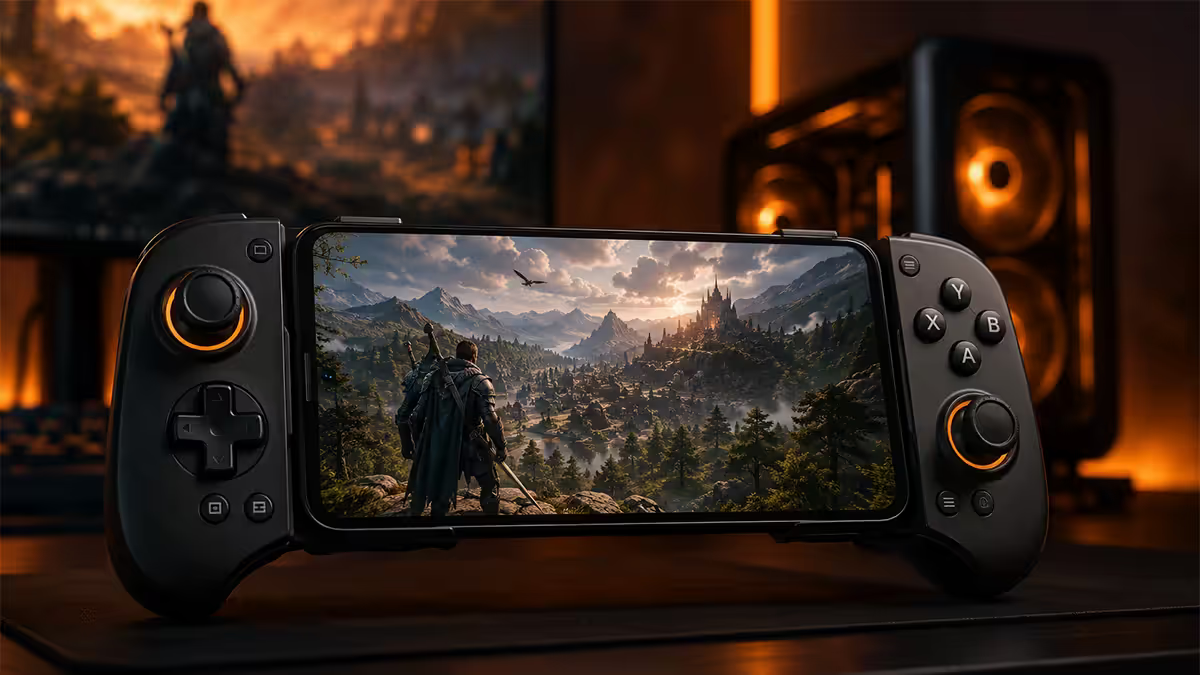
Your gaming PC sitting idle while you're in bed. Your phone in your hand. The bridge between them is 15 minutes of setup and the difference between Steam Link's friendly defaults and Moonlight's actual performance.
- target latency
- < 25 ms
- first-time setup
- 15 min
- Sunshine + Moonlight
- Free
The streaming options in 2026
Three credible ways to stream games to a phone today. Each makes different trade-offs.
| Option | Best for | Cost |
|---|---|---|
| Sunshine + Moonlight | Best quality, all PC libraries | Free |
| Steam Link | Easiest setup, Steam-only | Free |
| Xbox Cloud Gaming | No host PC needed, Game Pass library | R169-R189/month |
| NVIDIA GeForce NOW | No host PC, your owned library | USD ~$10-20/mo (no SA region) |
| PlayStation Remote Play | PS5 owners only | Free |
For most SA gamers with a capable PC at home, Sunshine + Moonlight is the answer. It works with any Steam, Epic, GOG, Battle.net or Riot game your PC runs, supports any GPU (NVIDIA / AMD / Intel), and gives the lowest possible latency. Steam Link is fine if you only play Steam games and want zero configuration. Xbox Cloud Gaming is the answer when you're away from your PC.
Setting up Sunshine + Moonlight
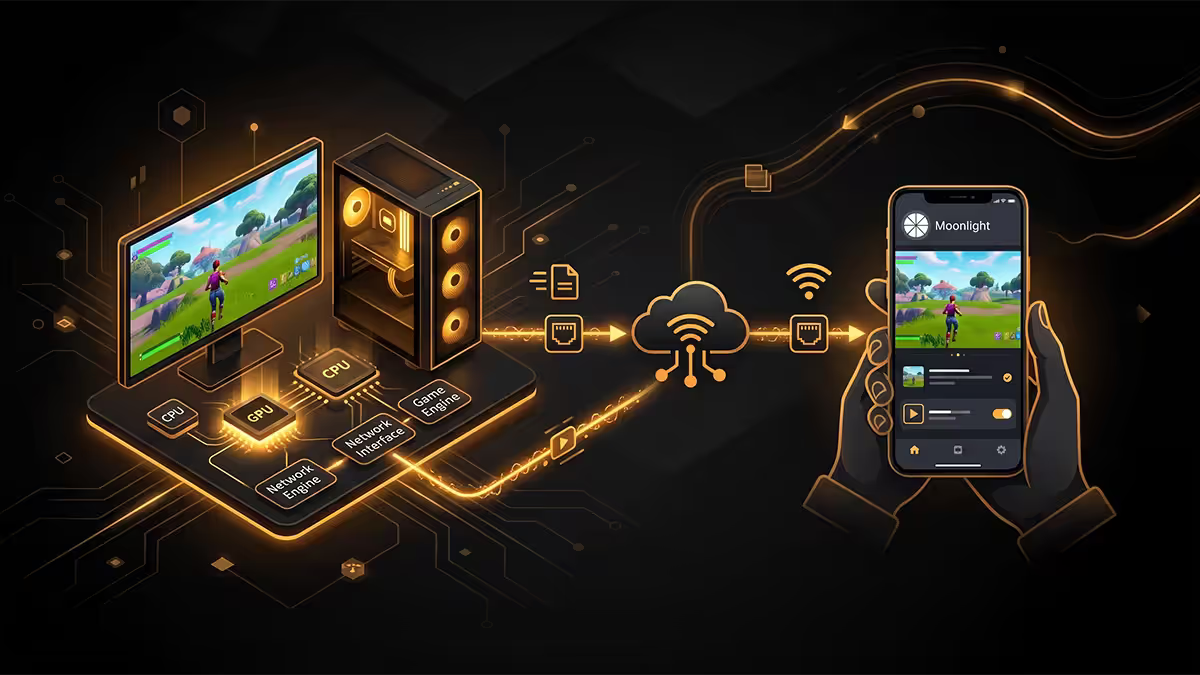
Sunshine is the host server that runs on your gaming PC. Moonlight is the client that runs on your phone. Both are open-source forks of NVIDIA's discontinued GameStream protocol — and they're now faster and more flexible than the original was.
Host setup (gaming PC)
- Download Sunshine from github.com/LizardByte/Sunshine. Pick the Windows installer (or Linux / macOS package).
- Run the installer. Accept the firewall prompts during install — Sunshine listens on local network ports.
- After install, Sunshine opens a browser tab to
https://localhost:47990. Set a username and password (this is the pairing PIN gateway, not your Windows account). - Go to Applications. Sunshine auto-detects Steam, Desktop, and your common launchers. You can add custom commands to launch Epic, Battle.net, or specific games directly.
- Under Configuration → Encoder, pick your hardware encoder: NVENC for RTX/GTX, AMF for Radeon, QuickSync for Intel iGPU. Hardware encoding is mandatory — software encoding will give 80-120ms latency.
- Configuration → Streaming: set max bitrate to 40 Mbps for 1080p60 or 80 Mbps for 1440p120. Match your phone's display resolution.
Client setup (phone)
- Install Moonlight Game Streaming from Google Play or App Store. Free, no ads.
- Make sure phone and PC are on the same WiFi network. Open Moonlight — your PC should appear automatically.
- Tap your PC. A 4-digit PIN appears. Type it into Sunshine's web UI (
localhost:47990→ PIN tab) to pair. - Once paired, Moonlight shows the apps you configured in Sunshine. Tap Steam, Desktop, or a game to start streaming.
- Inside Moonlight settings: set resolution to match your phone (1080p, 1440p, or 4K), framerate to 60 or 120, and bitrate to match what you set in Sunshine.
Steam Link — the easy alternative
Steam Link is Valve's official app, available free on Android and iOS. If your library is mostly Steam, the setup is one-tap simple: install the app, log in to your Steam account, and the app finds any PC on your network running Steam.
Strengths: zero firewall configuration, Steam Big Picture mode comes up automatically, native Steam Input (gyro on PS5 controllers, paddles on Xbox Elite), works on Apple TV, Samsung TVs, and Steam Deck for cross-device library sharing.
Weaknesses: Steam-only library — won't stream Epic, Battle.net, GOG or standalone games unless you "Add a non-Steam game" first. Slightly higher latency than Sunshine + Moonlight (typically 4-8ms extra). Less granular bitrate control. No HEVC option on iOS in some builds.
For a casual setup where you mostly want to play Steam games in bed without configuring anything, Steam Link is the right pick. For competitive or low-latency-critical play, switch to Sunshine + Moonlight.
Xbox Cloud Gaming reality in SA
Microsoft brought Xbox Cloud Gaming officially to South Africa in 2022. It's bundled with Game Pass Ultimate (R169-R189/month). You stream from data centres in Western Europe to your phone — no host PC required, no game install, no storage.
Strengths: works on any phone with a recent browser or the Xbox app. Massive library — Halo Infinite, Forza Horizon 5, Starfield, plus every Bethesda and Activision title under Game Pass. Cross-progression with consoles. Zero setup.
Weaknesses: the SA-to-Europe round trip is 90-130ms typical. For shooters that's painful. For RPGs, strategy, sports and racing it's fine. Image quality compresses harder than local streaming — visible smearing on detailed scenes, particularly at 1440p. Cellular streaming is unreliable outside major metro 5G coverage.
Best use case: travelling, hotel rooms, weekend at the in-laws. Plug a Backbone One into your iPhone and you have a portable Game Pass library. For your actual gaming evenings at home, stream from your own PC for the latency win.
Network requirements
Local streaming (Sunshine, Steam Link) needs nothing from the internet — it's all on your home LAN. Your home network determines quality. Cloud streaming (Xbox, GeForce NOW) needs your internet connection to behave well.
| Setup | Resolution / fps | Network need |
|---|---|---|
| Local (Sunshine) — 1080p60 | 1080p 60fps HDR | WiFi 5 same room |
| Local (Sunshine) — 1440p120 | 1440p 120fps HDR | WiFi 6 same room |
| Local (Sunshine) — 4K60 HDR | 4K 60fps HDR | WiFi 6E or 7 |
| Xbox Cloud — SA | 1080p 60fps | 20+ Mbps stable internet |
| GeForce NOW Ultimate | 4K 120fps | 50+ Mbps + low ping |
For local streaming, wire your gaming PC to the router with Ethernet — never trust the host PC to WiFi if you can help it. The phone has to be wireless, but the host shouldn't be. Wired host eliminates jitter on the encode-to-network handover that hurts streaming quality more than any single setting.
Latency targets and where ms get added
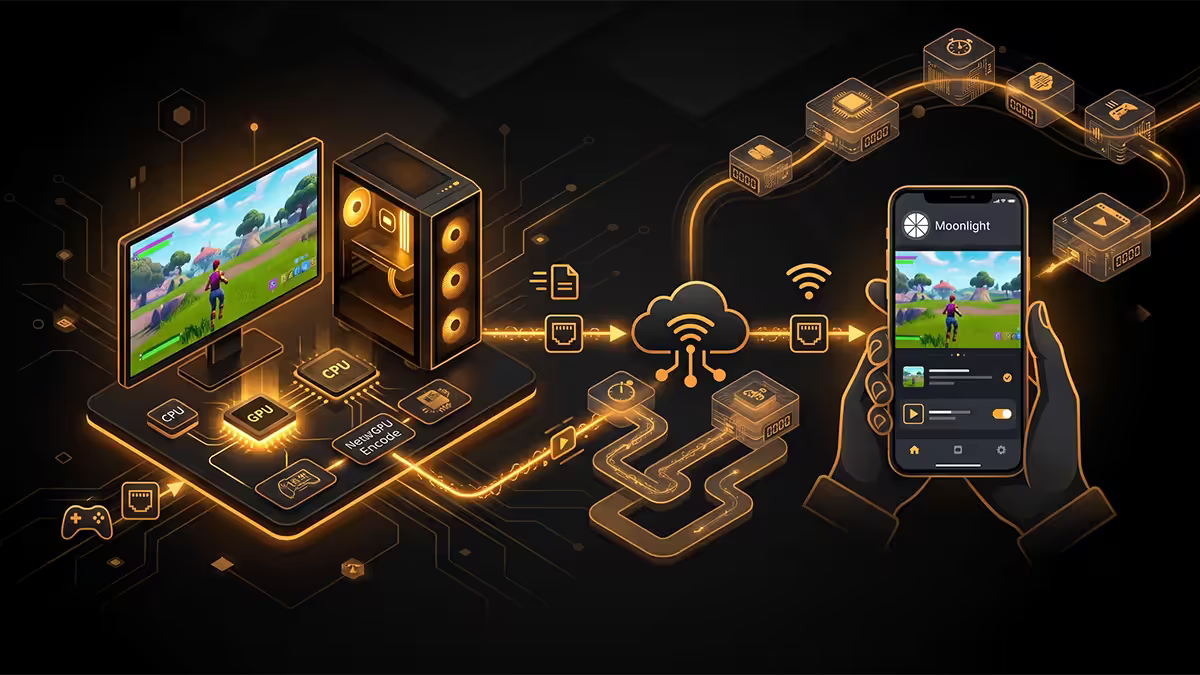
Total end-to-end streaming latency is a stack of small numbers:
- Host encode: 3-8ms with NVENC / AMF / QuickSync hardware encoder.
- Network out: 1-4ms on wired host, 3-8ms on WiFi 6 client.
- Client decode: 2-6ms on modern phone SoCs.
- Display response: 4-8ms on 60Hz OLED phones, 2-4ms on 120Hz panels.
- Controller polling: 1-3ms on USB-C clamp, 4-12ms on Bluetooth.
Best-case total: 13-25ms end-to-end on a modern setup. That's slightly worse than playing directly on a 60Hz monitor (~17ms native input lag), and far better than any cloud streaming service. It's competitive shooter playable.
If you measure higher latency: hardware encoder not enabled (software encode adds 60-80ms), phone on 2.4GHz instead of 5GHz, or Bluetooth controller instead of USB-C clamp. Address these in that order.
Controllers and battery life
Clamp controllers (best for latency)
- Backbone One (USB-C): R2,800-R3,400 in SA. Apple/iOS focus but works on Android. Best build quality.
- Razer Kishi V2 (USB-C): R2,500-R3,000. Universal Android, slightly tactile-clicky buttons.
- GameSir G8 Galileo (USB-C): R1,800-R2,400. Cheapest credible clamp, Hall-effect sticks.
- Razer Kishi Ultra (USB-C): R3,500-R4,200. Premium tier, full-size buttons, haptic motors.
Bluetooth controllers (more flexible)
- PS5 DualSense: R1,200-R1,600. Works on Android / iOS 16+. Adaptive triggers via Sunshine + Moonlight.
- Xbox Wireless Controller (BT): R1,100-R1,500. Universal compatibility.
- 8BitDo Pro 2: R900-R1,300. Customisable, good for retro libraries.
Clamp controllers add essentially zero input latency because they connect via USB-C direct. Bluetooth controllers add 4-12ms. For Cyberpunk or Stardew Valley the difference is invisible. For competitive shooters, the clamp controller is the right call.
Battery life on modern phones streaming 1080p60: roughly 4-5 hours from 100% to 20%. Add a clamp controller drawing power from USB-C and it drops to 3-3.5 hours. Plug in a 25W+ USB-C PD charger during long sessions — modern phones charge fast enough that even at 100% load they maintain or gain charge without thermal throttle.
When local streaming beats cloud
Cloud gaming is impressive but local streaming wins on three axes for SA users.
Latency: 18ms local vs 100ms+ cloud is the difference between competitive shooter playable and competitive shooter unplayable.
Library: Your owned games, mods, save files, custom configs — all there on local stream. Cloud limits you to whichever titles the service licences.
Image quality: Local streaming at 40 Mbps HEVC is visibly cleaner than cloud streaming at 15-20 Mbps. Detail in dark scenes, foliage, and high-contrast areas is noticeably better.
When cloud wins: when you don't own the host PC (travelling, work trip), when you don't want to leave a PC on overnight, when you want to try a Game Pass title without installing 100GB.
Key takeaways
- Sunshine (host) + Moonlight (client) is the best free local-streaming pair in 2026 — open source, hardware accelerated, all libraries.
- Wire your gaming PC to the router; let the phone use WiFi 6 in the same room.
- Target sub-25ms total end-to-end. Hardware encoder + 5GHz WiFi + USB-C clamp delivers it.
- Xbox Cloud Gaming works in SA but routes via Europe (~100ms) — fine for casual, painful for shooters.
- Steam Link is the easy alternative if you only play Steam library titles.
Frequently asked questions
What is the best app to stream PC games to phone in 2026?
Sunshine (host) + Moonlight (client) — free, open source, HEVC 4K HDR support, replaces discontinued NVIDIA GameStream. Steam Link is easier but Steam-library-only.What latency should I target for game streaming to phone?
Under 25ms total end-to-end for fast games. Under 40ms acceptable for most genres. Wired host + WiFi 6 phone same room delivers 15-22ms typical.Do I need WiFi 6 to stream games to my phone?
WiFi 5 works for 1080p60. WiFi 6 needed for 1440p120 or 4K HDR. WiFi 6E/7 cleanest on uncontested 6GHz band.Is NVIDIA GameStream still supported in 2026?
No — NVIDIA discontinued GameStream in February 2023. Sunshine + Moonlight is the open-source successor and now objectively better — supports AMD/Intel GPUs, HEVC and AV1, active development.How do I pair a controller to my phone for streaming?
DualSense, Xbox Wireless, Backbone One, Razer Kishi V2 all support iOS/Android. Clamp controllers via USB-C add ~0ms. Bluetooth adds 4-12ms.How long does game streaming drain phone battery?
Roughly same as 4K video playback — 8-12% per hour. With a clamp controller it climbs to 15-18%. Plug in 25W+ USB-C PD for long sessions.Can I stream PC games to phone over cellular?
Technically yes — but cellular adds 30-80ms latency on top of your home connection. Works for slow-paced games on SA 5G, painful for shooters.Is Xbox Cloud Gaming available in South Africa?
Yes — launched in SA in 2022 with Game Pass Ultimate (R169-R189/month). Servers in Western Europe so ping is 90-130ms. Playable but feels worse than local Sunshine + Moonlight.
Get the Evetech app
Exclusive app-only prices, daily flash sales, and free delivery on orders over R4,000 — download the app and start saving.