Monitor Arms · Complete Setup Guide
How to set up monitor arms. — Tighten the clamp first. Always.
A good monitor arm changes how you work. A badly mounted one breaks your monitor. Here's the VESA + weight + clamp + height math that gets it right the first time.
- VESA standards
- 75 / 100
- SA price band
- R600-R5k
- centre target
- Eye-level
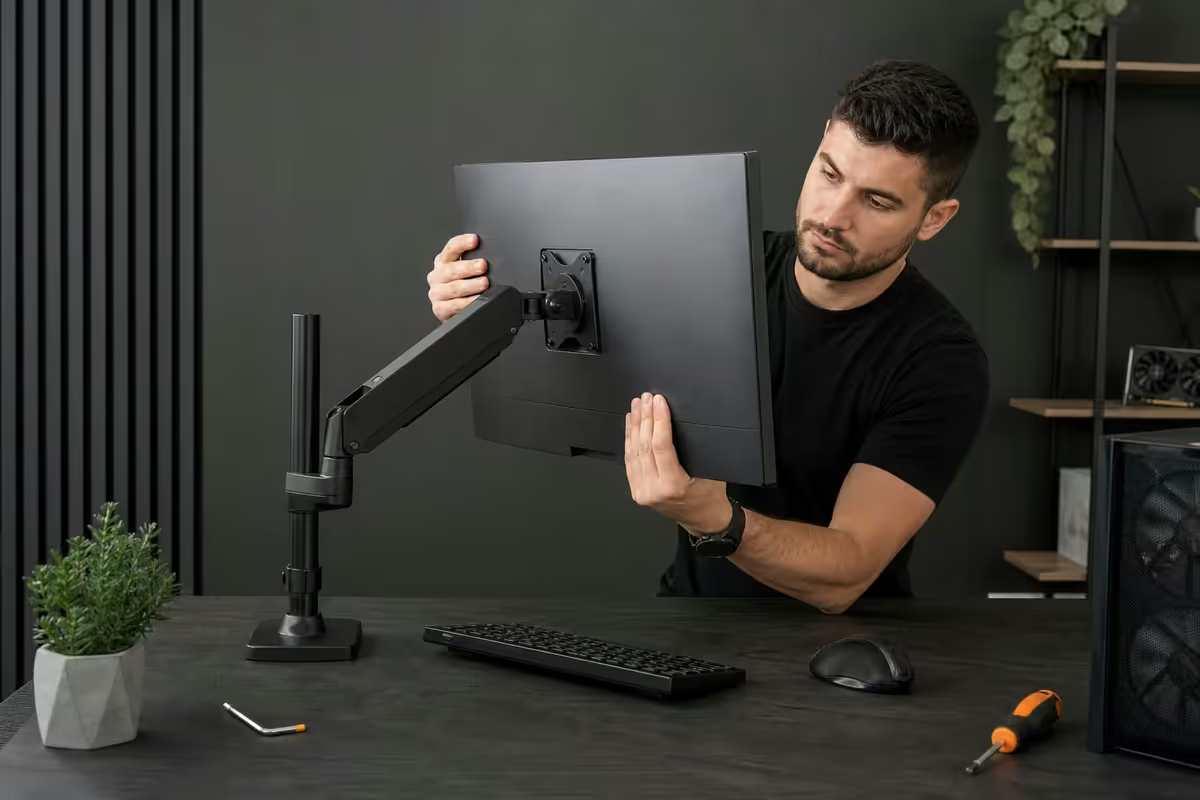
VESA standards — the four bolt holes that matter
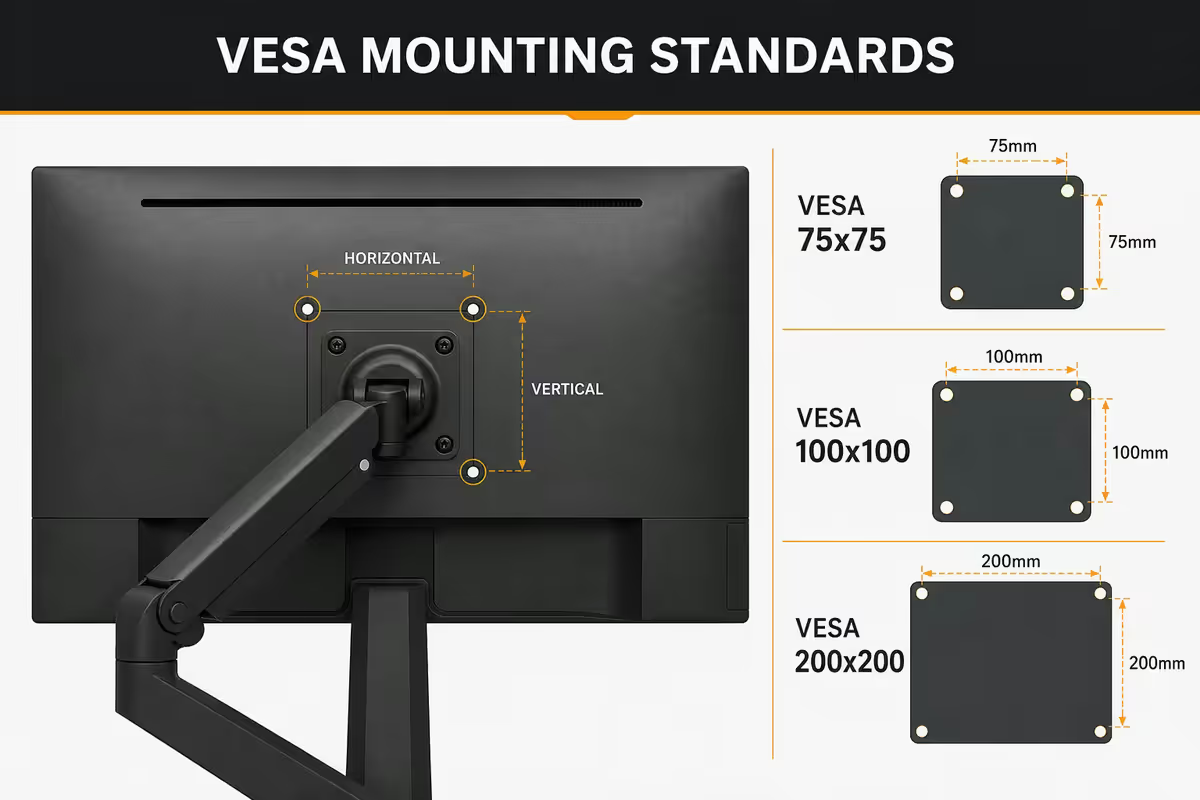
VESA (Video Electronics Standards Association) defines the bolt-hole pattern on the back of monitors. The pattern is measured between the centres of the four holes in millimetres — so VESA 75 means a 75×75 mm square, VESA 100 means 100×100 mm.
| VESA pattern | Typical monitor size | Bolt size |
|---|---|---|
| 75 × 75 mm | Sub-24", lightweight | M4 |
| 100 × 100 mm | 24-32" common monitors | M4 |
| 200 × 100 mm | Larger ultrawide | M6 |
| 200 × 200 mm | 40"+ ultrawide, big screens | M6 |
| 400 × 400 mm | 50"+ TV-class displays | M8 |
Almost every monitor arm sold in SA supports VESA 75 and 100 out of the box. Larger patterns (200, 400) need heavy-duty arms or wall mounts — typically not what you want on a desk.
Single vs dual vs triple arm — what you actually need
Single arm — for a primary monitor when you want freedom of position and a clear desk. The most common purchase. R600-R3k depending on tier. Most people start here.
Dual arm — for productivity setups where you use two monitors equally: code on one, browser / docs on other, or spreadsheet + reference. R1.8k-R3.5k. Worth it if you're using two screens daily for 6+ hours.
Triple arm — trading desks, control rooms, programming with three full screens, or a 32" ultra-wide centre with two 24" flanks. R3k-R5k. Niche but real for specific workflows.
Practical advice: most home / office users buy a single arm first, then add a second single arm later (matching brand). This costs roughly the same as a dual arm and gives you independent base clamps — if you reorganise the desk, each monitor moves separately. Dual arms share a single base post, which is sleeker but less flexible.
Clamp, grommet or through-desk — mount style
| Mount type | Best for | Reversible? |
|---|---|---|
| C-clamp (desk edge) | Most home desks (10-90mm thick) | Yes |
| Grommet (through-hole) | Corporate workstations with cable holes | Hole stays |
| Through-desk bolt | Sit-stand desks under heavy adjustment | Permanent |
| Wall mount | Hot-desking, mounted TVs | Holes stay |
| Pole / floor stand | Trading desks, workshops | Yes |
For 80% of SA home and office desks, C-clamp is the answer. No drilling, easy to move later, fits standard 18-25mm MDF and most solid wood desks up to 90mm thick. Place the clamp at the rear edge of the desk for the cleanest cable run.
Grommet requires drilling a 50-65mm hole through your desktop — fine on a corporate / shared desk that already has cable holes, but most home desks don't justify the drilling. Cleaner final look, slightly less wobble than clamp under heavy adjustment.
Weight rating — match your monitor to the arm
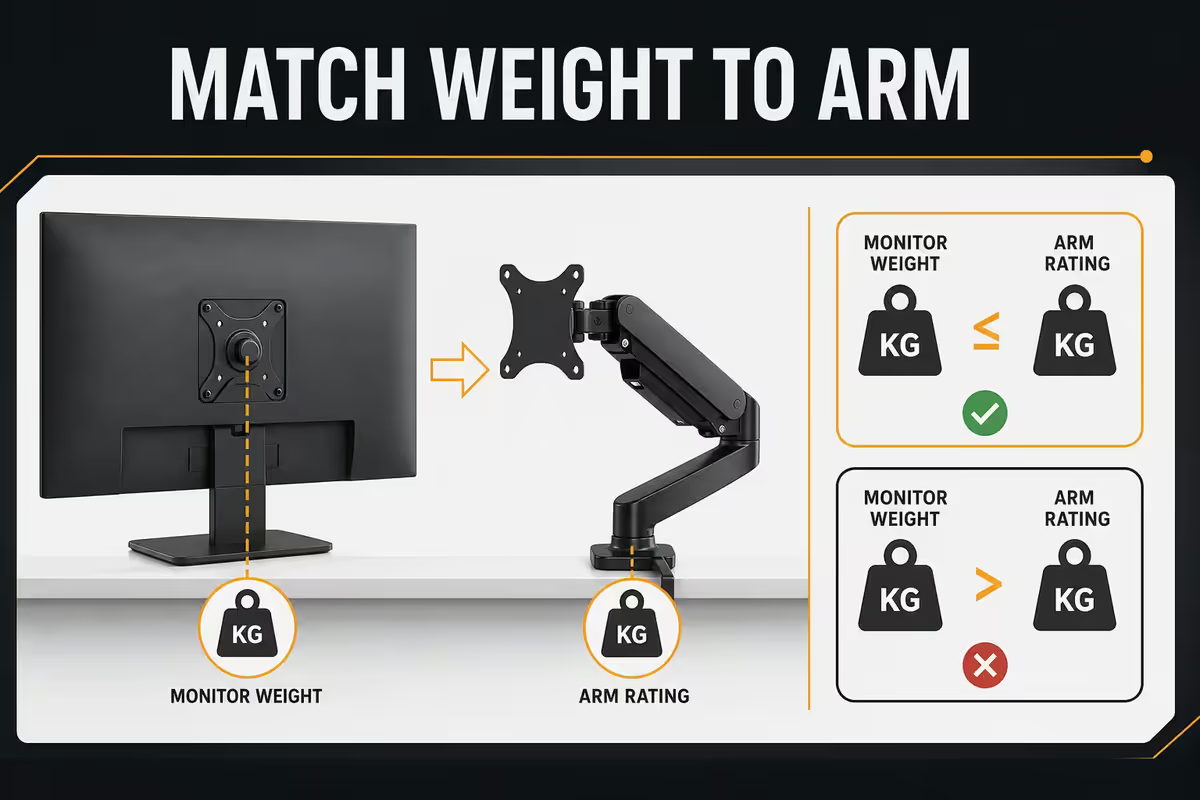
Arm weight ratings are listed as a range — for example "3-9 kg". You need the monitor weight (without the stand) to sit comfortably in the middle of that range.
Why not just buy a higher-rated arm and be safe? Because the gas spring tension is calibrated for the range. A monitor at the bottom of the range will float upward by itself (spring too strong). A monitor above the top of the range will sag downward (spring too weak). The middle of the range is the sweet spot.
| Monitor type | Typical weight (no stand) | Arm rating |
|---|---|---|
| 24" 1080p IPS | 3.0 - 4.5 kg | 2-7 kg |
| 27" 1440p IPS | 4.5 - 7.0 kg | 3-9 kg |
| 27" QD-OLED gen 3 | 5.5 - 7.5 kg | 3-9 kg |
| 32" 4K IPS | 6.0 - 10.0 kg | 5-12 kg |
| 34" ultrawide curved | 7.0 - 12.0 kg | 5-14 kg |
| 38" ultrawide | 9.0 - 14.0 kg | 8-18 kg |
| 49" super-ultrawide | 14.0 - 18.0 kg | Heavy-duty 12-20 kg |
Always check the monitor's spec sheet for "weight without stand" — this is the figure the arm carries. Box weight includes stand + box; the stand is typically 1.5-3 kg you can subtract.
Gas-spring vs mechanical-spring
Gas-spring arms (Ergotron LX, Vivo V101 Pro, Husky Mounts F100) use a pressurised gas piston for height and tilt adjustment. Movement is silky-smooth, single-handed, and the arm holds position firmly without drifting. Best for daily-adjust use, sit-stand workflows, or anyone who repositions the screen frequently.
Mechanical-spring arms (cheaper Vivo, North Bayou F80) use coiled metal springs for adjustment. Movement is slightly stiffer, often needs both hands for height changes, and the spring can sag over time on heavier monitors. Best for set-and-forget positioning — mount it once at your eye level and rarely move it again.
Cost difference: gas-spring arms cost R200-R600 more than equivalent mechanical-spring models. For daily adjusters, worth every cent. For "set it once" users, you can save the money.
Height & eye level — the ergonomics math
Sit normally at your desk. Look straight ahead. The point your eyes naturally land on should be the centre of the screen — not the top.
In practice, this means:
- Top edge of the screen at brow level when looking straight ahead.
- Centre of the screen at eye level — your eyes drift slightly downward to it naturally, which is the most fatigue-free angle.
- Bottom edge of the screen below eye level — you read the lower portion with your eyes angled down slightly.
- Distance: 50-70 cm from your eyes (about an arm's length).
If you wear bifocals or progressive lenses, the standard advice changes. Lower the monitor 5-10 cm so the centre falls within the upper / distance lens segment without tilting your head back. Otherwise you'll be lifting your chin all day.
Dual monitor positioning: if you use one screen more than the other, place the primary directly ahead and angle the secondary 10-15 degrees inward. If you use both equally, sit at the seam between them and angle each ~10 degrees inward. Keep tops aligned at brow level.
SA picks by tier — June 2026
| Tier | Pick | SA price |
|---|---|---|
| Entry single | North Bayou F80 (mech-spring) | R600-R800 |
| Entry single (gas) | Vivo V100B | R850-R1,100 |
| Mid single | Husky Mounts F100 gas-spring | R1,200-R1,600 |
| Mid single +USB | Vivo V101 Pro USB | R1,500-R1,900 |
| Premium single | Ergotron LX (10-year warranty) | R2,200-R3,200 |
| Premium ultrawide | Ergotron HX heavy-duty | R3,500-R4,500 |
| Dual gas-spring | Husky Mounts F200 / Vivo V102C | R1,800-R2,800 |
| Triple gas-spring | North Bayou F195A | R2,800-R4,000 |
| Sit-stand under-desk | Ergotron WorkFit-S | R8,000+ |
Common monitor arm mistakes
Mounting the monitor before tightening the base clamp. The arm tilts forward under the weight, the desk gets scratched, the monitor crashes. Always: clamp tight first, screen second.
Not adjusting the gas-spring tension for your monitor weight. Out of the box, arms are set for ~6 kg. Heavier monitors droop; lighter ones float. Adjust with the Allen key included in the box before mounting the screen.
Buying an arm that fits but with rating too tight. A 6.5 kg monitor on an arm rated 2-7 kg works but sits at the top of the range — the spring will sag over time. Buy an arm where your monitor weight is mid-range.
Routing cables before final positioning. Move the arm to all extreme positions first to test cable slack. Routing cables tight at neutral position means they yank when you tilt or lift the monitor.
Forgetting bifocal / progressive lens height adjustment. Standard "eye level at screen centre" assumes single-vision sight. If you wear progressives, drop the screen 5-10 cm or you'll lift your chin all day.
Key takeaways
- Check VESA pattern (75 or 100) and monitor weight (without stand) before buying any arm.
- C-clamp fits most desks — grommet for clean look, through-desk bolt for heavy daily use.
- Pick gas-spring for daily adjusters, mechanical-spring for set-and-forget — save R200-R600.
- Tighten the base clamp BEFORE mounting the monitor. Adjust gas-spring tension to your monitor weight.
- Monitor centre at eye level seated, 50-70 cm away — lower 5-10 cm if you wear progressives.
Frequently asked questions
What is VESA and which standard does my monitor use?
VESA is the bolt-hole pattern on the back of the monitor. 75×75 for smaller monitors, 100×100 for most 24-32 inch displays. Almost every arm supports both out of the box.Single, dual or triple monitor arm — which do I actually need?
Most users start with single arm. Dual for daily-use two-monitor setups. Triple for trading desks and control rooms.Clamp, grommet or through-desk — which mount style?
Clamp fits 80% of home desks (no drilling). Grommet needs a 50-65mm hole. Through-desk bolt for maximum stability under sit-stand use.How much weight rating do I need for my monitor?
Match monitor weight to the middle of the arm's rated range. 27" IPS is 4.5-7 kg, needs a 3-9 kg arm.Gas-spring vs mechanical-spring arm — what's the difference?
Gas-spring is silky smooth single-handed. Mechanical-spring is stiffer, often needs two hands. R200-R600 price gap.How high should I position my monitor on an arm?
Monitor centre at eye level seated. Top edge at brow level. 50-70 cm away. Lower 5-10 cm if you wear progressives.What does a good monitor arm cost in South Africa in 2026?
Entry R600-R900 (North Bayou, Vivo basic), mid R1,200-R1,800 (Husky F100, Vivo V101 Pro), premium R2,000-R3,500 (Ergotron LX).What's the most common mistake when setting up a monitor arm?
Not tightening the clamp screws before mounting the monitor. Always: base clamp tight first, monitor second.
Get the Evetech app
Exclusive app-only prices, daily flash sales, and free delivery on orders over R4,000 — download the app and start saving.