Home NAS Buying Guide
How to set up a home NAS. — Your photos, your media, your backups. One box. Forever.
A NAS is the only piece of storage you'll ever actually need. Plex hosts your media. Time Machine backs up the MacBook. Synology Photos replaces iCloud. And nothing leaves the house unless you tell it to.
- covers most homes
- 2-bay
- backup rule
- 3-2-1
- SA price band
- R5k-R25k
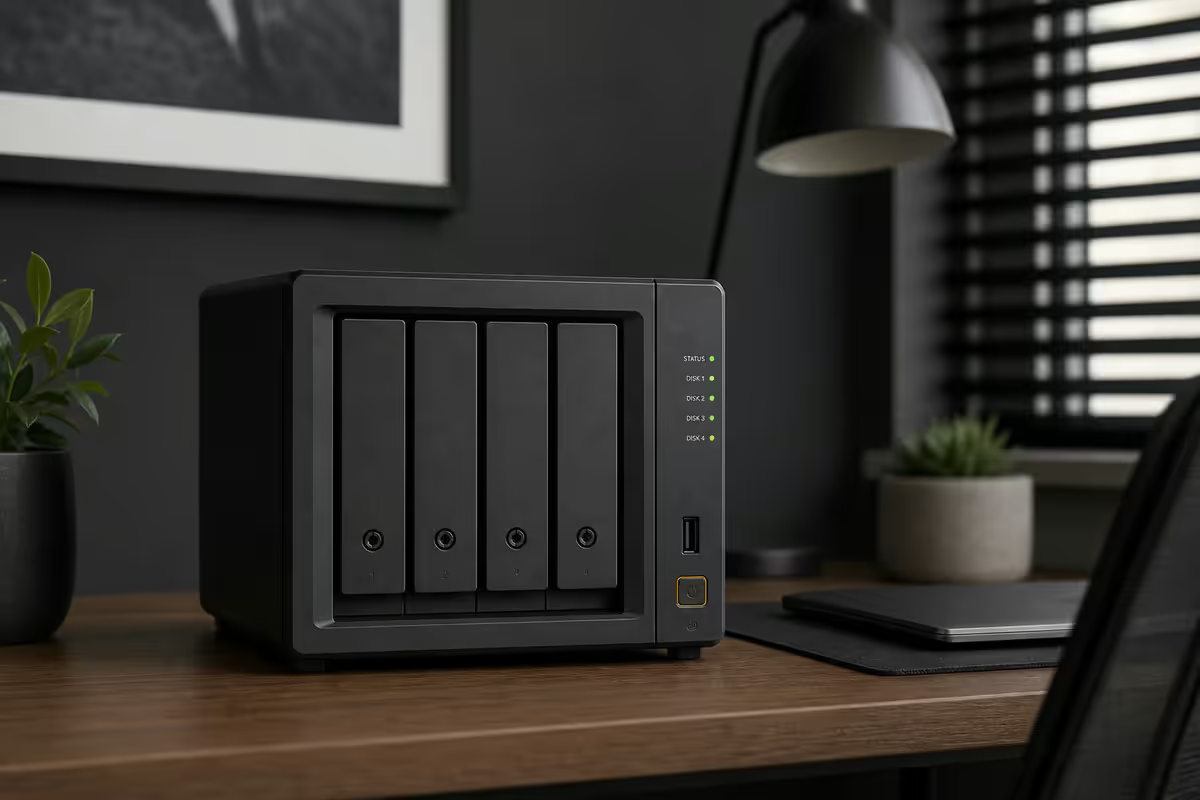
Picking a NAS — Synology, QNAP or TrueNAS
There are three serious choices for a home NAS in 2026. Each has different trade-offs and a different "feel" once you live with it.
| Platform | Best for | SA reality |
|---|---|---|
| Synology DSM | Most homes — easiest software | Widely stocked, best support |
| QNAP QTS | Plex / hardware transcode / HDMI out | Stocked, deeper feature set |
| TrueNAS Scale (DIY) | Power users, ZFS, max storage value | Build with Mini X+ or DIY hardware |
| UGREEN NASync | Budget alternative, growing | Available 2026, software still maturing |
| Asustor | Niche, similar to QNAP | Limited SA stock |
Synology is the right answer for most people. DSM 7.2 is the most polished NAS operating system on the market — Photos, Drive (Dropbox replacement), Active Backup for Business (free PC bare-metal backup) and Surveillance Station (8 free camera licences) cover almost every home use case out of the box. Setup wizard, plug it in, follow the steps. Done in 30 minutes.
QNAP gives more raw power and ports per Rand. The TS-464 (4-bay, Intel Celeron N5095 with QuickSync) is the right pick if you want hardware-accelerated Plex transcoding for multiple users — Synology dropped Intel from most 2024+ models. QTS is busier and noisier than DSM but extremely capable.
TrueNAS Scale (free, Linux-based, ZFS) is the maximum-value, maximum-flexibility option for technical users. iXsystems' Mini X+ / Mini X is a polished pre-built TrueNAS box that imports cleanly into SA. Self-built TrueNAS on used enterprise hardware can give you 60+ TB usable for under R15k — if you're comfortable with Linux.
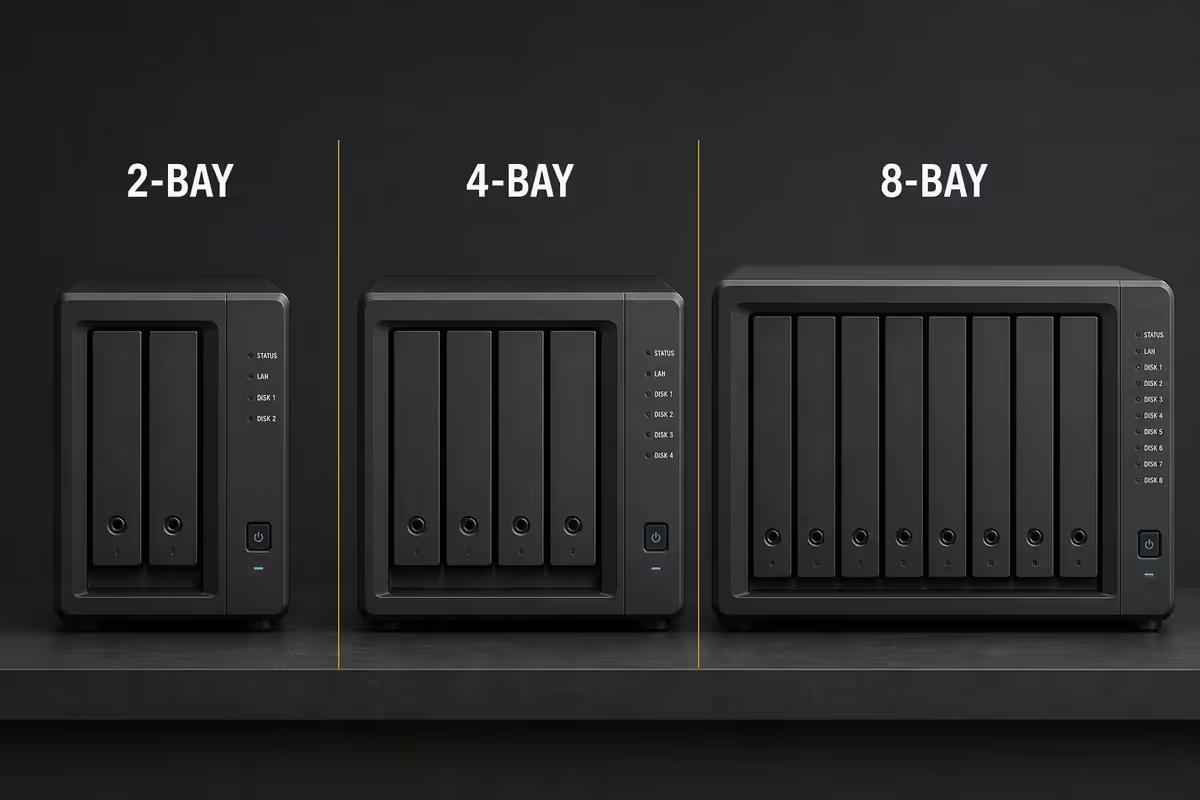
2-bay vs 4-bay vs 8-bay
Bay count drives almost every other decision. Buy for where you'll be in 3-4 years, not where you are today.
2-bay (Synology DS224+, DS124, QNAP TS-264)
Right for: small households, couples, single users. RAID 1 gives you a mirror (one drive can fail and you don't lose data). With two 8 TB drives, usable capacity is 8 TB. Two 16 TB drives = 16 TB usable. Cheap, quiet, low power. The DS224+ is genuinely good enough for most homes.
4-bay (Synology DS923+ / DS923+, QNAP TS-464, TS-664)
Right for: families, Plex servers, photo enthusiasts. RAID 5 or SHR uses one drive's worth of capacity for parity, giving you 75% efficiency. Four 8 TB drives = 24 TB usable. Better expansion path — start with 2-3 drives, add more later. This is the sweet spot for most homes that take photos and media seriously.
6-8 bay (Synology DS1525+, DS1825+, QNAP TS-664/TS-873A)
Right for: content creators, photographers shooting RAW at volume, small businesses, home labs. RAID 6 or SHR-2 gives two-drive parity — two drives can fail simultaneously and you're still safe. The leap in cost is significant; only buy if you have a concrete need.
RAID levels — honestly
RAID protects against drive failure, nothing else. It is not a backup. Once you internalise that, the choice becomes easy.
| RAID | What it does | Right when |
|---|---|---|
| RAID 0 (stripe) | Speed, no redundancy | Never for a home NAS |
| RAID 1 (mirror) | 2 drives, identical copies | 2-bay NAS |
| RAID 5 | Single-drive parity, 75% efficient (4-bay) | 4-bay, balanced |
| RAID 6 | Two-drive parity, safer | 6-8 bay, irreplaceable data |
| RAID 10 | Mirror + stripe, fast + safe | 4-bay, performance over space |
| Synology SHR / SHR-2 | Smart RAID, mixes drive sizes | Synology default — use this |
Synology Hybrid RAID (SHR) is the right default if you're on Synology. It behaves like RAID 5 but lets you mix drive sizes (5 TB + 8 TB + 12 TB + 16 TB) and use most of the capacity efficiently. SHR-2 is the equivalent of RAID 6.
ZFS on TrueNAS: if you're going DIY, ZFS pools (RAIDZ1, RAIDZ2, mirror vdevs) give you bit-rot detection and self-healing on top of standard parity. Plan ZFS pool topology before you buy drives — it's harder to restructure later than with Synology SHR.
Drives — buy NAS-rated, never desktop
Desktop drives (WD Blue, Seagate Barracuda) are designed to run 8 hours a day with frequent power-offs. NAS-rated drives (WD Red Plus, Seagate IronWolf, Toshiba N300) are designed for 24/7 operation with vibration tolerance for multi-bay enclosures. They live 2-3× longer in a NAS context. Use them.
- WD Red Plus (CMR) — 4/6/8/12/14 TB: the go-to safe choice. Avoid WD Red SMR drives (problematic for RAID rebuilds — WD's product page now flags this clearly).
- Seagate IronWolf (CMR) — 4/8/10/12/16/20 TB: equivalent performance, slightly louder.
- Seagate IronWolf Pro / WD Red Pro: enterprise warranty (5 years), 7200 RPM. Worth the premium if you're in a 6-8 bay setup.
- Avoid: any SMR drive in a RAID context (rebuild times become unreasonable). Avoid shucked external drives unless you accept the warranty trade-off.
The 3-2-1 backup rule applied
Old, simple, still right. Three copies of important data, on two different media, with one copy off-site.
- Copy 1: the working file on your laptop, PC or phone.
- Copy 2: the NAS at home (RAID 5/SHR, NAS-rated drives).
- Copy 3 (off-site): a cloud backup service (Backblaze B2 ~R0.08/GB/month, Synology C2 ~R0.10/GB/month) or a second NAS at a friend's house via Tailscale.
Why "off-site"? Fire, theft and a single lightning strike during a Highveld thunderstorm can wipe a single-location setup completely — including a RAID 6 array. Off-site is the only true protection against catastrophic loss. Encrypted cloud backup at R200-R400/month is cheap insurance.
Plex, Time Machine and photo sync
Plex or Jellyfin for media
Plex is the polished, paid-feature-tier option. Synology DS923+, DS1525+ and QNAP TS-464/TS-664 all run Plex Media Server well. For multiple simultaneous transcodes (e.g. one user on a TV, two on phones, one downscaling 4K to 1080p), pick a NAS with Intel QuickSync — QNAP TS-464 is currently the best price/performance Plex box. Jellyfin is the free open-source alternative — works on the same hardware, slightly clunkier UI, no licence fee.
Time Machine for Mac
Synology and QNAP both have first-class Time Machine support over SMB. Create a shared folder, enable Time Machine, mount it on the Mac, done. Set a quota (e.g. 3× the Mac's drive size) so backups don't fill the NAS forever.
Photo sync (iCloud replacement)
Synology Photos is genuinely excellent — face recognition, geotag map, automatic upload from iPhone and Android. Immich (open source, runs in a Docker container on QNAP or Synology) is the most-loved current alternative and feature-parity with Google Photos. Either way, you stop paying R59-R299/month to iCloud or Google after the first year.
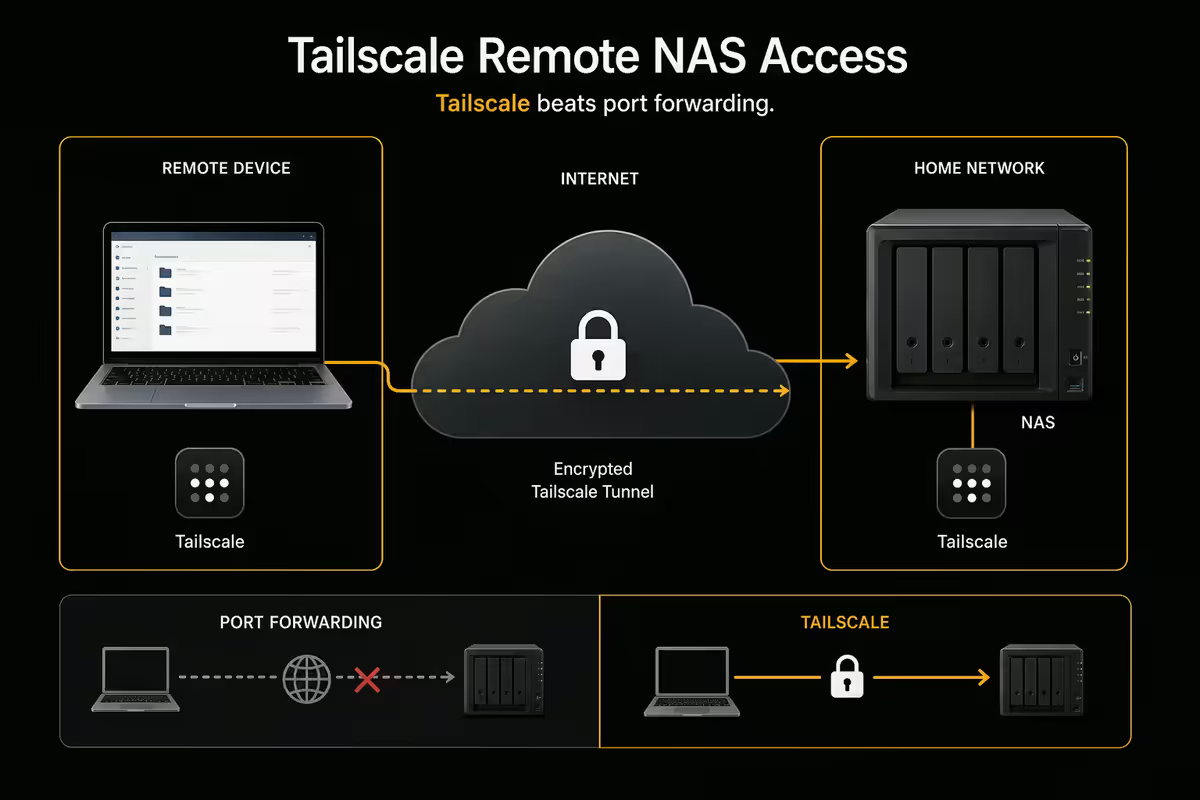
Remote access — Tailscale beats port forwarding
There used to be one way to reach your NAS away from home: open ports on your router. In 2026 that's the wrong answer. NAS web interfaces and SMB are aggressively scanned for ransomware exploits — leaving DSM exposed on port 5001 is asking for trouble.
Use Tailscale. It's a private mesh VPN — your phone, laptop and NAS all see each other on the same virtual network with zero firewall changes. Free for personal use up to 100 devices, takes 10 minutes to set up.
- Install Tailscale on the NAS (Synology and QNAP both have official packages).
- Install Tailscale on your phone and laptop.
- Sign in with the same account on all three (use a Google or Microsoft account).
- From now on, the NAS is reachable at its 100.x.x.x Tailscale IP from anywhere — even from a coffee shop in London.
Alternative: Synology QuickConnect is a simpler built-in option, slightly less flexible but easier for non-technical users. Both are better than port forwarding.
SA pricing tiers 2026
| Tier | Setup | Total cost |
|---|---|---|
| Entry (1-2 users) | Synology DS224+ + 2 × 4 TB WD Red Plus + UPS | R8,000-R10,000 |
| Family (Plex, photos) | Synology DS923+ + 4 × 6 TB IronWolf + UPS | R14,000-R17,000 |
| Plex-heavy hardware transcode | QNAP TS-464 + 4 × 8 TB IronWolf + UPS | R15,000-R18,000 |
| Enthusiast / small studio | Synology DS1525+ + 5 × 10 TB IronWolf Pro | R25,000-R35,000 |
| DIY TrueNAS power user | TrueNAS Mini X+ or DIY ITX build + 4-6 drives | R18,000-R30,000 |
| Cloud off-site (recurring) | Backblaze B2 or Synology C2 | R200-R600/month |
Key takeaways
- Synology DS224+ (2-bay) or DS923+ (4-bay) is the right answer for most SA homes.
- Always use NAS-rated drives — WD Red Plus or Seagate IronWolf. Avoid SMR for RAID.
- RAID protects against drive failure, not against ransomware, theft or lightning. Not a backup.
- Apply the 3-2-1 rule — NAS + off-site cloud backup (Backblaze B2 or Synology C2). Non-negotiable.
- Remote access via Tailscale, never port-forwarding. Add a UPS — load shedding kills NAS uptime.
Frequently asked questions
Do I need 2-bay, 4-bay or 8-bay NAS?
2-bay (DS224+) is fine for couples/single users. 4-bay (DS923+) is the sweet spot for families with Plex and photos. 8-bay is for content creators or small businesses.Synology vs QNAP vs TrueNAS — which should I choose?
Synology DSM is the easiest. QNAP has more raw power and Intel QuickSync for Plex hardware transcoding. TrueNAS Scale is most powerful but needs Linux comfort.What RAID level should I use at home?
2-bay: RAID 1. 4-bay: RAID 5 or Synology SHR. 6-8 bay: RAID 6 / SHR-2. Never RAID 0. RAID is not a backup.Is the 3-2-1 backup rule still relevant in 2026?
More than ever — ransomware and lightning wipe single-location storage equally well. Three copies, two media types, one off-site.Can I run Plex or Jellyfin on a home NAS?
Yes. For hardware-accelerated transcoding pick a NAS with Intel QuickSync — QNAP TS-464 is the best price/performance Plex box in 2026.How do I back up my Mac and PC to the NAS?
Mac: Time Machine over SMB. PC: Synology Active Backup for Business (free) or Veeam Agent for Windows. Both do bare-metal image restores.How do I access my NAS away from home safely?
Tailscale (free up to 100 devices) or Synology QuickConnect. Never port-forward NAS services directly — they're scanned constantly.How much does a home NAS setup cost in SA?
Entry R5k-R10k (DS224+ + drives). Mid-tier R10k-R17k (DS923+ + 4 drives). Enthusiast R18k-R25k. Drives are ~50% of the build.
Get the Evetech app
Exclusive app-only prices, daily flash sales, and free delivery on orders over R4,000 — download the app and start saving.