Network Switch Buying Guide
How to choose a network switch.
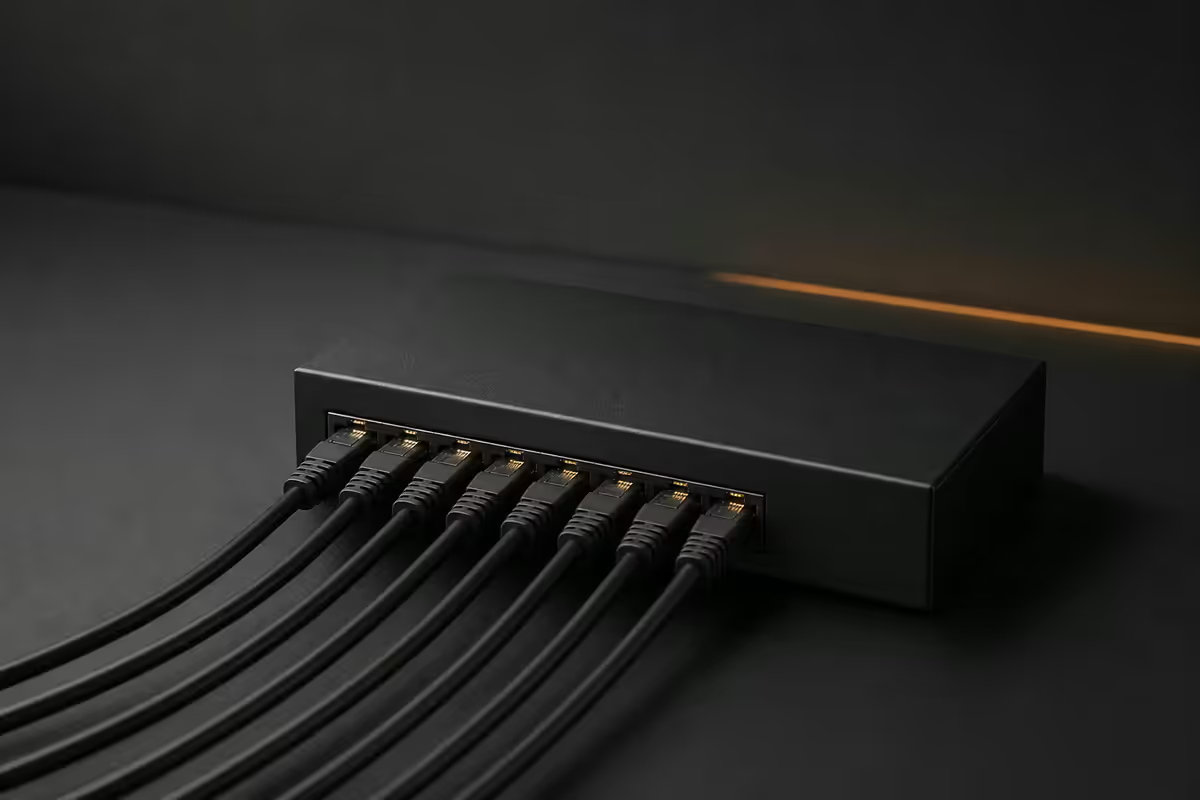
A network switch is the most boring brilliant box in your house — solid-state, fanless, no firmware battles, lasts ten years. Buy the right one once and never think about it again.
- covers most homes
- 8-port
- for living rooms
- Fanless
- SA price band
- R500-R8k
Unmanaged vs smart vs managed
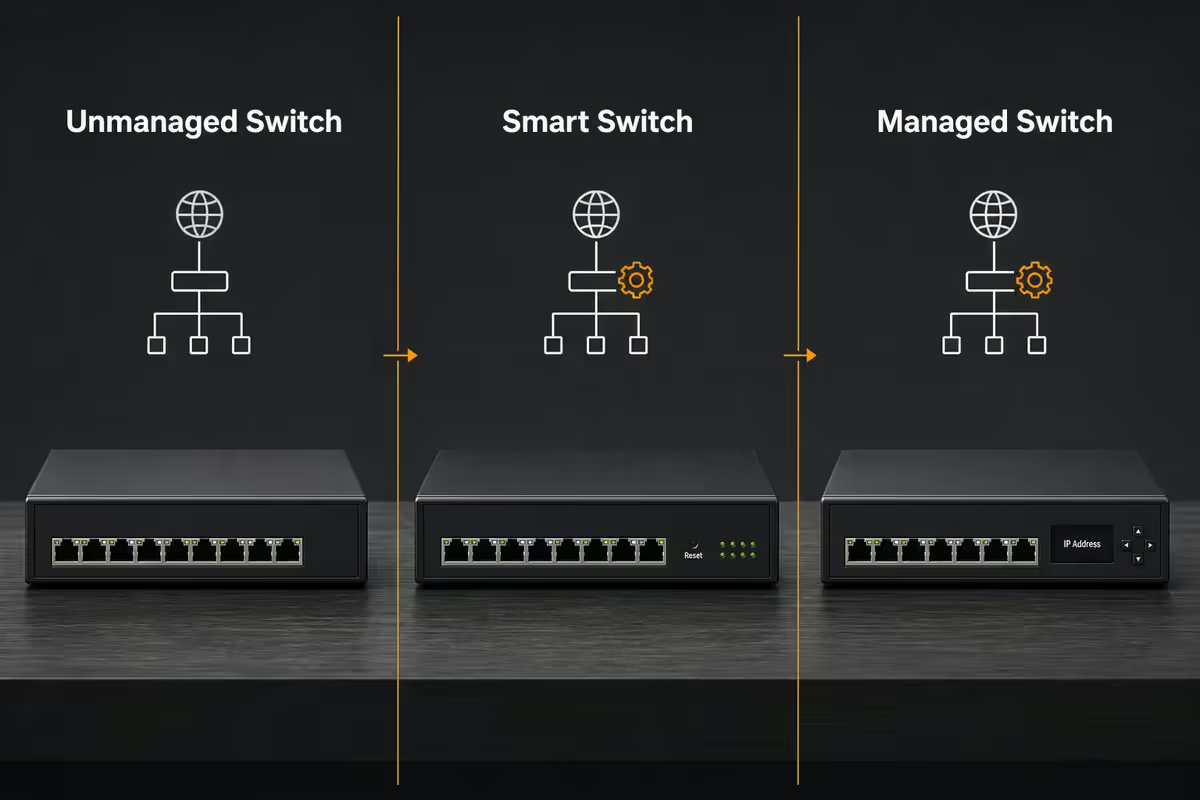
Switches fall into three tiers, and the right one for you is almost always lower in the stack than you'd think.
| Type | What you get | Right for |
|---|---|---|
| Unmanaged | Plug-and-play, zero config | Most homes |
| Smart (easy-smart, web) | Web UI, VLANs, basic QoS, port stats | Home labs, IP cameras, small office |
| Fully managed (L2 / L3) | Full CLI, SNMP, STP/LACP, routing | Business, prosumer, multi-VLAN setups |
| Stackable / chassis | Enterprise gear, multi-Gbit, 19" rack | Commercial / data centre |
Unmanaged switches are dumb in the best possible way. No firmware updates, no login, no settings. Plug Ethernet cables in, traffic flows. The TP-Link TL-SG108 (R550) and Netgear GS308 (R650) have shipped tens of millions of units and rarely die. Right for almost every home.
Smart switches add a web UI and a few power features: VLAN tagging, QoS, port mirroring, basic spanning tree. TP-Link "Easy Smart" and Netgear "Plus" series cost R150-R300 more than unmanaged and are worth it the moment you want to separate IoT devices from your main network.
Fully managed switches are the prosumer/business tier. Mikrotik CRS series, Cisco Catalyst 1200 (the SG350 successor), TP-Link Omada SG3000 series. CLI, SNMP, RADIUS auth, MSTP, full LACP. Necessary only if you're running multiple VLANs across the house and managing them centrally.
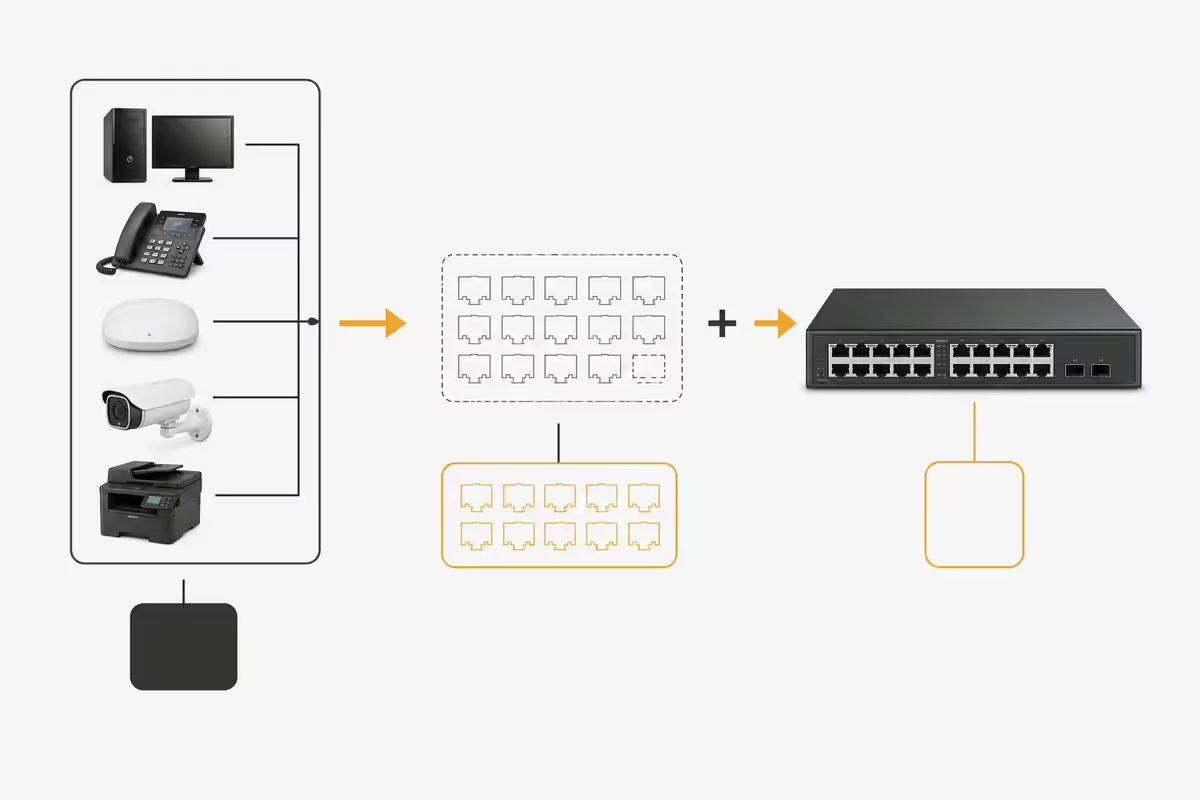
Port count — count, then add 25%
Walk through your house and count every device that benefits from being wired:
- Gaming PC / workstation (1)
- Console (PlayStation, Xbox) (1)
- Smart TV or media box (Apple TV, NVIDIA Shield) (1)
- NAS (1, sometimes 2 for link aggregation)
- Wireless access points (1-2)
- IP cameras (2-8)
- Home server / Raspberry Pi / home assistant (1-2)
A typical 2026 SA home: 5-7 wired devices → 8-port switch. Add cameras and you're at 16-port. Don't buy 24-port unless you have a real plan — the price jump is significant, heat increases, and most 24-port switches start to make fan noise.
| Port count | Right for | SA price band |
|---|---|---|
| 5-port | Single room, behind a TV | R350-R600 |
| 8-port | Most homes | R500-R1,200 |
| 16-port | Home with cameras, multiple APs | R1,500-R3,500 |
| 24-port | Home lab, small business, rack-mounted | R3,500-R8,000+ |
| 24-port PoE+ | Business with many cameras and APs | R6,000-R18,000 |
1GbE vs 2.5GbE vs 10GbE — what actually matters
For your internet line, gigabit (1GbE) is more than enough. SA fibre packages top out around 1 Gbps and the LAN side of your home rarely needs more.
Where higher speeds matter is internal LAN traffic — moving 50 GB of photos to the NAS, transferring video projects between machines, doing on-LAN backups.
When to consider 2.5GbE
- Your NAS has 2.5GbE ports (Synology DS923+, QNAP TS-464+ both do).
- Your PC has a 2.5GbE NIC built in (most B650/B760 mobos do).
- You move files between NAS and PC daily.
- You want some future-proofing without spending big.
A 2.5GbE 5-port unmanaged switch (TP-Link TL-SG105M, Cudy GS500) now costs R1,200-R1,800 — about 2-3× a gigabit switch, but only 60% the price of a year ago. Reasonable upgrade if both your NAS and PC actually support it.
When 10GbE makes sense
- Home lab with multiple servers/NAS units.
- 4K video editing off network storage.
- Multi-NAS replication at scale.
10GbE remains expensive at the switch (Mikrotik CRS305-1G-4S+IN at R3,500 is the cheapest entry point) and the network cards (R1,500-R3,000 per machine). Worth doing only if you have a concrete workflow that wants it. SFP+ optics or DAC cables add cost too.
PoE — only if you have cameras or APs
Power over Ethernet sends both data and power down a single Cat6 cable. Hugely convenient for devices mounted in awkward places — IP cameras on eaves, wireless APs in the ceiling, smart doorbells. You don't need a power outlet at the device end.
| PoE standard | Power per port | What it powers |
|---|---|---|
| PoE (802.3af) | 15 W | Basic IP phones, simple cameras |
| PoE+ (802.3at) | 30 W | Most IP cameras, Wi-Fi 6 APs |
| PoE++ (802.3bt Type 3) | 60 W | PTZ cameras, Wi-Fi 7 APs |
| PoE++ (802.3bt Type 4) | 90 W | Outdoor heated cameras, displays |
For SA homes with cameras and APs, PoE+ is the sweet spot. A TP-Link TL-SG108PE (8-port, 4 PoE+, 64 W budget) at R1,500 covers most setups. Verify the switch's total PoE budget matches the sum of devices — if you connect 8 × 15 W cameras to a 4-port × 30 W switch, only the first 4 will get power.
Brand picks 2026
TP-Link — the value default
TL-SG108 (unmanaged R550), TL-SG108E (Easy Smart R750), TL-SG108PE (PoE+ R1,500). Lifetime hardware warranty in SA. Stock is reliable, replacement is fast, the firmware on Easy Smart series has matured well. Right for 70% of SA homes.
Netgear — the alternative
GS308 (R650), GS308E Plus (R900), GS308P (PoE R1,800). Similar tier to TP-Link with slightly better build quality and price 20-30% higher. Easier UI on the Plus series for non-technical users.
Mikrotik — power user darling
CSS610-8G-2S+IN (8 × 1G + 2 × SFP+ R3,000), CRS305-1G-4S+IN (4 × SFP+ for 10GbE R3,500), CRS326-24G-2S+RM (24-port managed R5,000). RouterOS / SwitchOS is powerful but has a steep learning curve. Best value-per-port for managed/L3 features. Made in Latvia, fully imported to SA — replacements take 2-3 weeks.
Cisco — for the business tier
Catalyst 1200 series (SG350 successor, R4,500-R12,000) and 1300 series for L3. Worth the price only when you need TAC support, certified Cisco familiarity, or have an existing Cisco environment. Overkill for home.
Ubiquiti UniFi — if you're already on UniFi
UniFi Switch Lite 8 PoE (R3,500), Switch 16 PoE (R6,500). Excellent if you already manage UniFi APs through the UniFi Controller — one UI for everything. Stand-alone they're decent but premium-priced for what's effectively a smart switch.
VLANs and link aggregation — when they matter
VLANs for IoT isolation
If you've got 10+ smart-home devices (cameras, TVs, smart bulbs, fridges, robot vacs), each is a potential vulnerability. Put them on a separate VLAN that can't reach your PC, NAS or work laptop. Smart and managed switches plus a VLAN-aware AP (TP-Link Omada, UniFi) make this straightforward.
Typical home VLAN layout:
- VLAN 10 — Trusted: PCs, NAS, work laptop, phones.
- VLAN 20 — IoT: smart TVs, cameras, smart speakers, robot vacs.
- VLAN 30 — Guest: visitor Wi-Fi, internet only.
- VLAN 40 — Cameras only (optional): isolated camera traffic to NAS recorder.
Link aggregation (LACP)
Bundles two or more ports into one logical link. A NAS with two 2.5GbE ports bonded via LACP can serve multiple users simultaneously at higher aggregate throughput than a single port — but no single user gets faster than one port. Niche use case. Only matters if multiple users hit the NAS at once.
SA pricing tiers 2026
| Tier | Pick | SA price |
|---|---|---|
| Basic home (5-7 wired devices) | TP-Link TL-SG108 unmanaged 8-port | R500-R650 |
| Smart (VLAN, web UI) | TP-Link TL-SG108E Easy Smart 8-port | R750-R950 |
| PoE+ for cameras / APs | TP-Link TL-SG108PE 8-port (4 PoE+) | R1,500-R1,800 |
| Mid-home 16-port | TP-Link TL-SG116E or Netgear GS316 | R1,800-R2,500 |
| 2.5GbE upgrade | TP-Link TL-SG105M (5-port multigig) | R1,200-R1,800 |
| Managed (home lab) | Mikrotik CSS610-8G-2S+IN | R3,000-R3,500 |
| 10GbE backbone | Mikrotik CRS305-1G-4S+IN | R3,500-R4,200 |
| Business 24-port managed | Cisco Catalyst 1200-24T | R6,500-R8,500+ |
Key takeaways
- Unmanaged 8-port gigabit covers most SA homes (R500-R800) — TP-Link TL-SG108 or Netgear GS308.
- Step up to smart for VLAN isolation of IoT — TP-Link Easy Smart or Mikrotik CSS610.
- PoE only if you have IP cameras or wireless APs — PoE+ is the right tier for most.
- 2.5GbE matters for NAS-to-PC LAN transfers; gigabit is fine for internet traffic.
- Always fanless for the living room. Stick to known brands — TP-Link, Netgear, Mikrotik, Cisco, UniFi.
Frequently asked questions
Unmanaged vs smart vs managed switch — what's the difference?
Unmanaged: plug and play, no configuration, no VLAN, no monitoring. Right for most home users. Smart: web UI for VLANs, QoS, basic port stats — TP-Link Easy Smart or Netgear Plus series. Right for home labs, IP cameras and small offices. Managed: full CLI, SNMP, advanced VLAN/STP/LACP, used in business and prosumer setups. Mikrotik CRS, Cisco Catalyst 1200, TP-Link Omada. Most homes never outgrow unmanaged.How many ports do I actually need?
Count every wired device, then add 25% headroom. A typical SA home: 1 PC, 1 console, 1 TV, 1 NAS, 1 access point = 5 wired devices, so an 8-port switch fits comfortably. Add IP cameras and you might want 16. Don't buy 24-port unless you have a real plan — the price jump is significant and the heat/noise increases.Do I need 2.5GbE or 10GbE or is gigabit fine?
Gigabit (1GbE) is fine for almost every home — your internet line is the bottleneck, not the LAN. 2.5GbE matters if you're moving large files between a NAS and a PC over the LAN (50% faster than gigabit), and is now cheap enough to consider. 10GbE is overkill unless you have a home lab, 4K video editing workflow or multiple NAS units. Buy 2.5GbE only on devices that natively support it — mixing gigabit and 2.5GbE works but the link is capped by the slower side.What is PoE and do I need it?
Power over Ethernet (PoE) sends both data and power over a single Cat6 cable — eliminating power adapters at the device end. Buy PoE if you have IP cameras (Hikvision, Ezviz, Reolink, Ubiquiti) or wireless access points (Ubiquiti, TP-Link Omada). For just PCs and laptops, you don't need PoE. PoE+ (30W per port) covers most APs and PTZ cameras; PoE++ (60W+) is needed for high-power gear like outdoor weatherproof cameras.Fanless or fan switch — which should I buy?
Always fanless for home use. Fan-cooled switches sound like a hair dryer — fine in a server room, not in a living room. Most 5/8/16-port consumer switches are passively cooled. Larger managed switches (24/48 port, PoE+) need fans but can be deployed in a wiring cabinet or garage. Mikrotik CSS610-8G-2S+ and TP-Link TL-SG108E are silent 8-port options that sit on a shelf.Mikrotik vs Cisco vs TP-Link vs Netgear — which brand for home?
TP-Link or Netgear unmanaged switches for plug-and-play home use — R500-R1,200, lifetime warranty. Mikrotik for home labs and power users wanting VLAN/L3 routing at half the price of Cisco. Cisco Catalyst 1200 (replaced SG350) for businesses that need TAC support and Catalyst familiarity. Ubiquiti UniFi if you're already on UniFi APs and want one management UI. Avoid no-name AliExpress switches — they fail in load-shedding cycles.What is VLAN and do I need it at home in 2026?
VLANs let you partition one physical network into multiple isolated virtual networks. The typical 2026 home use case: separate IoT devices (cameras, TVs, smart bulbs) onto a guest VLAN that can't reach your PC, NAS or banking apps. Worth doing if you have 10+ IoT devices or work-from-home laptop with sensitive data. Requires a smart or managed switch plus an access point that supports VLAN tagging.What is link aggregation (LACP) and when does it help?
Link aggregation bundles two or more ports into one logical link, doubling bandwidth between switch and a device that supports it (NAS, server, second switch). Doesn't help a single user — you still get one gigabit per session. Helps when multiple users hit the NAS simultaneously, when you backbone two switches together, or for fault tolerance. Niche feature; most home users don't need it.
Get the Evetech app
Exclusive app-only prices, daily flash sales, and free delivery on orders over R4,000 — download the app and start saving.