USB Hub Buying Guide
How to choose a USB hub.
The R150 bargain bin hub drops your SSD mid-render. The right hub is invisible — it just works for five years. Three numbers separate the two: power, generation and port count.
- USB3.2 → TB4
- 10-40Gbps
- size range
- 4-16 port
- SA tier range
- R200-R4.5k
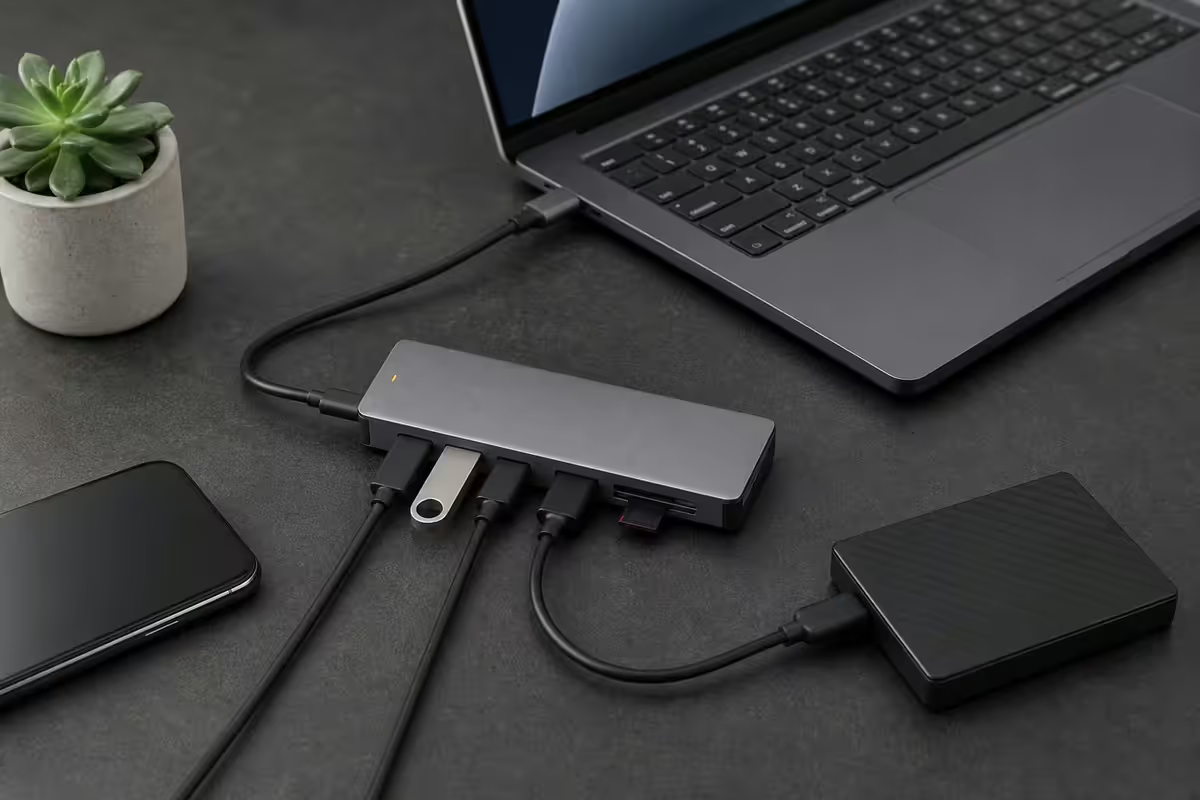
Powered vs bus-powered — the decision that matters most
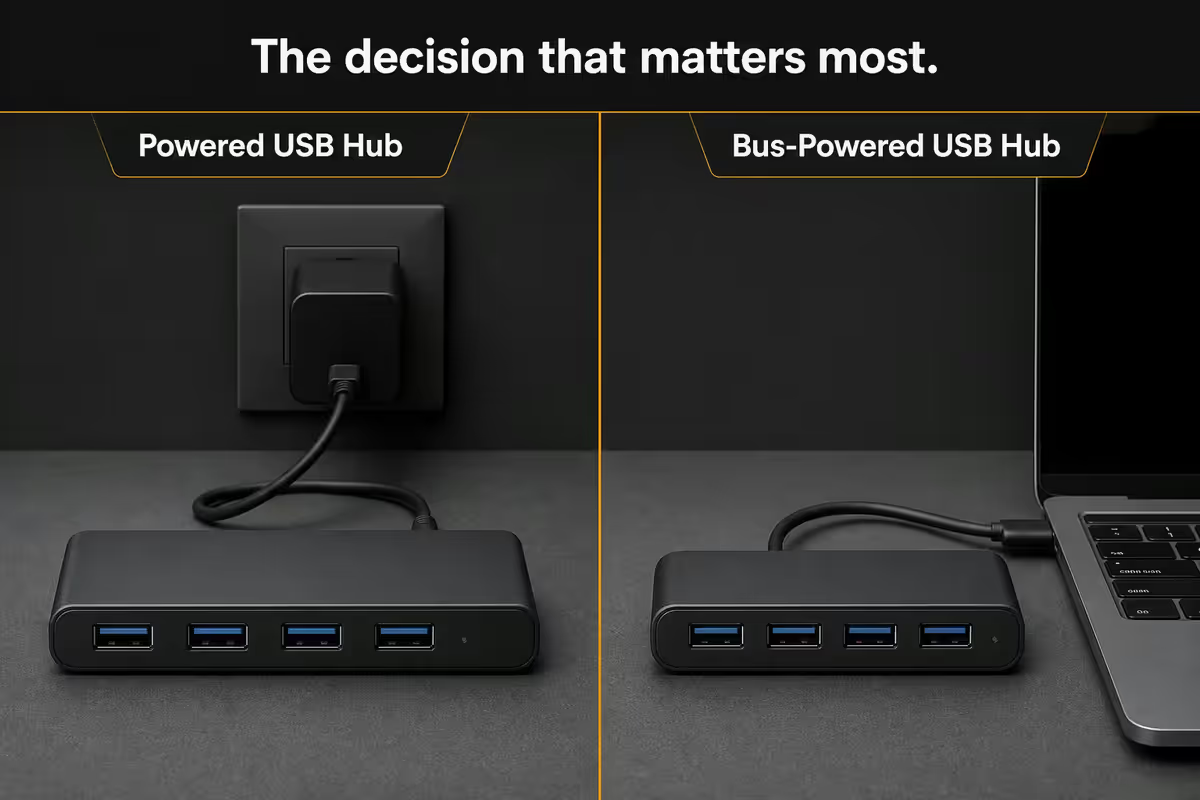
This is the single most important USB hub decision and the one most buyers get wrong. The difference isn't about the hub at all — it's about what the hub can power.
Bus-powered hubs draw all their power from the host USB port. USB 3.x spec allows the host to deliver 900mA (4.5W) total — and that's shared across every downstream port. Plug in three flash drives and a wireless mouse and you're fine. Plug in a portable SSD that wants 1A and the whole hub starts dropping devices.
Powered hubs have an external 12V or 20V brick. Each downstream port gets the full 900mA spec, and BC1.2 / USB-PD ports can deliver 1.5A-3A for charging. Required for portable SSDs, scanners, monitors, USB audio interfaces, charging anything.
| Device | Bus-powered OK? | Powered required? |
|---|---|---|
| Keyboard, mouse, wireless dongle | ✓ Yes | No |
| Flash drive, USB stick | ✓ Yes | No |
| Webcam, headset | Usually | Better |
| Portable SSD (Samsung T7, SanDisk Extreme) | Unreliable | ✓ Required |
| External HDD (2.5", 3.5") | No | ✓ Required |
| Scanner, USB printer | No | ✓ Required |
| USB audio interface | Maybe | ✓ Required |
| Phone charging (BC1.2 fast) | No | ✓ Required |
| Laptop charging (USB-PD) | No | ✓ Required (60W+) |
USB 3.2 vs USB4 vs Thunderbolt 4
USB naming is genuinely awful. Here's the rosetta stone for 2026.
| Standard | Bandwidth | What it means |
|---|---|---|
| USB 3.2 Gen 1 (USB 3.0) | 5 Gbps | Obsolete — avoid in new hubs |
| USB 3.2 Gen 2 (USB 3.1) | 10 Gbps | Baseline for 2026 — fine for one SSD + display + peripherals |
| USB 3.2 Gen 2x2 | 20 Gbps | Rare — uses two lanes, Windows-only quirks |
| USB4 | 20-40 Gbps | Modern hub baseline — handles 4K + multiple SSDs |
| Thunderbolt 4 | 40 Gbps | Mac/MacBook standard. Dual 4K, daisy chain, PCIe tunnel |
| Thunderbolt 5 | 80 Gbps | 2024+ workstations. Triple 4K or dual 8K, 240W PD |
USB 3.2 Gen 2 (10 Gbps) is the right baseline. A typical SATA SSD maxes at ~550 MB/s (4.4 Gbps). An NVMe SSD via USB hits 1000 MB/s (8 Gbps). Even with overhead, 10 Gbps handles a single fast SSD + a 4K60 display + peripherals comfortably.
USB4 / Thunderbolt 4 (40 Gbps) earns its premium when:
- You drive a 4K display and run multiple SSDs over the hub at the same time
- You move large video files (50GB+ project files) where transfer speed matters daily
- You're on a MacBook Pro M-series — these laptops only ship Thunderbolt 4 / 5
- You need PCIe tunnelling (Thunderbolt-only feature) for an external GPU or capture card
Thunderbolt 4 vs USB4 — what's the difference? Thunderbolt 4 is a strict superset of USB4. Every Thunderbolt 4 hub is also a USB4 hub. The reverse isn't true — USB4 hubs don't guarantee daisy chaining, dual 4K displays or PCIe tunnelling. For MacBook users and creative pros, Thunderbolt 4/5 is worth the premium. For Windows productivity, USB4 is fine.
Port count and the USB-A / USB-C mix
Port count math is simple: count your current devices plus 2 spares. Don't oversize. A 16-port hub for a 4-device setup uses unnecessary standby power, takes desk real estate and costs more for no benefit.
- 4 ports — keyboard, mouse, webcam, headset (basic office). R250-R600.
- 7 ports — above + external SSD, microphone, printer (most home offices). R600-R1,400.
- 10 ports — adds audio interface, MIDI controller, capture card (creator). R1,200-R2,800.
- 16 ports — workstation territory with simultaneous SSDs and accessories. R2,400-R4,500.
USB-A vs USB-C port mix
In 2026, mixed is the right answer. Pure USB-C is aspirational — you'll end up using a pile of A-to-C adapters because keyboards, mice, printers and flash drives still ship USB-A overwhelmingly. Pure USB-A feels dated and can't handle modern SSDs at full speed.
The workhorse pattern: 3-5 USB-A ports + 2-3 USB-C ports + 1 power input + 1 host upstream. The 7-port and 10-port hubs in the Anker, UGREEN and CalDigit lineups all follow this shape because it matches real-world peripheral collections.
Charging support
A USB hub that doubles as a charging station saves desk clutter and tangled cables. Two distinct charging standards to understand:
BC1.2 (Battery Charging 1.2) — old smartphone charging standard. Delivers 1.5A-2.4A at 5V. Look for a port labelled "fast charge", "BC1.2" or with a battery icon — these aren't strictly required to operate at high current but allow the connected device to negotiate it. Without BC1.2 the phone trickle-charges at 500mA.
USB Power Delivery (USB-PD) — modern standard for both phones and laptops. PD 3.0 negotiates voltage (5V, 9V, 15V, 20V) and current up to 5A. PD 3.1 (Extended Power Range) tops at 240W for high-wattage laptop and workstation charging.
- 60W PD — charges typical Ultrabooks (Dell XPS 13, MacBook Air, ThinkPad X1).
- 85W PD — charges most 14-15" laptops including MacBook Pro 14".
- 100W PD — charges 15-16" laptops including MacBook Pro 16" and Razer Blade.
- 140-240W PD 3.1 — workstation laptops (Lenovo P-series, MacBook Pro 16" M-series at full draw).
The hub-as-dock scenario: close the lid on your work laptop, plug one USB-C cable in, and the hub powers the laptop while connecting display, keyboard, mouse, SSD and webcam. Worth the R800-R1,800 premium for a thunderbolt hub if you're at a desk 5 days a week.
Brand picks for SA
Anker — value champion
PowerExpand 8-in-1 (R1,400) is the value sweet spot — 3x USB-A 10Gbps, 1x USB-C with 85W PD, HDMI 2.0 4K60, SD/microSD, RJ45 Gigabit. Anker 555 USB-C Hub (R900) is the compact MacBook-friendly pick. Reliable Realtek controllers, full SA warranty via Yuppiechef and Takealot.
UGREEN — compact powerhouse
Revodok Pro 13-in-1 (R2,200) is a fully-loaded docking-station-style hub — dual HDMI 2.0, DisplayPort 1.4, 100W PD, 4x USB-A, 2x USB-C, SD/microSD, Gigabit. Great thermal design for sustained loads. SA distribution via Vibetech, Wantitall and Takealot.
CalDigit — Thunderbolt workstation
TS4 Thunderbolt 4 dock (R6,500) is the reference Thunderbolt hub for MacBook Pro users — 18 ports including dual Thunderbolt 4 downstream, 98W upstream PD, dual 4K60 or single 6K, 2.5GbE, dedicated audio. Premium, justified for creatives. The newer TS5 (~R8,500) adds Thunderbolt 5 80Gbps.
Plugable — reliable workhorse
UD-3900PDZ docking station (R3,500) is the rock-solid Windows workhorse — DisplayLink for dual 4K on non-Thunderbolt laptops, 6x USB-A, ethernet, audio. Best Linux compatibility in the segment.
OWC — Mac creative
Thunderbolt Hub (R4,800) is the simplest TB4 hub — 1 upstream, 3 downstream Thunderbolt 4 + 1 USB-A. Pair with OWC Express 4M2 (4x NVMe enclosure) for video editing storage. Premium pricing reflects Mac-first ecosystem fit.
Use case bundles
Home office (laptop + monitor)
Anker PowerExpand 8-in-1 (R1,400) — single USB-C cable powers the laptop (85W PD), drives a 4K60 display via HDMI, gives you 3 USB-A ports for peripherals and Gigabit ethernet. Close the lid and dock.
Creator workstation (Mac)
CalDigit TS4 (R6,500) — Thunderbolt 4 dock with dual 6K display support, 98W upstream PD, 2.5GbE, 18 total ports. Pair with OWC Express 4M2 NVMe enclosure for 8TB of editing scratch storage. Total spend ~R12,000; saves 10+ minutes a day vs adapter dongles.
Gaming and streaming
UGREEN Revodok Pro 13-in-1 (R2,200) — handles capture card, audio interface, controller charging, dual displays. The dual HDMI matters for streamer setups with main monitor + secondary chat/OBS display.
Travel ultraportable
Anker 555 USB-C Hub (R900) — passport-sized 8-in-1 for the road. HDMI, 100W PD passthrough, SD/microSD, 2x USB-A, 1x USB-C. Fits in a laptop sleeve pocket.
Audio production
Plugable UD-3900PDZ (R3,500) — DisplayLink for dual 4K on Windows laptops without Thunderbolt, dedicated power for the audio interface, plenty of USB-A for MIDI controllers and external SSDs. The DisplayLink driver matters for audio routing reliability.
Common USB hub mistakes
Buying bus-powered for SSDs. The #1 returned-as-faulty hub story. Working to spec is not the same as working for your needs.
Cheap controller, expensive consequences. Unbranded hubs under R200 use no-name VIA or Genesys chips that fail BC1.2 negotiation, drop devices under load and run hot. Stick to Realtek, ASMedia, Intel or Texas Instruments controllers — these aren't visible on the listing but reputable brands (Anker, UGREEN, CalDigit, Plugable, OWC) only ship them.
USB 2.0 cables on USB 3.x hubs. The cable that came in the box from a 2010 printer won't carry USB 3.x speeds. If your fast SSD is suddenly running at 30 MB/s, check the cable before blaming the hub.
Stacking hubs. USB spec allows daisy chaining but every additional hub adds latency and complexity. If you need more ports, buy a bigger hub. Don't stack three 4-port hubs.
Ignoring thermal design. Sustained 4K60 + 2 SSDs + 100W PD turns a small hub into a small oven. Compact aluminium-bodied hubs (UGREEN Revodok, CalDigit TS4) dissipate heat better than plastic equivalents. If your hub is hot to the touch, throughput is being thermally throttled.
Thunderbolt cable vs USB cable confusion. They look identical. A USB-C cable plugged into a Thunderbolt hub gives you USB speeds, not Thunderbolt. Look for the "4" with a lightning bolt icon on certified TB4 cables — they're the only ones that hit 40Gbps over 2m.
Key takeaways
- Powered hub if you'll ever plug in a portable SSD. Bus-powered is fine for keyboards and flash drives only.
- USB 3.2 Gen 2 (10 Gbps) baseline. USB4 / Thunderbolt 4 for 4K + multiple SSDs simultaneously.
- Mixed USB-A + USB-C is the right port mix. Pure USB-C means dongles everywhere.
- Anker, UGREEN, CalDigit, Plugable, OWC ship reliable controllers. Avoid R200 unbranded.
- Use the cable that ships with the hub. USB 2.0 cables on USB 3.x hubs are a silent throughput killer.
Frequently asked questions
Powered vs bus-powered USB hub — what's the difference?
Bus-powered hubs draw all power from the host port (max 4.5W shared across all downstream ports). They're fine for keyboards, mice and flash drives but fail with portable SSDs, scanners or any device drawing over 500mA. Powered hubs use an external power brick (typically 12V or 20V) and deliver full 900mA per port — required for SSDs, hubs feeding monitors, charging phones over USB-PD and any high-draw peripheral. Buy powered if you'll ever connect a portable SSD.USB 3.2 Gen 2 vs USB4 vs Thunderbolt 4 — which do I need?
USB 3.2 Gen 2 (10 Gbps) is the right baseline for most users — handles SSDs, 4K displays at 60Hz, fast file transfers. USB4 (20-40 Gbps) is worth the upgrade if you're driving a 4K display + multiple SSDs simultaneously or moving large video files. Thunderbolt 4 (40 Gbps) adds guaranteed dual 4K display support, daisy chaining and PCIe tunnelling — relevant for Mac/MacBook users and creative pros. USB 3.2 Gen 1 (5 Gbps) is obsolete in 2026 — avoid.How many ports do I need in a USB hub?
4 ports is enough for a typical office setup (keyboard, mouse, webcam, headset). 7 ports adds a webcam, external SSD, microphone and printer. 10-16 port hubs are workstation/studio territory — audio interfaces, MIDI controllers, multiple SSDs, capture cards. Count your current devices plus 2 spares; that's the right size. Don't buy a 16-port hub for a 4-device setup — bigger hubs use more standby power and cost more for no benefit.What USB hub brand should I buy in South Africa?
Anker for value (PowerExpand 8-in-1, USB-C Hub 7-in-2). UGREEN for compact docks with good thermals. CalDigit for Thunderbolt 4 workstation use (TS4, TS5). Plugable for powered USB hubs with reliable Linux/Windows support. OWC for Mac creative pros (Thunderbolt Hub, Express 4M2). Avoid cheap unbranded hubs — most under R200 use no-name controllers that drop devices under load.Does a USB hub charge my phone or laptop?
Look for BC1.2 (Battery Charging 1.2) support if you want fast phone charging — without it, phones charge at 500mA (a slow trickle). Powered hubs with dedicated charging ports deliver 1.5A-2.4A for proper phone charging. Laptop charging needs USB Power Delivery (USB-PD) — Thunderbolt 4 hubs typically deliver 85-100W upstream, USB4 hubs 60-100W. Don't expect bus-powered hubs to charge anything.Can I daisy chain multiple USB hubs?
USB spec allows daisy chaining up to 5 hubs and 127 total devices — but it's bad practice. Each hub adds latency and reduces available bandwidth. If you need more ports, buy a single 10-16 port powered hub instead of stacking three 4-port hubs. The exception is Thunderbolt 4 daisy chaining (up to 6 devices in a chain), which is designed for the pattern and works well in creative workflows.Why do USB hubs cause device disconnects?
The most common cause is insufficient power — a bus-powered hub feeding a portable SSD, scanner or webcam will drop the device under load. Other causes: cheap controllers (no-name brands), USB 2.0 cables on USB 3.x hubs, faulty USB-C cables (especially Thunderbolt vs USB cables — they look identical but aren't). Solution path: get a quality powered hub, use the cables shipped with the hub, avoid stacking hubs.USB-A vs USB-C — which ports should the hub have?
In 2026, mixed is the right answer. A good hub has 3-5 USB-A ports (for keyboards, mice, printers, flash drives — most peripherals still ship USB-A) plus 2-3 USB-C ports (for modern SSDs, dongles, charging). Pure USB-C hubs are aspirational — you'll end up using a pile of A-to-C adapters. Pure USB-A hubs feel dated. The 4-USB-A + 2-USB-C + power-input pattern is the workhorse.