USB WiFi Adapter Buying Guide
How to choose a USB WiFi adapter. — USB 3, dual-band, antenna gain. Done.
Half the WiFi sticks on Takealot are bottlenecked the second you plug them in. The fix isn't expensive — it's understanding which three specs actually move your speed needle.
- USB 2.0 cap
- ~480 Mbps
- antenna sweet spot
- 5 dBi+
- SA price band
- R250-R1200
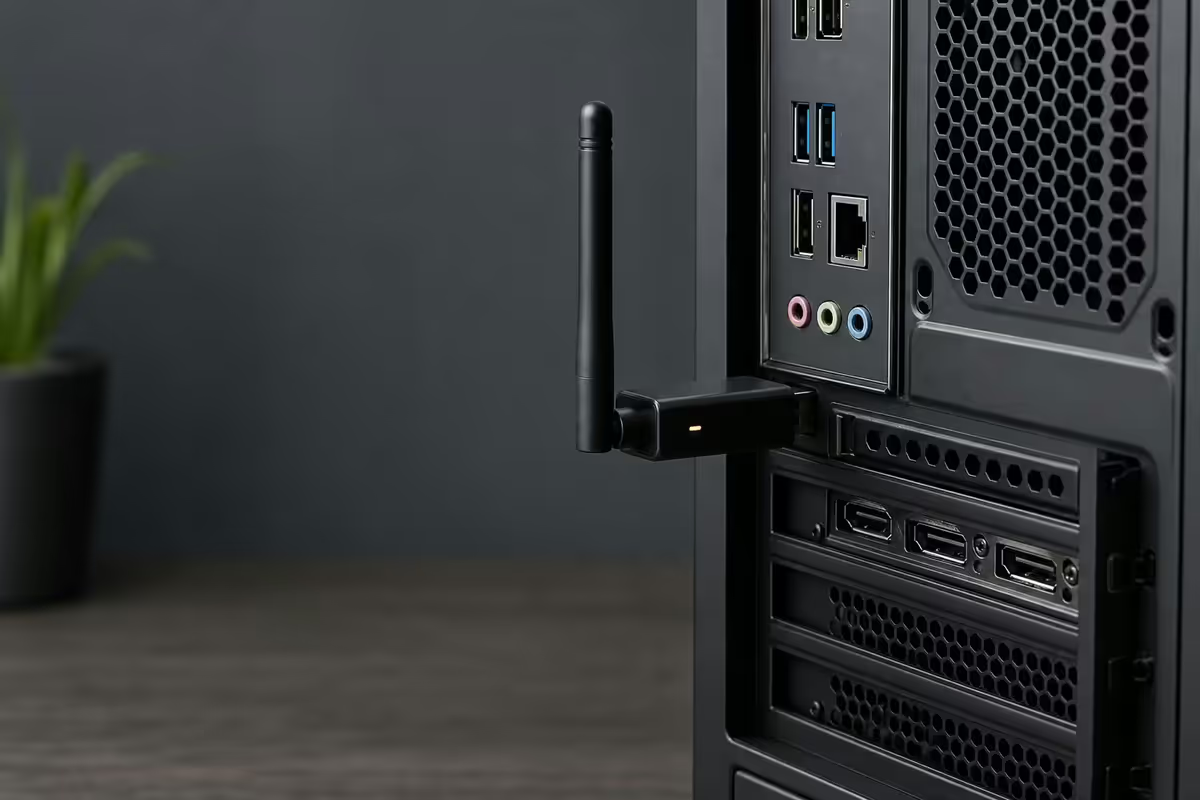
WiFi 5 vs WiFi 6 vs WiFi 6E adapter tiers
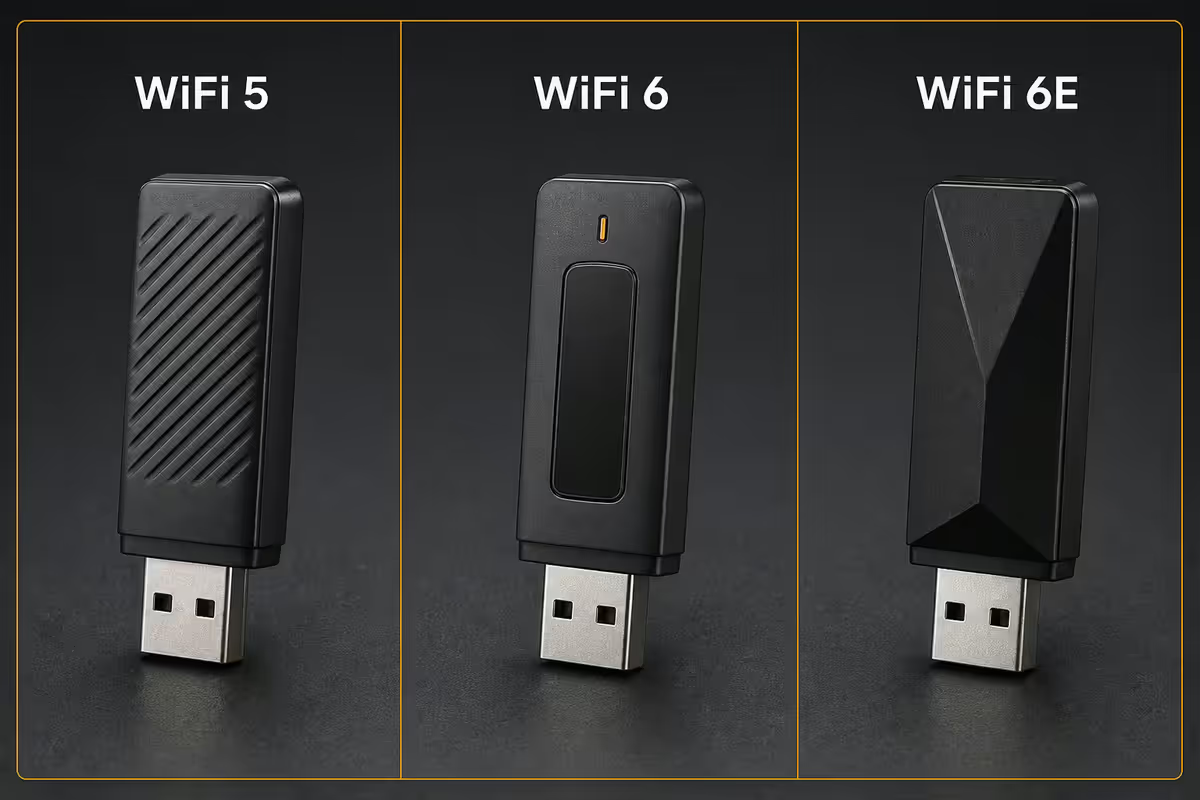
The spec sticker on the box (AC1300, AX1800, AXE3000) is shorthand for the WiFi generation plus the combined theoretical max speed across bands. Here's what the real-world delta looks like.
| Standard | Best for | Real-world ceiling |
|---|---|---|
| WiFi 5 (802.11ac) | Most SA homes — routers still WiFi 5 | 400-700 Mbps |
| WiFi 6 (802.11ax) | WiFi 6 router + busy households | 700-1100 Mbps |
| WiFi 6E (6 GHz band) | WiFi 6E router + congested apartment blocks | 900-1500 Mbps |
| WiFi 7 USB (rare) | Future-proofing only | Limited stock locally |
The honest take: WiFi 6 only outpaces WiFi 5 if your router supports it. Pairing a R1000 WiFi 6 USB stick with a WiFi 5 ISP-supplied router gets you WiFi 5 speeds. Most SA fibre installations still ship with WiFi 5 routers from Vumatel/Openserve.
WiFi 6E adds the 6 GHz band — clean spectrum nobody else is using yet. If you live in a townhouse complex or apartment block where 2.4 and 5 GHz are saturated, this is genuinely useful. The catch: very few USB 6E adapters exist, and they cost north of R1500.
Single-band vs dual-band — never single
Single-band (2.4 GHz only) adapters are the trap of every budget USB stick under R250. They're cheap because they're crippled: capped at 150 Mbps, sharing the most congested frequency in any apartment block, and slower than your fibre line.
Dual-band adapters use both 2.4 GHz and 5 GHz simultaneously. The 5 GHz band is fast and short-range; perfect for sitting in the same room as the router. The 2.4 GHz band is slower but reaches further and through more walls. A dual-band adapter switches between them automatically based on signal quality.
- 2.4 GHz reaches further — fewer dropped connections at 10m+ from the router.
- 5 GHz is dramatically faster — typically 4-6x the throughput on a clean channel.
- 2.4 GHz is congested everywhere — microwaves, Bluetooth, baby monitors all share it.
- R100-R200 separates the two — never worth the saving.
Antenna gain (dBi) — the spec that actually moves speed
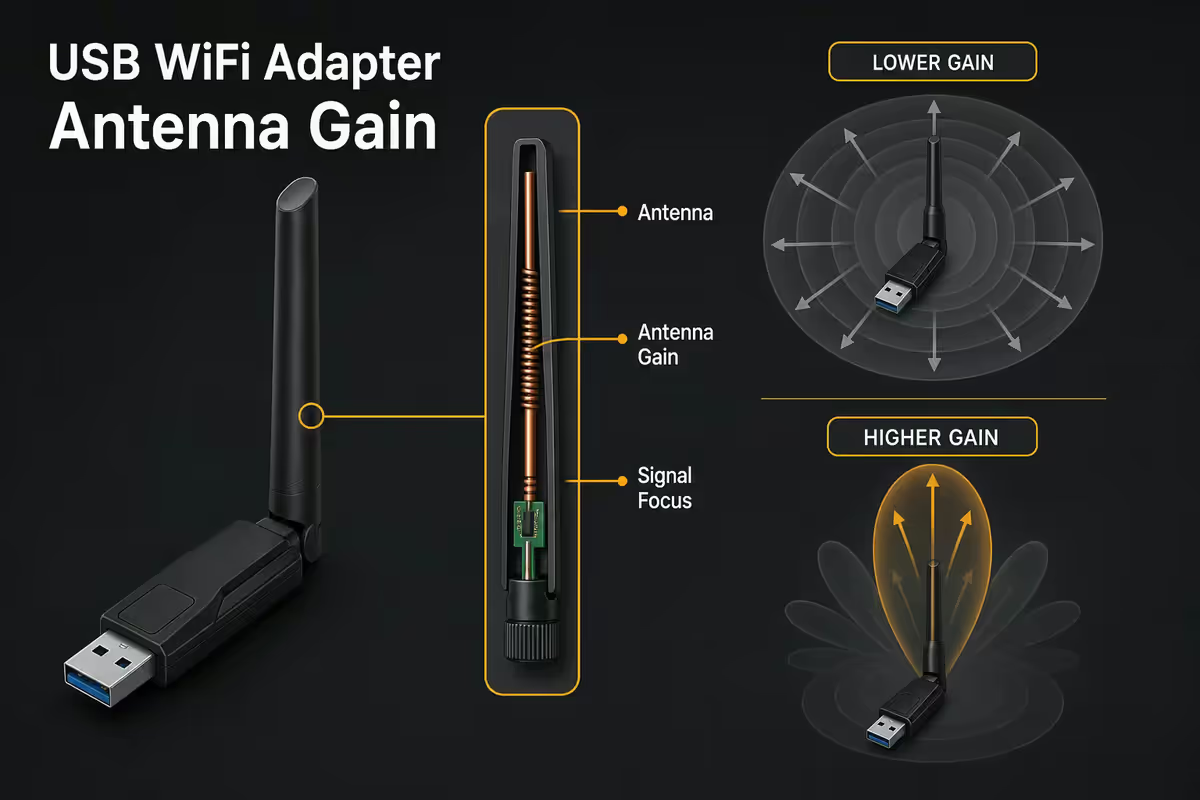
Every adapter has an antenna; the question is how much signal it pulls in. Antenna gain is measured in dBi (decibels relative to isotropic radiator). For desktop PCs sitting under a desk, behind a monitor, or buried in a corner, antenna size and gain make a bigger real-world difference than the WiFi standard.
Three categories of adapter form factor:
- Nano stick (no external antenna). Tiny built-in chip antenna, maybe 1-2 dBi. Fine for laptops nearby the router; weak for desktops behind metal cases.
- Standard stick with hinge. Foldable antenna gives 3-4 dBi. The everyday compromise — usable in most situations.
- External high-gain (5 dBi+) antenna. Detachable, often dual-antenna designs. Best for desktops far from the router or in a steel-cabinet build.
The TP-Link Archer T9UH and Cudy WU1300S both ship with 5 dBi external antennas — for a PC sitting two rooms away from the router, these will outperform a nano-stick adapter that's technically newer-gen.
USB 2.0 vs USB 3.0 — the silent speed cap
USB 2.0 ports have a hard theoretical limit of 480 Mbps — in practice you'll see 280-320 Mbps of usable throughput after protocol overhead. That's lower than the speed any WiFi 6 stick is capable of delivering. Plug a R1000 USB-AX55 into a USB 2.0 port and you've just bought a fancy WiFi 5 adapter.
How to tell which port is which: USB 3.0 ports are usually coloured blue inside (or marked "SS" for SuperSpeed). USB 2.0 ports are black. On older motherboards or front-panel headers, the spec varies — when in doubt, plug your adapter into the rear I/O motherboard ports.
USB-C ports on modern motherboards are USB 3.2 Gen 2 (10 Gbps) — more than enough bandwidth for any USB WiFi adapter. The fewer adapters in the chain (no USB-A to USB-C dongle), the more reliable the connection.
Driver reality — Linux, Mac, Windows
Windows users have it easy: every adapter sold in SA ships with Windows drivers, and most are plug-and-play on Windows 11. Linux and macOS users need to check chipset before buying.
Realtek chipsets (RTL8812BU, RTL8814AU) power most TP-Link Archer T3U/T4U Plus adapters. Windows-native. Linux requires a DKMS driver install — usable but fiddly, and you'll need to rebuild every kernel update. Maintained community drivers exist on GitHub.
Mediatek chipsets (MT7921AU, MT7922AU) in ASUS USB-AX55, TP-Link Archer TXE70UH and newer adapters have native Linux kernel 5.13+ support. No DKMS faff. This is the Linux pick.
macOS: driver support is poor across the board. Apple doesn't sign third-party USB WiFi drivers cleanly, and most vendors don't ship updated kernel extensions for Apple Silicon. If you're on a Mac, use the built-in WiFi or a Thunderbolt ethernet adapter instead.
Top USB WiFi adapter picks in SA
| Use case | Pick | SA price |
|---|---|---|
| Best value WiFi 5 | TP-Link Archer T3U Plus (AC1300) | R450-R600 |
| Cheap WiFi 5 (don't go lower) | TP-Link Archer T2U Plus (AC600) | R280-R380 |
| Long-range WiFi 5 (5 dBi antenna) | TP-Link Archer T9UH (AC1900) | R750-R900 |
| Best WiFi 6 entry | ASUS USB-AX55 (AX1800) | R900-R1100 |
| Value WiFi 6 | Cudy WU1300S / WU650 (AC650) | R350-R550 |
| WiFi 6 high-end | TP-Link Archer TXE70UH (AXE3000) | R1100-R1400 |
| Travel / laptop nano | TP-Link Archer T3U Nano | R350-R450 |
When PCIe or onboard WiFi beats USB
USB adapters are convenient — they work on any PC, no case opening required. But they have ceilings. Two situations where you should look past USB:
1. Your motherboard already has WiFi 6E or 7 onboard. Most modern Z890, B850 and X870 boards include WiFi 6E or 7 with antennas that mount on the rear I/O. These reliably outperform any USB stick because the antennas are positioned outside the case. If your board has onboard WiFi, use it.
2. You want maximum WiFi 6E/7 performance. PCIe cards like the TP-Link Archer TX3000E or ASUS PCE-AX58BT use two external antennas mounted on a backplate. Substantially better signal pickup than even premium USB sticks. Worth the extra R200-R400 if you've got a free M.2 E-key or PCIe x1 slot.
Stick with USB when: you're working with a budget pre-built that has no onboard WiFi and no spare PCIe slot; you need WiFi temporarily; or you switch your adapter between machines often. USB also makes more sense in HTPC builds where opening the case is a hassle.
Key takeaways
- TP-Link Archer T3U Plus is the best-value USB WiFi adapter in SA — dual-band, USB 3, R450-R600.
- WiFi 6 only matters if your router is WiFi 6 — check before paying extra.
- Always dual-band, never single-band 2.4 GHz only — it's the sub-R250 trap.
- USB 2.0 ports cap any adapter at ~480 Mbps theoretical — use blue USB 3 only.
- Onboard WiFi 6E/7 or a PCIe card beats USB if your build has the slot.
Frequently asked questions
Which USB WiFi adapter should I buy for my desktop?
TP-Link Archer T3U Plus (around R550) is the best value pick for most South Africans — dual-band AC1300, USB 3, high-gain antenna, and excellent Windows/Linux driver support. Step up to ASUS USB-AX55 (around R950) for WiFi 6 if your router supports it. Skip anything WiFi 5 single-band under R300 — they're capped at slow speeds and will frustrate you within a week.Does USB 2.0 limit WiFi adapter speed?
Yes, severely. USB 2.0 caps practical throughput at around 480 Mbps theoretical, 280-320 Mbps real-world. That means a WiFi 6 adapter on a USB 2.0 port will perform no better than a basic WiFi 5 adapter. Always plug premium adapters into a USB 3.0 (blue) port, especially for any adapter rated above AC1200.WiFi 5 vs WiFi 6 USB adapter — is the upgrade worth it?
Only if your router is WiFi 6. WiFi 6 adapters paired with WiFi 5 routers operate in WiFi 5 mode, so you've paid the extra R400-R600 for nothing. If you're upgrading the router too, WiFi 6 makes sense for lower latency in busy household environments. For most SA homes still on WiFi 5 routers, a quality WiFi 5 adapter delivers all the speed your line provides.Single-band vs dual-band — which do I need?
Always dual-band. Single-band (2.4GHz only) adapters are slow (typically capped at 150 Mbps), congested in apartment buildings, and outdated. Dual-band adapters can use 5GHz for speed and 2.4GHz for range when you move further from the router. The price difference is R100-R200 — never worth saving on a single-band adapter.Do antennas (dBi gain) actually matter?
Yes — particularly for desktop PCs hidden under desks or behind monitors. A high-gain external antenna (5 dBi or higher) makes a noticeable signal difference compared to a tiny built-in chip antenna. Adapters like the TP-Link Archer T9UH and Cudy WU1300S use 5 dBi external antennas. For a PC sitting two rooms away from the router, the antenna is the single biggest factor in performance.When does a PCIe WiFi card beat a USB adapter?
When you want top-tier WiFi 6E or WiFi 7 performance, dedicated antennas you can position outside the case, and zero USB port contention. PCIe cards like the TP-Link Archer TX3000E or ASUS PCE-AX58BT have multiple antennas mounted on a backplate, dramatically improving signal pickup over any USB stick. If your motherboard has a free M.2 E-key or PCIe x1 slot, the card route wins on speed and reliability.Do USB WiFi adapters work on Linux and Mac?
Driver support varies by chipset. Realtek RTL8812BU / RTL8814AU adapters (TP-Link Archer T3U / T4U) have semi-official Linux driver support — usually requires DKMS install. Mediatek MT7921AU adapters (TP-Link Archer TXE70UH, ASUS USB-AX55) have native Linux 5.13+ kernel support — best for Linux users. macOS support for USB WiFi is poor across the board; on Mac, prefer a Thunderbolt dock with ethernet or use an internal wireless card.Should I skip USB and use my motherboard's onboard WiFi?
If your motherboard has built-in WiFi 6E or WiFi 7 (most Z890, B850 and X870 boards do), yes — onboard WiFi outperforms most USB adapters because antennas mount on the rear I/O. The only reason to add a USB adapter to a board with onboard WiFi is if the onboard is older WiFi 5 and you want to upgrade to WiFi 6/6E without a PCIe card.
Get the Evetech app
Exclusive app-only prices, daily flash sales, and free delivery on orders over R4,000 — download the app and start saving.