USB-C PD Buying Guide
How to choose a power bank for your MacBook. — Watts matter more than mAh.
A 30,000mAh power bank that can't deliver 65W is useless for a MacBook. Spec sheets shout about capacity numbers that don't translate to laptop runtime. Here's the maths that actually matters.
- 100W ideal
- 65W min
- airline cap
- 100 Wh
- price range
- R600–R3k
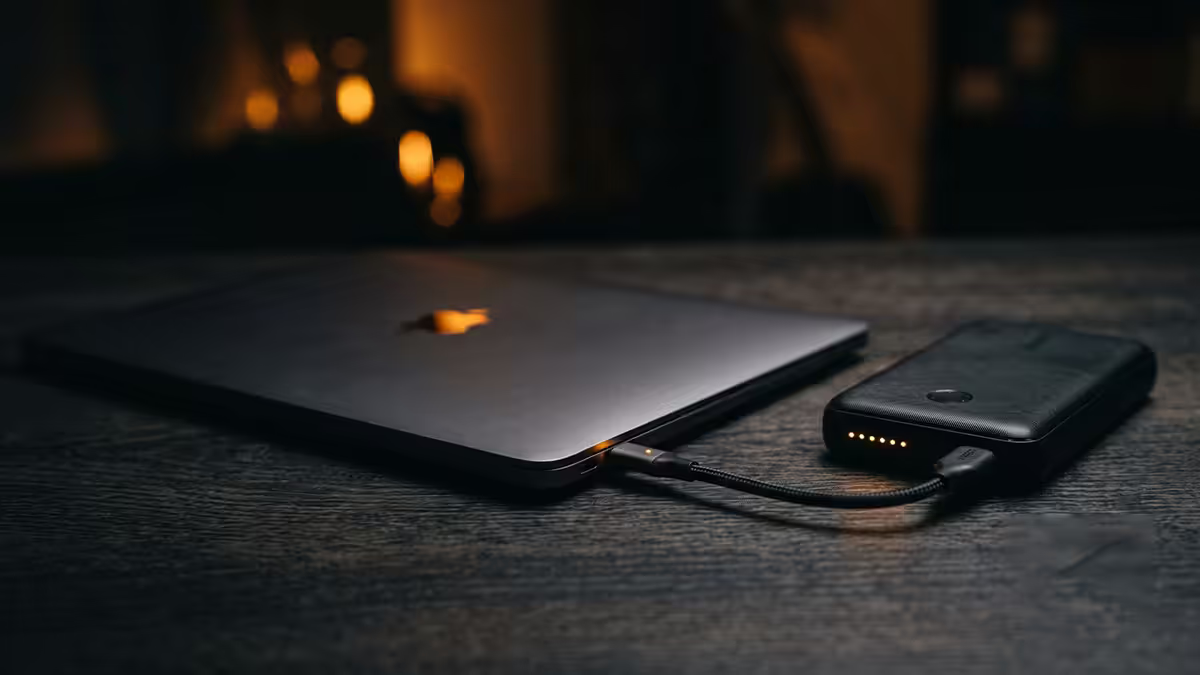
USB-C PD wattage match — the spec that matters
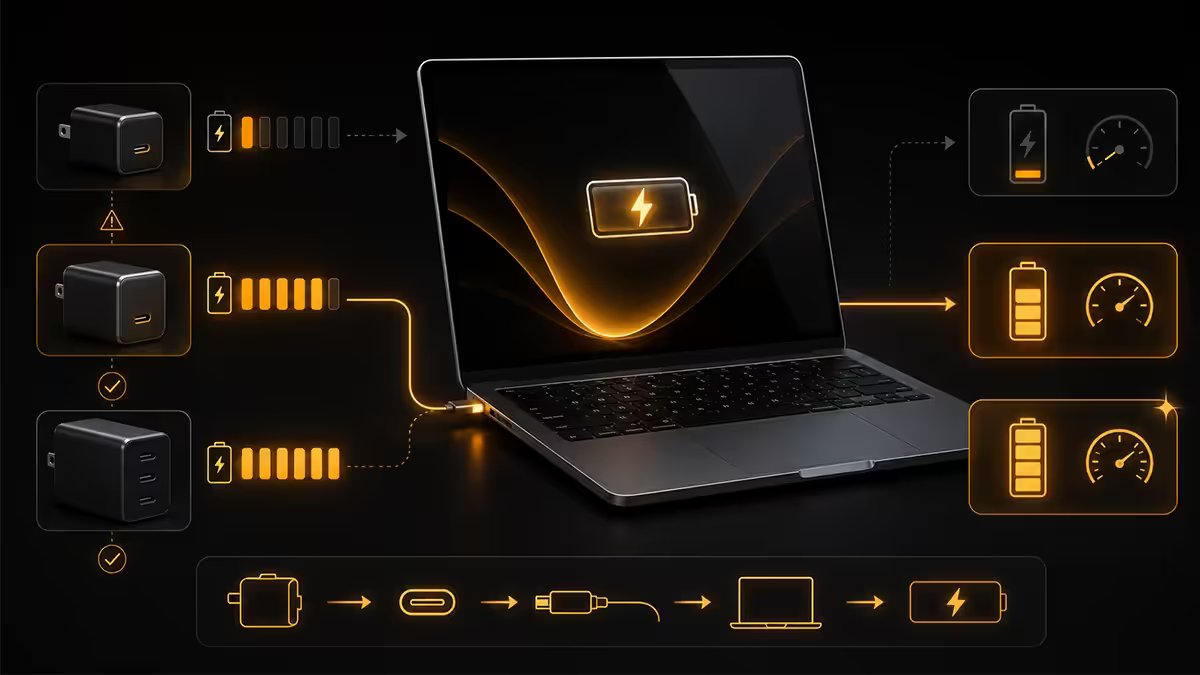
A power bank's wattage rating tells you whether it can charge your MacBook at all. Capacity tells you for how long. Both matter, but wattage is the dealbreaker — wrong wattage means no charging, regardless of how big the battery is.
| MacBook | Built-in charger | Minimum power bank |
|---|---|---|
| MacBook Air M2 13" | 30W | 30W PD |
| MacBook Air M3 13"/15" | 35W | 45W PD ideal |
| MacBook Pro 14" M3 | 70W | 65W minimum, 100W ideal |
| MacBook Pro 14" M3 Pro/Max | 96W | 100W PD |
| MacBook Pro 16" M3 Pro | 140W (MagSafe) | 100W min, 140W ideal |
| MacBook Pro 16" M3 Max | 140W (MagSafe) | 140W PD |
What happens at insufficient wattage:
- 15–22W power bank (designed for phones) — MacBook charges battery while sleeping but loses charge while in use under any load. Net effect: power bank slows the rate of battery drain by 30–50%, doesn't actually charge.
- 30–45W power bank — MacBook Air charges fully. MacBook Pro charges slowly when idle but loses battery during sustained work (video, Xcode, Lightroom).
- 65W power bank — MacBook Pro 14" charges adequately under most workloads. Heavy GPU usage may still drain.
- 100W power bank — MacBook Pro 14" charges at full speed under all workloads. MacBook Pro 16" charges adequately.
- 140W power bank — MacBook Pro 16" charges at full MagSafe-equivalent speed.
mAh vs Wh — which capacity number matters
Walk into any tech retailer and the front of every power bank box screams an mAh number. 10,000 mAh, 20,000 mAh, 30,000 mAh. For phone charging, mAh is fine. For laptops, it's misleading.
The maths: mAh is measured at the battery cell's 3.7V level. Wh = mAh × 3.7V ÷ 1000. To convert to laptop comparison: 20,000 mAh = 74 Wh. The power bank then has to step the voltage up to 20V to charge USB-C laptops, losing 10–15% efficiency in the conversion.
| mAh rating | Wh (laptop comparison) | Typical MacBook charges |
|---|---|---|
| 10,000 mAh | 37 Wh | ~0.5 MacBook Air charge |
| 20,000 mAh | 74 Wh | ~1 MacBook Pro 14" charge |
| 25,000 mAh | 92.5 Wh | ~1.4 MacBook Pro 14" charges |
| 27,000 mAh | 99.9 Wh | ~1.5 MacBook Pro 14" charges (TSA edge) |
| 30,000 mAh | 111 Wh | ~1.6 charges (above TSA limit) |
| 40,000 mAh | 148 Wh | ~2 charges (forbidden on flights without approval) |
Always compare power banks in Wh. Reputable brands now publish both numbers on the box and product page. If a power bank only shows mAh and no Wh anywhere on its specs, it's hiding something or doesn't care about laptop users.
Airline 100Wh limit — TSA, IATA, and reality
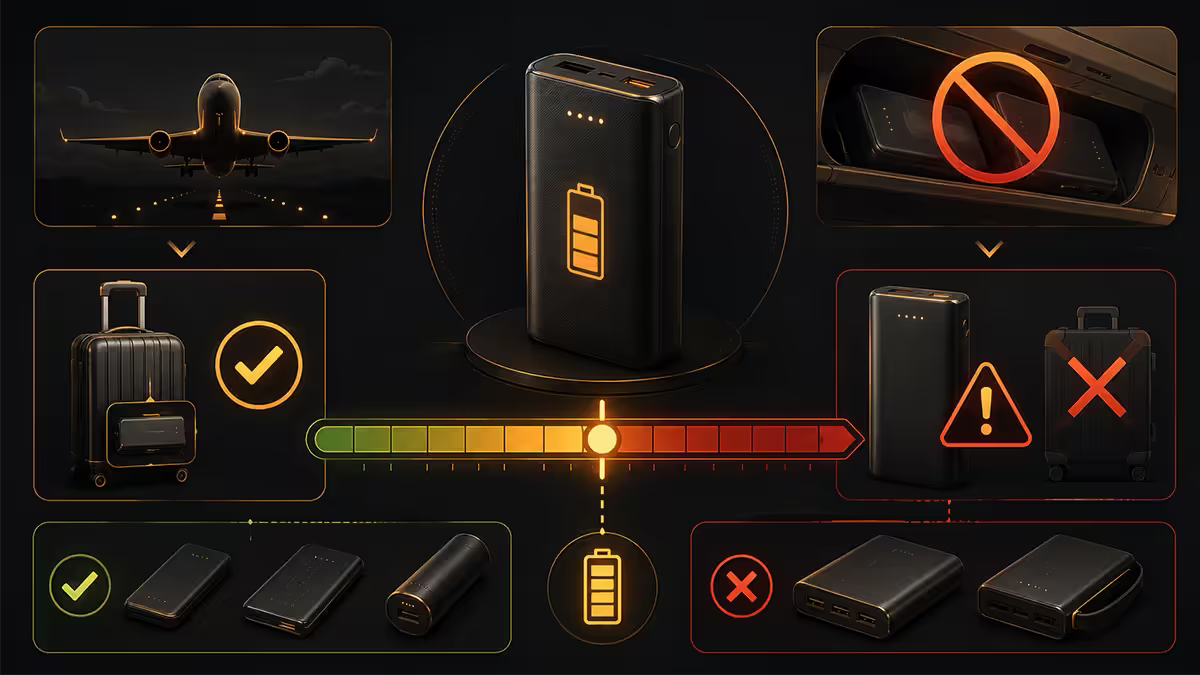
Power banks are lithium batteries. Airlines treat them as fire risks. International civil aviation rules — followed by SAA, FlySafair, BA, Emirates, Qatar and every major carrier — set explicit Wh limits.
The rules in plain English:
- Under 100Wh: allowed in carry-on luggage. Quantity not strictly limited but practical limits apply. Never in checked baggage.
- 100Wh to 160Wh: requires airline approval before flight. Maximum 2 units per passenger. Carry-on only.
- Over 160Wh: forbidden on passenger aircraft. Must ship separately as dangerous goods.
For MacBook users who travel: stick to 99Wh or below. Most reputable brands deliberately size their flagship laptop power banks at 99Wh (27,000mAh) or 99.9Wh to maximise capacity while staying under the limit. Examples: Anker Prime 27,650mAh (99.9Wh), Anker 737 (99Wh), UGREEN 145W (99Wh), Belkin BoostCharge Pro 25,000mAh (92.5Wh).
GaN vs lithium-polymer — separating the marketing
Two terms get mixed up in power bank marketing: "GaN" (gallium nitride) and "lithium-polymer." They describe different parts of the product.
Lithium-polymer (Li-Po) is the battery chemistry. Virtually every modern power bank uses Li-Po cells — they're lighter and more energy-dense than older lithium-ion cylinders. Some still call themselves "Li-Ion" but in practice the difference at this product level is minor.
GaN (gallium nitride) describes the semiconductor material in the charging IC, not the battery. GaN-based ICs run cooler than traditional silicon and handle high wattages in smaller bodies. The first GaN chargers in 2019 demonstrated 65W in the body size of a 30W silicon charger.
Practical implication: when you see "GaN power bank," translate it to "power bank with modern, efficient charging electronics." Anker GaNPrime, UGREEN Nexode, Belkin BoostCharge Pro all use GaN. The body is smaller, the heat is lower, the wattage at the port is closer to advertised. Worth a R200–R400 premium over equivalent non-GaN.
Real charges per cycle — the honest maths
Marketing material promises "charge your MacBook 3 times!" — based on 100% theoretical efficiency that no real product hits. Here's the realistic calculation.
Efficiency factor: 75–90%
Power flows through three loss stages:
- Battery cell → power bank output circuit (~95% efficient).
- Output circuit → USB-C cable (~95% efficient).
- USB-C → MacBook charging circuit (~90% efficient).
Compound efficiency: roughly 81% for a quality power bank, dropping to 70% for cheap ones. Some power is also lost during the boost from 3.7V cells to 20V USB-C output.
The math by example — 99Wh power bank charging a MacBook Pro 14" (72.4Wh battery):
- 99Wh × 0.81 efficiency = 80.2Wh delivered to laptop.
- 80.2Wh ÷ 72.4Wh battery = 1.1 full charges (one full + 10% on second top-up).
Comparison — MacBook Air M3 (52.6Wh):
- 80.2Wh ÷ 52.6Wh = 1.5 full Air charges.
Comparison — MacBook Pro 16" (100Wh):
- 80.2Wh ÷ 100Wh = 0.8 full Pro 16" charges.
Recommended brands and picks
| Use case | Pick | SA price |
|---|---|---|
| MacBook Air, light travel | Anker 537 PowerCore 24K (87Wh, 65W) | R1,200–R1,600 |
| MacBook Pro 14", daily commuter | Anker 737 (99Wh, 140W) | R2,800–R3,200 |
| MacBook Pro 14", value pick | UGREEN Nexode 145W (99Wh) | R1,800–R2,200 |
| Premium build, integrated display | Anker Prime 27,650 (99.9Wh) | R3,200–R3,800 |
| MacBook Pro 16" power | Anker 737 (99Wh) or Belkin BoostCharge Pro 25K | R2,800–R3,500 |
| Compact pocket option | Anker 535 PowerCore 20K (74Wh, 30W) | R600–R900 |
| Multi-device hub | UGREEN 145W with 3 ports | R1,900–R2,400 |
Concurrent charging and pass-through
Modern PD power banks usually have multiple ports and can charge several devices at once. There's a catch: total output power is shared.
Two-port concurrent charging
A "100W USB-C power bank" with two USB-C ports typically delivers 100W on Port 1 alone, but 65W + 30W when both are in use. Some power banks downgrade the laptop port to 60W when a second device plugs in — check the spec sheet for "concurrent output" or "shared mode" figures.
For MacBook + iPhone simultaneous: a 65W power bank usually delivers 45W to MacBook and 18W to iPhone — adequate for both. A 100W power bank delivers 65W to MacBook and 30W to iPhone — comfortable for both.
For MacBook + iPad Pro simultaneous: aim for 100W+ power banks. iPad Pro accepts 30W; MacBook Pro wants 65–100W. Sub-100W power banks force compromises.
Pass-through charging
Pass-through means the power bank can charge itself from the wall while simultaneously charging your devices. Useful at a hotel desk where you want the power bank topped up overnight along with your phone and laptop.
Trade-offs:
- Pass-through generates extra heat in the power bank. Heat is the #1 enemy of battery longevity.
- Some cheap power banks throttle output significantly during pass-through (drop from 65W to 18W).
- Used constantly, pass-through reduces the power bank's total lifecycle from ~1,000 charge cycles to 500–700.
- Used occasionally (1–2 nights a week), the impact is negligible.
The honest verdict: use pass-through when convenient (hotel rooms, long meetings). Don't make it your daily charging method — use the wall directly for the laptop and reserve the power bank for actual portable use.
Key takeaways
- Match USB-C PD wattage to your MacBook — 65W min for Air, 100W ideal for Pro 14", 140W for Pro 16".
- Compare in Wh, not mAh. 20,000mAh = 74Wh, 25,000mAh = 92.5Wh, 27,000mAh = 99.9Wh.
- Stay under 100Wh for airline carry-on. SA airport security does check the rating label.
- Real efficiency is 75–90%. A 99Wh power bank delivers ~1.1 MacBook Pro 14" full charges.
- Anker, Belkin and UGREEN are the trusted SA brands. Skip no-name marketplace power banks.
Frequently asked questions
What USB-C PD wattage do I need for MacBook power bank?
65W minimum to charge a MacBook Air, 100W preferred for MacBook Pro 14-inch, and 140W ideal for MacBook Pro 16-inch under heavy load. The power bank must explicitly state USB-C PD wattage — not just total output. A 22.5W "fast charge" power bank designed for phones won't keep a MacBook running, even if the total capacity looks generous on paper. Anker, Belkin and UGREEN all sell 65W–100W PD power banks with verified MacBook compatibility.mAh vs Wh — which capacity number matters?
Wh (watt-hours) is the meaningful number for laptops. mAh is measured at 3.7V (battery cell level) and gets confusing when comparing across different output voltages. A 20,000mAh power bank is 74Wh — that's the number to compare. Airline limits, real charge counts and MacBook compatibility all work off Wh, not mAh. Reputable brands now publish both numbers; check Wh for laptop charging.What's the airline 100Wh limit for power banks?
TSA, IATA and most international airlines allow power banks up to 100Wh in carry-on (never checked baggage). 100–160Wh requires airline approval and is restricted to two units. Above 160Wh is forbidden on flights. Most MacBook-targeted power banks sit at 74Wh (20,000mAh class) or 99Wh (25,000mAh class) to stay safely under the limit. Some 27,000–30,000mAh power banks exceed 100Wh and will be confiscated at security.GaN vs lithium-polymer — what's the difference?
GaN (gallium nitride) describes the charging IC technology, not the battery itself. GaN-based USB-C PD chargers run cooler and pack more wattage into smaller bodies. Lithium-polymer is the battery chemistry — virtually all modern power banks use Li-Po cells. The right way to read "GaN power bank" is "power bank with efficient modern charging electronics." Anker GaNPrime, UGREEN Nexode and Belkin BoostCharge Pro all use GaN ICs.How many MacBook charges does a power bank actually deliver?
Real-world math: a 20,000mAh (74Wh) power bank charging a MacBook Air M3 (52.6Wh battery) delivers roughly one full charge plus a partial top-up due to ~85% transfer efficiency. The same power bank charges a MacBook Pro 14-inch (72.4Wh battery) to about 80%. For two full MacBook Pro charges, you need a 25,000mAh (99Wh) power bank. The advertised charge counts in marketing assume 100% efficiency — real efficiency is 75–90% depending on the bank.Which power bank brands are trustworthy?
Anker, Belkin, UGREEN, Mophie and ZMI are the established names with verified MacBook compatibility and good warranty support in SA. Anker is the volume leader and easiest to find at retail. Belkin offers strong build quality at premium pricing. UGREEN has the best price-to-spec ratio for the value tier. Avoid no-brand power banks from marketplace sellers — capacity claims are often inflated 50–100% and the safety circuitry is questionable.Does pass-through charging work with MacBook?
Yes on most modern PD power banks — you can charge the power bank from the wall while it simultaneously charges your MacBook. Useful at a hotel desk where you want the power bank topped up overnight. The catch: pass-through charging shortens overall battery life on the power bank itself, so reserve it for occasional use rather than constant pass-through operation. Some cheap power banks claim pass-through but throttle output significantly during use.Can a power bank charge MacBook and other devices at the same time?
Yes, but watch the total output wattage. A 100W power bank with two USB-C ports might deliver 65W to the MacBook and 30W to an iPhone simultaneously. Some power banks drop to 60W max on the laptop port when a second device is plugged in. Check the spec sheet for "concurrent output" or "shared mode" figures. For dual MacBook scenarios (laptop + iPad Pro), look for power banks rated 100W+ with two PD-capable ports.
Get the Evetech app
Exclusive app-only prices, daily flash sales, and free delivery on orders over R4,000 — download the app and start saving.