External SSD Buying Guide
How to choose an external SSD.
Every brand claims 40 Gbps. Almost every laptop in SA still tops out at 10. Choose the drive for the port you actually have, not the spec sheet you wish you did.
- USB 3.2 Gen 2
- 1050 MB/s
- sweet spot
- 1TB-4TB
- SA pricing
- R1500-R6k
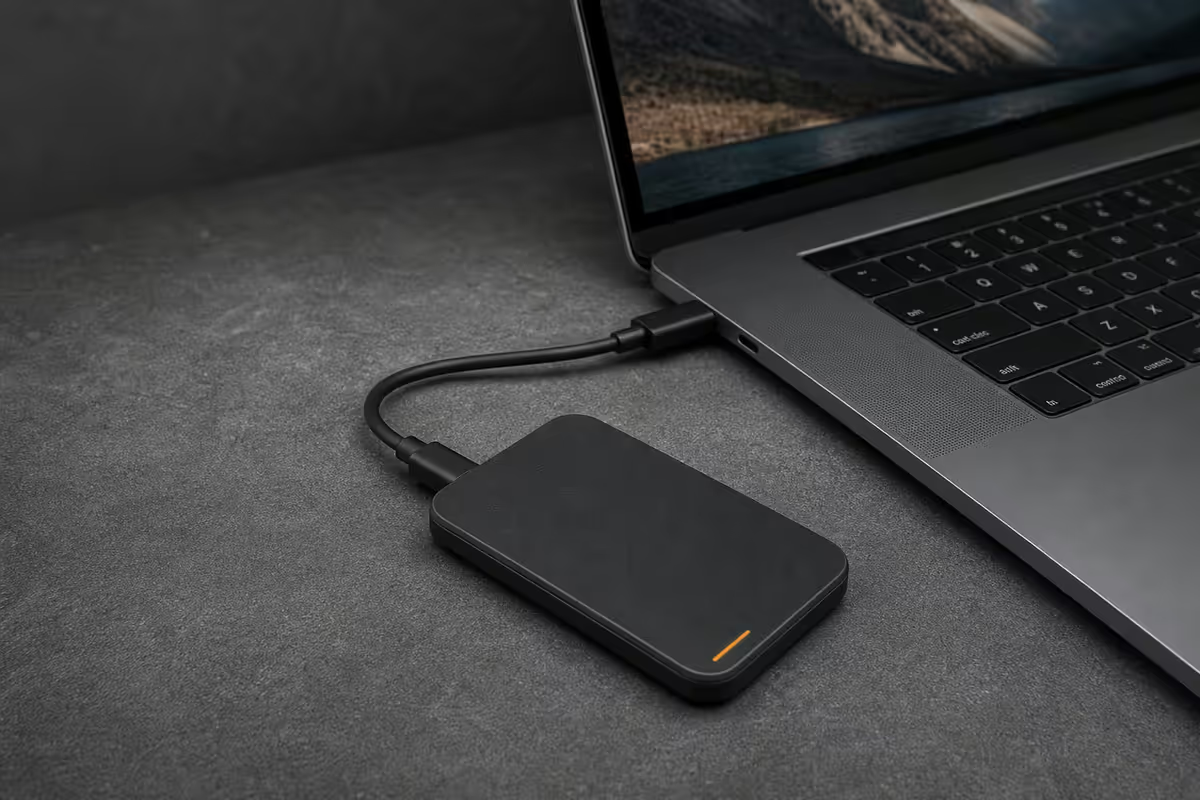
Interface reality — your port decides everything
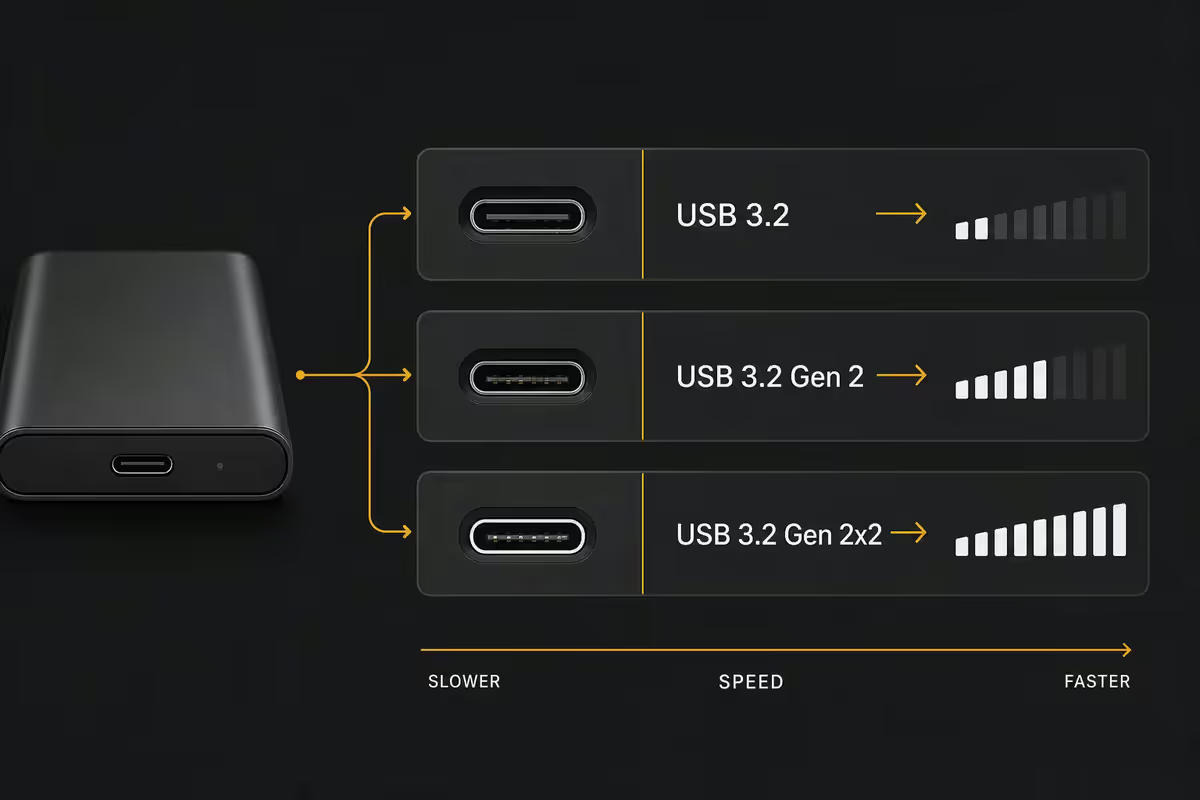
External SSD marketing talks about 40 Gbps and "blazing speeds." Your laptop, almost certainly, does not. Before you spend a cent, look at what port you actually have — that's the ceiling for everything that follows.
| Interface | Real-world speed | Found on |
|---|---|---|
| USB 3.2 Gen 2 (10 Gbps) | ~1050 MB/s | Virtually every laptop 2019-onward |
| USB 3.2 Gen 2x2 (20 Gbps) | ~2000 MB/s | Rare — some 2021-22 AMD desktops |
| USB4 (40 Gbps) | ~3800 MB/s | 2024+ ultrabooks, Ryzen 7040/8040, Intel Core Ultra |
| Thunderbolt 4 (40 Gbps) | ~3000 MB/s real | MacBooks M1+ and Intel Evo laptops |
USB 3.2 Gen 2 at 1050 MB/s is faster than almost any user will ever need. It loads a 50GB Lightroom catalogue in 50 seconds. It transfers a 10GB phone backup in 10. The only reason to chase USB4 is if you regularly move 100GB+ of video footage and your laptop has the port to match.
The cruel reality: a USB4 SSD plugged into a USB 3.2 Gen 2 port will run at USB 3.2 Gen 2 speeds. You bought the marketing, not the speed. Save the R1500 premium and put it into capacity instead.
Top picks at each tier
After moving tens of thousands of these through our Centurion warehouse, a handful of drives consistently win at each price point. The rest are spec-sheet noise.
| Tier | Pick | SA price |
|---|---|---|
| Entry / first SSD | SanDisk Extreme V2 (1TB) | R1700 |
| Best value (most buyers) | Samsung T7 (1TB / 2TB) | R1500 / R2500 |
| Creator / daily transfers | Samsung T9 (2TB) | ~R3500 |
| Rugged fieldwork | WD Black P50 (1TB) | R2200 |
| Sleeper value | Crucial X9 Pro (1TB) | R1800 |
| Speed without the badge | Kingston XS2000 (1TB) | R2000 |
| Secure carry | Samsung T7 Touch (fingerprint, 1TB) | R2300 |
The Samsung T7 line is the default winner because it nails the basics: aluminium shell, 1050 MB/s sustained, USB-C-to-A and USB-C-to-C cables in the box, 3-year warranty. The T9 is the same recipe with USB 3.2 Gen 2x2 speeds — only worth it if you actually have a 20 Gbps port.
The Crucial X9 Pro is the quiet sleeper. At R1800 for 1TB it's identical to the T7 in real-world transfer speed, with a slightly chunkier build. If Samsung is out of stock — which happens — grab the X9 Pro and don't look back.
Capacity sweet spots
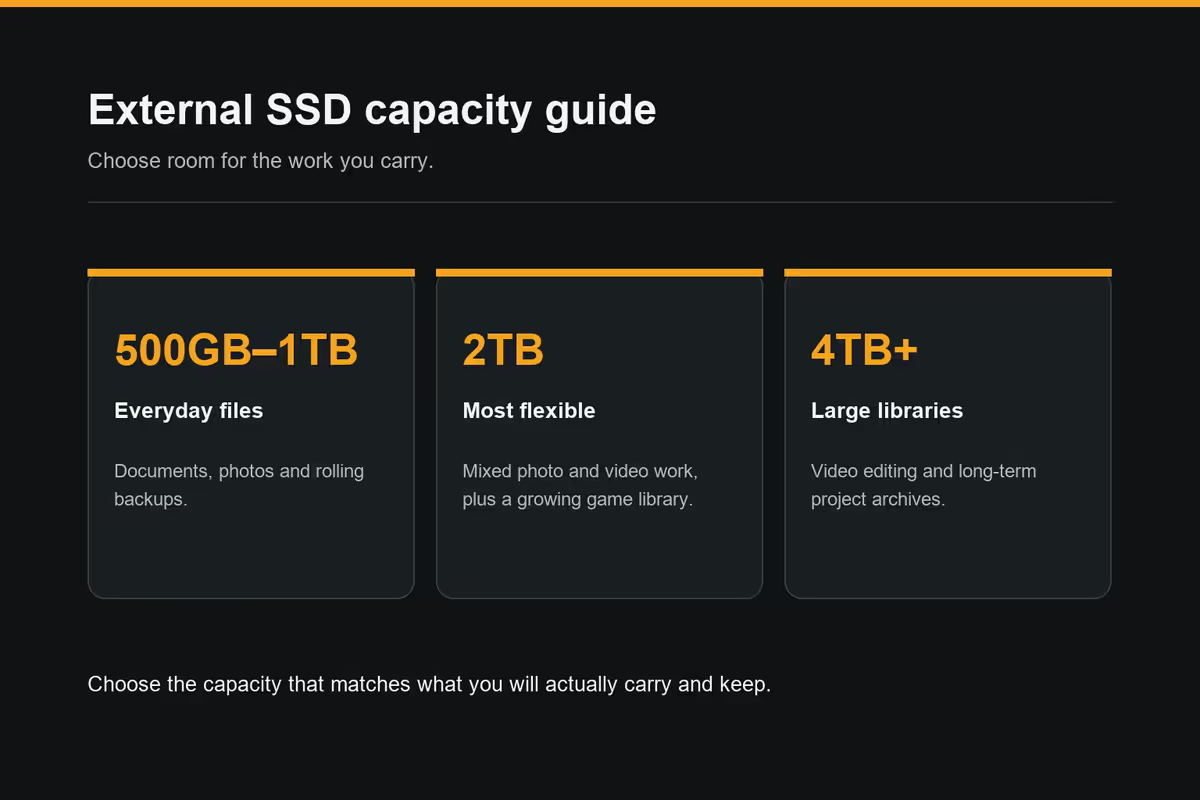
In 2026, capacity matters more than speed for most workflows. Phone backups are bigger, raw photo files are heavier, games install at 100GB+, and "I'll just delete some old stuff" is the most expensive sentence in storage.
- 500GB — too small in 2026. A single modern phone backup eats half of it. Skip.
- 1TB — the entry floor. Right for travel, occasional photo/video offload, game backups. R1500-R2000.
- 2TB — the sweet spot. Lightroom catalogues, Premiere project files, multiple full phone backups. R2500-R3500.
- 4TB — video-editor territory. DaVinci Resolve scratch disks, 4K timeline assets, raw footage archive. R5500-R6500.
- 8TB — rare and pricey; usually beaten by two 4TB drives or a DIY enclosure path.
The doubling rule: going from 1TB to 2TB roughly doubles the price. Going from 2TB to 4TB more than doubles it. The cost-per-GB sweet spot in 2026 sits firmly at 2TB.
Security & ruggedness — when to pay the premium
Two add-ons get marketed hard: IP-rated rugged shells and built-in fingerprint readers. Both are worth paying for in specific scenarios and a waste of money in everything else.
IP rating — only if the drive leaves the office
The SanDisk Extreme V2 (IP55) and WD Black P50 (IP65 on the latest revisions) survive rain, dust and 2-metre drops. They're built for site engineers, photographers shooting in the bush, and laptop bags that get thrown around.
For a drive that lives between your desk and a laptop sleeve, the rugged premium is dead money. Samsung T7 and Crucial X9 Pro will survive any normal carry — the IP rating only earns its R500-R700 premium when you actually use the drive outdoors.
Fingerprint security — for drives that leave home
The Samsung T7 Touch (~R2300 / 1TB) adds a fingerprint reader to the regular T7's AES 256-bit hardware encryption. A lost or stolen drive is genuinely unrecoverable without an enrolled print — no PIN bypass, no recovery key in plain text.
The cable that matches the drive — the rule everyone misses
The single most common cause of "my expensive SSD feels slow" complaints we get isn't the SSD. It's the cable. Most generic USB-C cables — including the ones bundled with phones and chargers — are USB 2.0 only and cap at roughly 60 MB/s no matter what's plugged in.
The rule: use the cable that came in the box with the SSD. It's specifically rated for that drive's speed. If you've lost it, replace with a cable explicitly marked USB 3.2 Gen 2 or 10 Gbps — not "USB-C" or "charge and sync."
Why this matters in Rands: a R2500 SSD on a generic R80 cable runs at 5% of its rated speed. You bought a 1050 MB/s drive and you're getting 60. Always check the printed spec on the cable jacket — if it just says "USB 2.0" or has no spec at all, replace it.
DIY M.2 NVMe enclosure — when it beats branded
If you're comfortable opening a small aluminium enclosure and slotting a stick of NVMe into it, the DIY path is the quiet winner on cost-per-GB for 2TB+ drives.
| Build | Components | Total / 2TB |
|---|---|---|
| Branded 2TB portable | Samsung T7 2TB sealed unit | R2500 |
| DIY entry | Orico USB 3.2 Gen 2 enclosure (R750) + Kingston NV2 2TB (R1500) | R2250 |
| DIY enthusiast | ASUS ROG Strix Arion (R1100) + WD Blue SN580 2TB (R1900) | R3000 |
| DIY USB4 / 20 Gbps | UGREEN 20 Gbps enclosure (R1300) + Crucial T500 2TB (R2400) | R3700 |
When DIY wins: 2TB+ capacity, you want a faster interface (20 Gbps / USB4) without paying the branded premium, you already have a spare NVMe drive lying around, or you want to upgrade capacity later (just swap the stick).
When branded wins: you want a drive in a courier bag tomorrow, IP-rated ruggedness, fingerprint security, warranty as a single unit, or you simply don't want to think about it.
Recommended drives by use case
| Use case | Pick | SA price |
|---|---|---|
| Travel & phone backups | Samsung T7 (1TB) | R1500 |
| Lightroom / Photoshop catalogues | Samsung T7 (2TB) or Crucial X9 Pro (2TB) | R2500-R2900 |
| 4K video editing on the go | Samsung T9 (2TB) | ~R3500 |
| PS5 / Xbox game library | Crucial X9 Pro (2TB) | R2900 |
| Bush / site photography | SanDisk Extreme V2 (1TB / 2TB) | R1700 / R3100 |
| Sensitive client files in transit | Samsung T7 Touch (1TB) | R2300 |
| Maximum capacity per Rand | DIY: Orico enclosure + Kingston NV2 2TB | R2250 |
| Workstation laptop (USB4) | DIY: UGREEN 20Gbps + Crucial T500 | R3700 |
Key takeaways
- Samsung T7 2TB (~R2500) is the right pick for almost every buyer — USB 3.2 Gen 2, pocketable, 3-year warranty.
- Your laptop's port is the bottleneck. USB4 drives on Gen 2 ports run at Gen 2 speeds — wasted money.
- 2TB is the cost-per-GB sweet spot. 1TB for travel; 4TB only for active video editors.
- Use the cable that came in the box. Generic USB-C cables cap at 60 MB/s and ruin benchmarks.
- DIY M.2 enclosure beats branded on cost at 2TB+; branded wins on ruggedness, security and warranty simplicity.
Frequently asked questions
What external SSD should I buy in South Africa in 2026?
Samsung T7 2TB (~R2500) for almost every buyer — 1050 MB/s, pocketable aluminium shell, 3-year warranty. Step up to Samsung T9 for daily video transfers, or SanDisk Extreme V2 for rugged fieldwork.USB 3.2 Gen 2 vs USB4 vs Thunderbolt 4 — what's actually faster on my laptop?
Most SA laptops still cap at USB 3.2 Gen 2 (~1050 MB/s). USB4 and Thunderbolt 4 only matter on 2024+ ultrabooks, M-series MacBooks, or high-end Ryzen/Intel Ultra workstation laptops. A USB4 drive on a Gen 2 port runs at Gen 2 speed.How much external SSD capacity do I actually need?
1TB for general use; 2TB for creators with Lightroom or Premiere catalogues; 4TB for active video editors only. 500GB is too small in 2026 — a single phone backup eats half of it.Do I need a rugged or IP-rated external SSD?
Only if the drive lives outdoors or in dusty environments. For desk-to-laptop-bag carry, the unprotected Samsung T7 or Crucial X9 Pro is fine — the IP premium is dead money you'll never trigger.Is the fingerprint reader on the Samsung T7 Touch worth the extra R300?
Yes if the drive leaves your home — laptop bag, client site, courier. AES 256-bit encryption plus fingerprint means a lost drive is unrecoverable. For desk-only use, save the R300 and rely on BitLocker / FileVault.Why does my expensive external SSD feel slow?
Almost every time it's the cable. Generic USB-C cables are USB 2.0 only — they cap at 60 MB/s. Use the cable that shipped with the drive, or buy one explicitly marked USB 3.2 Gen 2 / 10 Gbps.Can I build my own external SSD with an M.2 NVMe enclosure?
Yes — Orico/UGREEN/ASUS enclosure (R700-R1100) + 2TB Kingston NV2 or WD Blue SN580 (R1500-R1900) totals R2200-R3000 vs R3500+ branded. Trade-offs: no IP rating, no fingerprint, no included case.Do external SSDs need formatting before use on Windows / Mac / PS5?
Most ship in exFAT — readable and writable by Windows, macOS and PS5. Reformat to NTFS for Windows-only, APFS for Mac-only, or leave exFAT for cross-platform work. PS5 requires USB 3.0+ and exFAT.
Get the Evetech app
Exclusive app-only prices, daily flash sales, and free delivery on orders over R4,000 — download the app and start saving.