Glossary · Beginner Friendly
What is TDP? — Thermal Design Power, and why the number lies.
The watt number on the CPU box looks like a power rating. It isn't. It's a thermal target — and modern chips routinely sprint past it before settling back. Here's what TDP actually means and how to use it without getting burned.
- Intel limits
- PL1 / PL2
- AMD limit
- PPT
- cooler target
- ~1.5x TDP
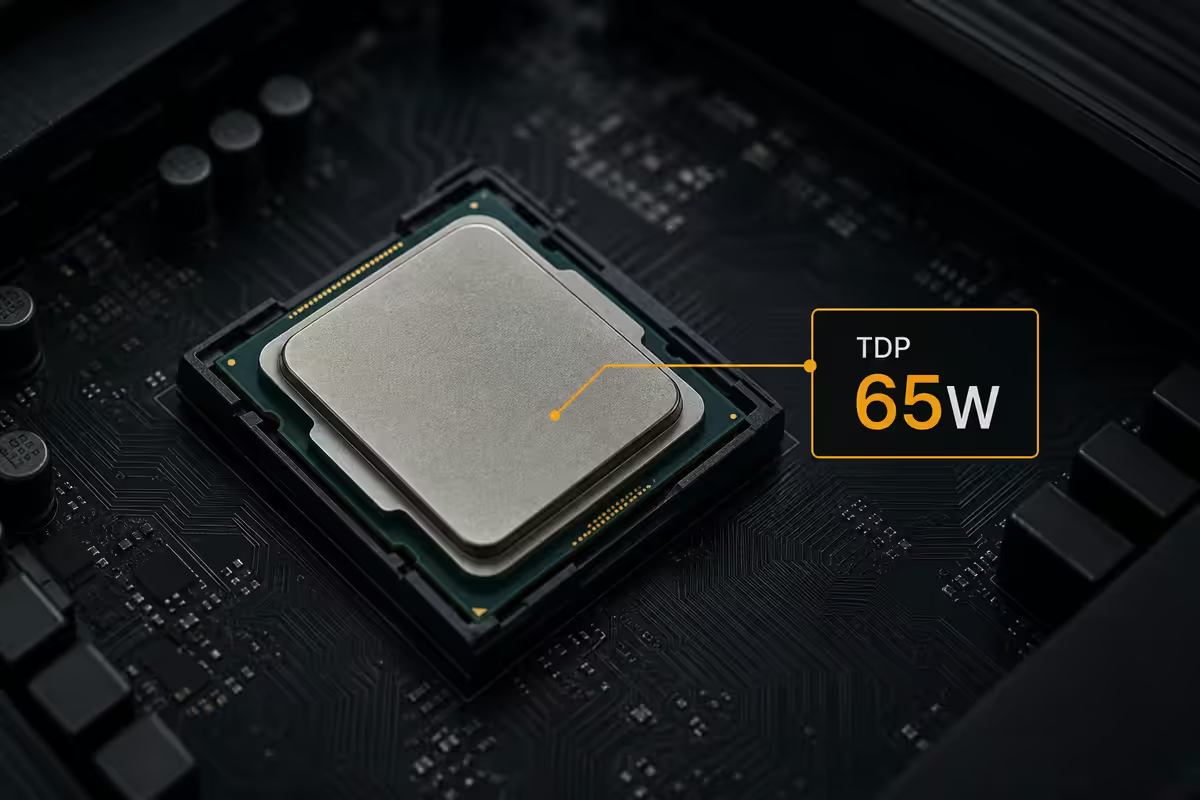
The definition (and why it confuses people)
TDP — Thermal Design Power — is a number, expressed in watts, that tells cooler manufacturers how much heat a given CPU or GPU will generate under sustained typical workloads. It's not a hard cap on the chip. It's not the maximum power the chip will draw. It's the long-term thermal target around which the cooler should be designed.
The confusion happens because the watt unit is the same one we use for power consumption, and the assumption that "TDP = power draw" is intuitively reasonable. For chips designed in the 2000s, it was even mostly true. Modern processors — Intel 12th-gen onward, AMD Ryzen 5000-series onward — broke the relationship by introducing aggressive boost behaviour. The published TDP is now a stake in the ground, not a ceiling.
A useful mental model: TDP is the chip's cruising speed. The actual peak power draw is closer to sprint speed, and the chip will sprint whenever there's thermal headroom available. The cooler's job is to keep the cruising speed sustainable; the motherboard's job is to manage the sprints.
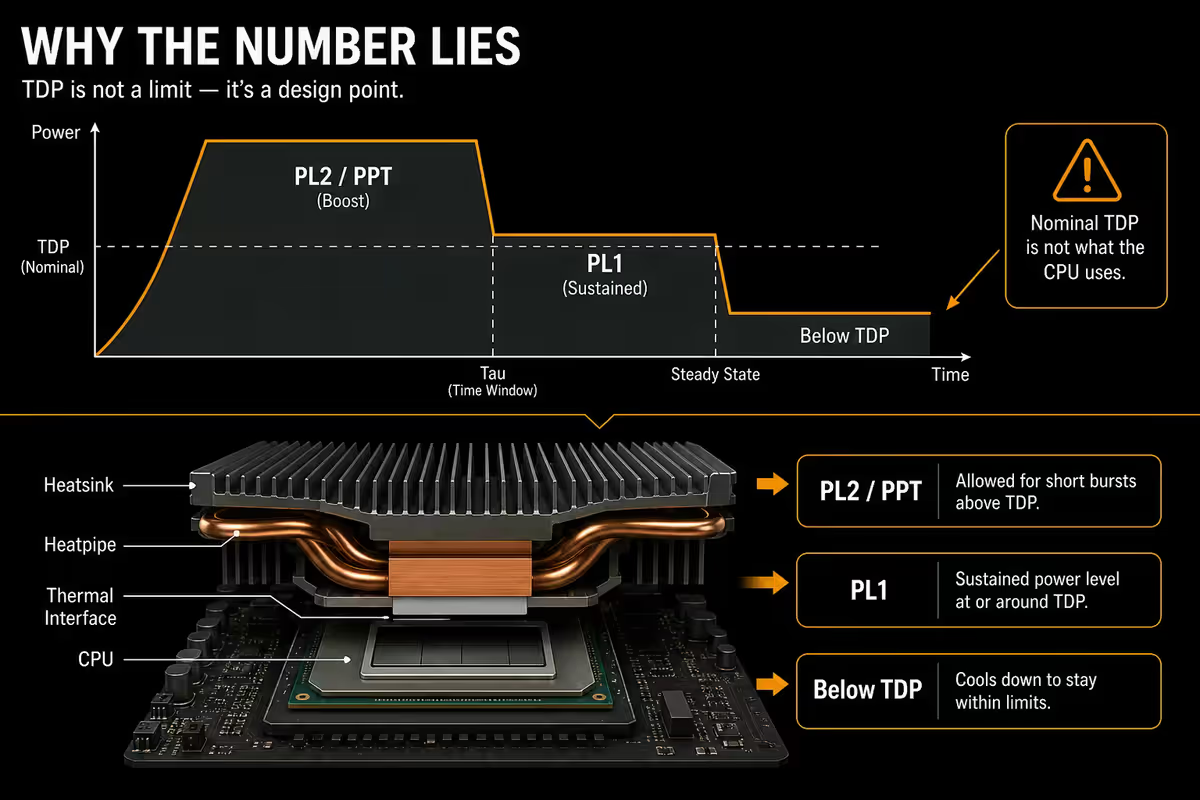
Why "nominal TDP" lies — PL1/PL2 and PPT
On Intel and AMD modern desktop chips, two parallel power-limit systems govern how the chip actually behaves: Intel's two-stage Power Limits (PL1, PL2, with a Tau timer) and AMD's Package Power Tracking (PPT).
Intel — PL1, PL2 and the Tau timer
PL1 (Power Limit 1) is the long-term sustained power limit. In Intel's spec sheets it's identical to the published TDP. Once the chip has been at boost for a while, it's PL1 that throttles it back to a sustainable level.
PL2 (Power Limit 2) is the short-burst boost power. Typically PL2 is 1.5-3x the chip's TDP — so a 65W chip can pull 180W during a boost. The chip runs at PL2 until the Tau timer expires (commonly 28-56 seconds) and then drops back to PL1 for the sustained workload.
This is why a Core i7 with a "65W TDP" sticker can still pull alarming amounts of power for the first half-minute of a Cinebench run before settling back. Both numbers are correct; both describe different time-domains.
AMD — PPT, the simpler model
PPT (Package Power Tracking) is AMD's single-number equivalent of PL2. It's typically 1.35x the chip's TDP — so a 65W TDP Ryzen has roughly 88W PPT. Unlike Intel's two-stage Tau system, AMD's chips can hold PPT indefinitely as long as thermal and current limits aren't breached. The result is more thermally consistent behaviour than Intel chips at the same nominal TDP.
| Chip class | TDP | Real peak power |
|---|---|---|
| Ryzen 5 8600G | 65W | 88W (PPT) |
| Ryzen 7 9800X3D | 120W | 162W (PPT) |
| Ryzen 9 7950X | 170W | 230W (PPT) |
| Core i5-14600K | 125W | 181W (PL2) for 56s |
| Core i7-14700K | 125W | 253W (PL2) for 56s |
| Core Ultra 9 285K | 125W | 250W (PL2) |
CPU vs GPU TDP — they don't behave the same
NVIDIA and AMD list Total Graphics Power (TGP) for their GPUs, which is the analogue of CPU TDP — but with one important difference: GPU TGP is closer to the actual sustained power draw than CPU TDP usually is.
An RTX 4070 rated at 200W TGP draws roughly 200W during sustained gaming, with short spikes to about 240W. The headroom between published TGP and real peak is much smaller than on CPUs — maybe 15-20% versus the 50-100% headroom Intel chips routinely show. This is why PSU sizing calculators give you a reliable answer for GPUs but consistently lowball CPU power draw.
There's a second wrinkle on partner cards: a "factory overclocked" RTX 4080 from MSI or ASUS may have TGP raised 15-25% over the reference design. The same GPU silicon can ship rated at 320W (reference) or 400W (premium aftermarket). Read the specific card's spec sheet rather than the chip generation alone.
Mobile TDP — why the same chip name means different things
Laptop CPUs have configurable TDP ranges set by the laptop manufacturer at design time. A Core Ultra 7 chip in Intel's catalogue might be listed with a TDP range of 15-45W. The actual TDP it runs at in a specific laptop is decided by the OEM based on the chassis cooling capacity.
In practice, the same chip name appears in three real-world tiers:
- 15W TDP — fanless or near-silent ultrabooks. Low sustained performance, excellent battery.
- 28W TDP — standard 14-inch productivity laptops. Mid-tier sustained performance.
- 45W TDP — gaming laptops or workstations with active cooling. Strong sustained performance, audible fans under load.
The spec sheet often just says "Core Ultra 7 155H" without disclosing the configured TDP. The result: two laptops with the same chip name can differ by 40-60% in sustained CPU performance. Always read the review of the specific laptop chassis to find out which TDP the OEM actually runs at.
Sizing your cooler from TDP
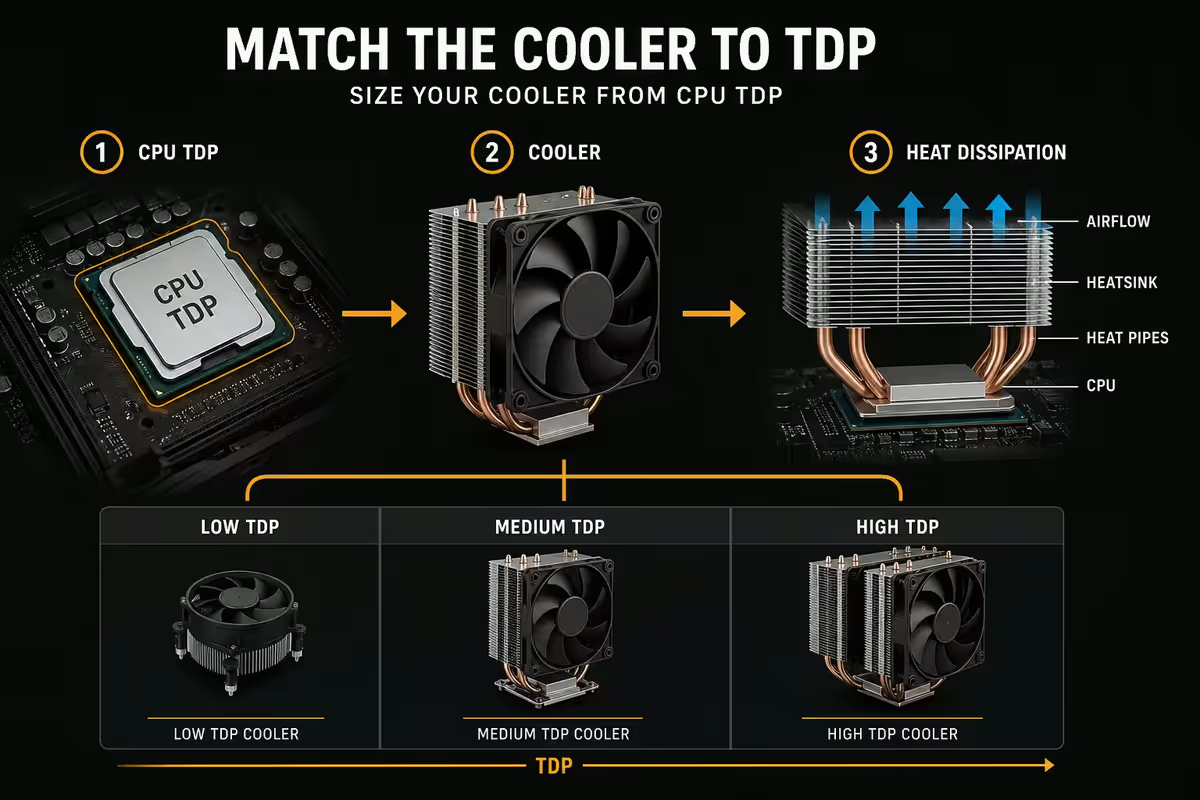
This is where the TDP number genuinely earns its keep. Coolers are rated for a "thermal capacity" in watts — usually with safety headroom built in. Match the cooler's rating to 1.5-2x the chip's TDP and you'll have comfortable performance under all sustained workloads.
| CPU TDP | Minimum cooler | Comfortable cooler |
|---|---|---|
| 65W | Stock or Arctic Freezer 34 | Deepcool AK400 / Arctic Freezer 36 |
| 105W | Deepcool AK620 | Noctua NH-U12A / 240mm AIO |
| 125W (Intel boosted) | 240mm AIO | Noctua NH-D15 / 280mm AIO |
| 170W (Ryzen 9) | 280mm AIO | 360mm AIO / NH-D15 in cool case |
| 250W+ (top-tier Intel) | 360mm AIO mandatory | 360mm premium AIO or custom loop |
Undersizing the cooler means the chip thermally throttles — slowing itself down to protect against damage. You lose performance you paid for. Oversizing wastes money but harms nothing.
Case airflow implications
The cooler can only dissipate heat into ambient air. If your case is starved of cool air, even an oversized cooler will struggle. South African summer ambient temps (28-34°C interior in many homes without aircon) make this materially worse — every degree of ambient temperature directly raises the steady-state CPU temperature.
The airflow priority order:
- Intake fans at the front (2-3x 120mm or 140mm pulling cool air in)
- Exhaust fan at the rear (single 120mm or 140mm pushing hot air out)
- Top exhaust (optional) if the case supports it — heat rises naturally
- Filtered dust intakes — SA dust is brutal, monthly cleaning is essential
ECO mode and undervolting — getting power back
ECO mode is AMD's branding for a lowered PPT setting, accessible through the motherboard BIOS or AMD's Ryzen Master utility. The most common use case: a Ryzen 9 7950X with 170W TDP and 230W PPT, set to 105W ECO mode (142W PPT). Result: 15-20°C cooler under load, 5-8% performance loss, dramatically quieter cooling. For a hot SA summer or a quiet bedroom build, it's frequently the right call.
Intel offers an equivalent through BIOS-level PL1/PL2 reduction, sometimes branded "Power Saver" or "Quiet" profile. Setting a Core i7-14700K to 125W PL1 / 175W PL2 (instead of the unlocked 253W PL2) drops temperatures roughly 10-15°C with about a 5% performance loss in sustained workloads — and zero loss in burst tasks under 28 seconds.
Undervolting is a separate, more advanced technique — manually reducing the voltage the chip requests at each frequency point. Done correctly, it drops temperatures with almost no performance loss. Done carelessly, it causes system instability. The community-friendly tools (Ryzen Master, Intel XTU) handle this safely.
Real-world wattage vs spec — measure if you care
If you actually want to know what your chip is pulling — for PSU sizing, undervolt tuning, or just curiosity — there are two free utilities every builder should have:
- HWiNFO64 — reads chip-internal power sensors and reports CPU package power, PL1/PL2 limits, current Tau state, and per-core power. Free, runs in the background.
- GPU-Z — same for NVIDIA and AMD GPUs, with TGP, current draw and thermal status.
Run a 30-minute Cinebench R23 multi-thread test with HWiNFO logging. Compare the steady-state average package power to the published TDP. If your sustained power is well above PL1, your motherboard has overridden the limits (common on Z-series boards). If sustained power is below PL1 and the CPU is hot, you're throttling and need a better cooler.
Key takeaways
- TDP is the sustained heat target, not the peak power draw — modern chips routinely sprint past it.
- Intel PL2 can be 1.5-3x TDP for 28-56 seconds before settling. AMD PPT is roughly 1.35x TDP, held sustainably.
- Size coolers at 1.5-2x the chip's TDP. Undersized cooling = thermal throttling = wasted performance.
- ECO mode trades 5-8% performance for 15-20°C lower temps — brilliant for SA summers and quiet builds.
- Laptop TDP is OEM-configurable — same chip name can run 15W or 45W. Always read the chassis review.
Frequently asked questions
What does TDP stand for?
Thermal Design Power, expressed in watts — the sustained heat output the chip is rated to dissipate. It's a cooler-sizing guideline, not a hard maximum.Is TDP the same as power consumption?
No. TDP is sustained nominal — modern chips draw substantially more during boost. A 65W TDP Intel can pull 180W for 28 seconds.What's the difference between PL1 and PL2 in Intel TDP?
PL1 is the long-term sustained limit (≈ TDP). PL2 is the short-burst boost power (1.5-3x TDP) held until the Tau timer expires (28-56s).What is AMD's PPT and how does it relate to TDP?
PPT (Package Power Tracking) is AMD's PL2 equivalent — typically 1.35x TDP and held sustainably (no Tau timer). Why Ryzen chips run more consistently than Intel at the same nominal TDP.Do I need a bigger cooler than my CPU's TDP?
Yes — size at 1.5-2x TDP for headroom. A 65W TDP wants a 120W cooler; a 170W TDP wants a 360mm AIO or NH-D15.What is ECO mode and does it lower TDP?
AMD's BIOS-level PPT reduction. Common: Ryzen 9 7950X at 105W ECO mode drops temps 15-20°C with only 5-8% performance loss.Why does laptop TDP look so different from desktop TDP?
Laptop CPUs have configurable TDP ranges. Same chip name can run 15W in an ultrabook or 45W in a gaming chassis — read the laptop review, not just the chip spec.Does GPU TDP work the same as CPU TDP?
Almost — GPU Total Graphics Power (TGP) is closer to actual sustained draw than CPU TDP. Less headroom between published value and peak, so GPU PSU sizing is more accurate.
Get the Evetech app
Exclusive app-only prices, daily flash sales, and free delivery on orders over R4,000 — download the app and start saving.