WFH & Productivity Guide
How to reduce eye strain.
Digital eye strain is real, but it isn't blue light. It's glare, dry eye and a body locked in one posture for eight hours. Fix the setup and the symptoms quietly disappear.
- break rule
- 20-20-20
- arm's length
- 50-70 cm
- screen blinking
- -60%
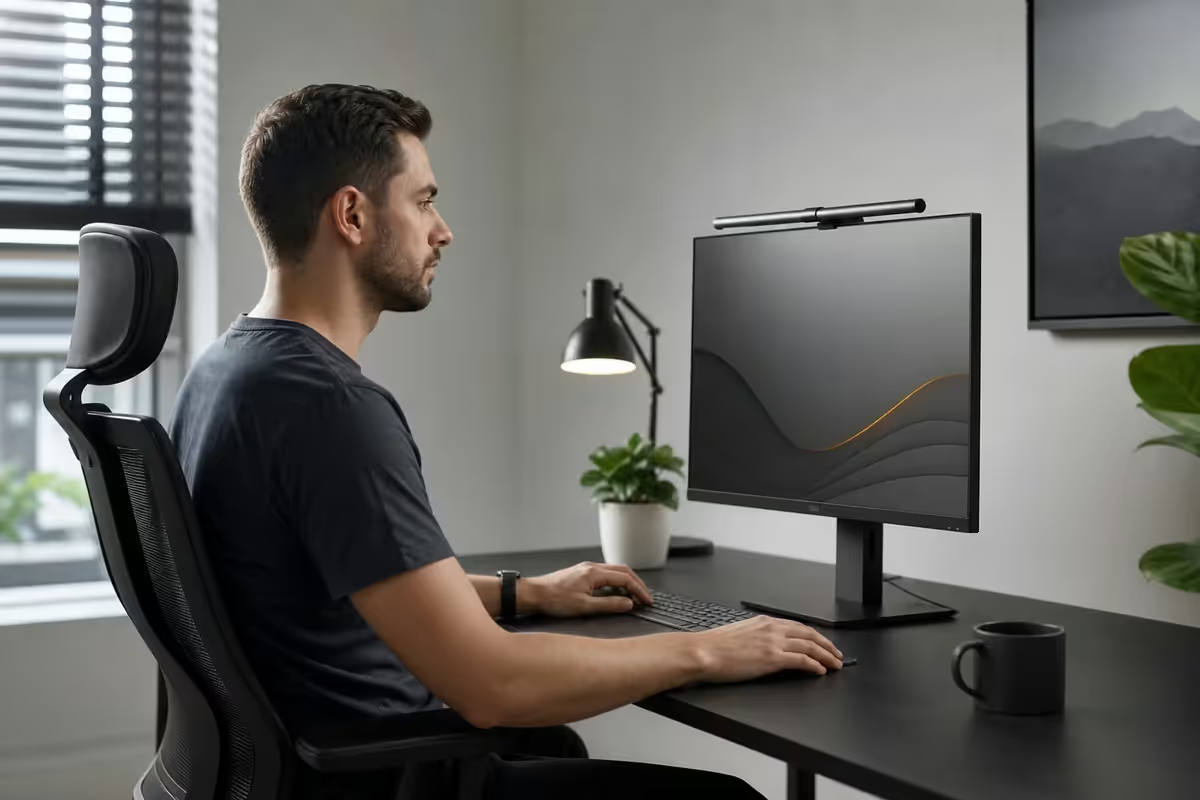
What actually causes digital eye strain
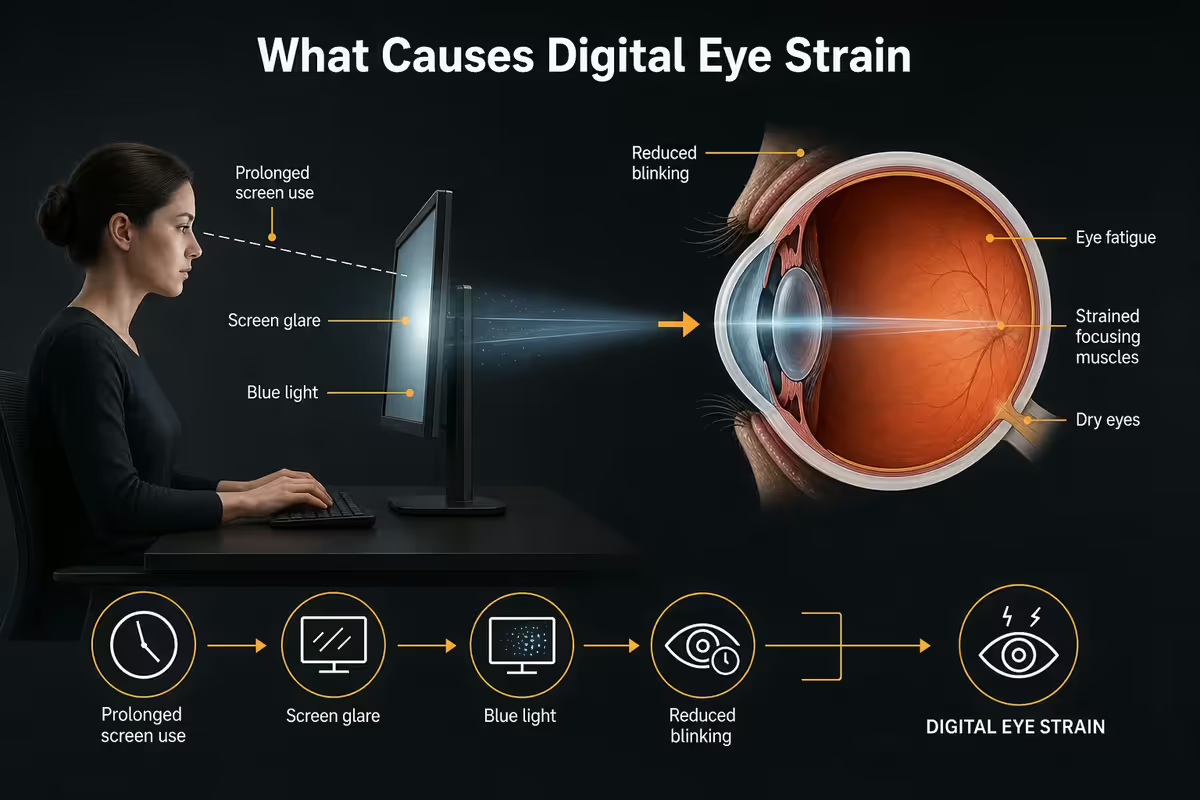
"Digital eye strain" (or computer vision syndrome) is real and well-documented. But the cause is almost never the screen itself — it's the way your body interacts with it for eight hours straight.
| Cause | What it does | Share of symptoms |
|---|---|---|
| Reduced blinking | Dry, gritty, tired eyes by mid-afternoon | ~40% |
| Glare & high contrast | Pupils constantly re-adjusting | ~25% |
| Accommodative fatigue | Ciliary muscle locked in near-focus | ~20% |
| Poor posture / distance | Neck and shoulder referred ache | ~10% |
| Blue light alone | Largely a myth — minor sleep impact only | < 5% |
When you stare at a screen, your blink rate drops from a healthy 15-20 blinks per minute to as few as 5-7 blinks per minute — a 60% reduction. Less blinking means a thinner, more uneven tear film. That's the gritty, sandpaper feeling by 3pm.
At the same time, your ciliary muscle (the one that adjusts focus for near work) stays locked in one position. After hours without relief, it spasms — and that's the dull ache behind your eyes at the end of the day. The 20-20-20 rule exists to give that muscle scheduled breaks.
The blue-light truth — what science actually says
If you've bought a pair of yellow-tinted "computer glasses" or paid extra for a screen-protector that filters blue light, you're not alone. The blue-light panic powered a multi-billion-rand global industry. The science, unfortunately, doesn't back the marketing.
The American Academy of Ophthalmology, the College of Optometrists (UK), and multiple peer-reviewed 2022-2024 reviews have concluded: blue light from screens does not cause eye damage, does not accelerate macular degeneration, and does not meaningfully cause eye strain. A 2023 Cochrane review found no evidence that blue-light-filtering lenses reduce eye strain symptoms.
Where blue light does matter is sleep. Blue wavelengths suppress melatonin production for 1-2 hours after exposure. If you work on screens after 9pm, OS-level warm-tone modes (Windows Night Light, macOS Night Shift, Android Bedtime mode) genuinely help your sleep — but they're not preventing eye strain. They're preventing a 2am stare at the ceiling.
The 20-20-20 setup — distance, height, break rhythm
Three numbers do most of the work: 20 minutes, 20 feet, 20 seconds. Plus arm's length for distance and eye-level for height. Get these right and you've solved 80% of digital eye strain before you buy a single accessory.
Distance — arm's length, 50 to 70 cm
Sit normally. Stretch your arm forward, fingers extended. Your fingertips should just brush the screen. That's roughly 50-70 cm depending on monitor size: 50-60 cm for 24-inch, 60-65 cm for 27-inch, 70 cm-plus for 32-inch and ultrawides. Closer than this and your eyes strain to focus; further and you'll lean in.
Height — top of screen at eye level
The top edge of the screen should sit at or just below your eye line when you're looking straight ahead. Your gaze then naturally falls 15-20° downward across the rest of the screen — which is the natural reading angle your neck wants. Most laptop users sit with a screen 20-30 cm too low and pay for it in shoulder tension by Friday.
The 20-20-20 rule, properly applied
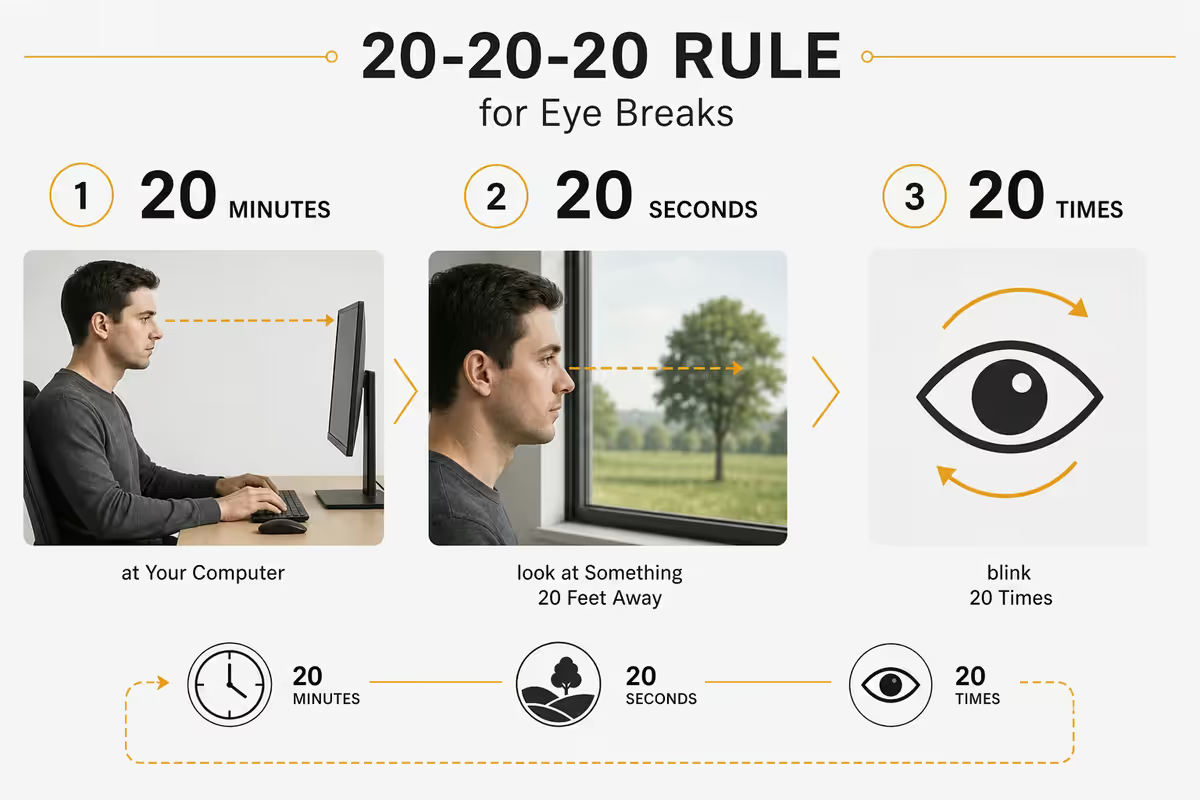
Every 20 minutes, look at something 20 feet (≈6 m) away for 20 seconds. Out a window if you have one, or down the longest corridor in your space. The point is to let the ciliary muscle release from near-focus. Set a recurring timer (Pomodoro apps, the macOS Stretchly app, EyeCare on Windows, or just a 20-minute calendar nudge).
Bonus move: during that 20 seconds, blink fully ten times. Two birds, one break.
Bias lighting and ambient glare
If you work in a dim room with a bright screen, your pupils are doing 200 reps an hour — constricting at the screen, dilating at the dark wall, constricting at the screen. That constant adjustment is exhausting, and it's the cause of most "I worked late and now my eyes hurt" complaints.
Bias lighting — a soft LED strip mounted behind your monitor, washing the wall behind it — is the single best-value eye-strain fix you can buy. By raising ambient brightness, it lowers the contrast ratio between screen and wall. Studies and field testing put the symptom reduction at around 30%.
- Colour temperature: 6500K neutral white. Avoid coloured RGB for productivity — it tints the screen edges and confuses colour judgement.
- Position: behind the monitor, edges of the panel — not pointing at your face, not visible directly.
- Brightness: roughly 10-15% of your monitor's brightness. The wall should be lit, not glowing.
- Power: USB-A from the back of the monitor is easiest. Most kits come with one.
Other lighting essentials: Diffuse, non-glaring ambient light in the room. Don't sit with a window directly behind or in front of you — both create glare problems. If you can't avoid it, use blinds during the day and an angle-adjustable desk lamp pointed at the wall (not the desk) for warm fill light.
Match brightness to ambient. The classic test: hold a sheet of A4 paper next to your monitor with a blank white document open. They should look about the same brightness. If the monitor is much brighter, drop it 20% and re-test. Most people run their displays 2-3 times brighter than they need to.
Habits that actually move the needle
Blink consciously
As covered above — three full blinks at the end of every paragraph or every email send. A week of conscious practice rebuilds the reflex.
Drink water, lay off air-con airflow
Dry eye worsens with dehydration and direct airflow. Keep a water bottle on your desk. Point air-con vents and ceiling fans away from your face. If your office runs cold dry air all day, a small humidifier (R400-R900 at Takealot/Makro) makes a meaningful difference.
Wide screen, disciplined gaze
An ultrawide or 32-inch monitor is wonderful — until you realise you're parking your eyes in the centre 60% of the screen for eight hours. Bigger isn't automatically better for your eyes unless you actively move your gaze across it. Use window snapping to push reference material to the far edges, and physically look across — don't scroll content into the centre.
Get an eye exam if you haven't recently
An undiagnosed mild prescription (especially astigmatism or early presbyopia) is one of the most common hidden causes of digital eye strain in people aged 25-45. SA optometrist visits run R350-R600, and most medical aids cover at least one exam per year. If you've never had an adult eye exam, book one before buying any "eye strain" gear.
Recommended gear — what's actually worth buying
| Need | Pick | SA price |
|---|---|---|
| Bias lighting (USB LED) | MediaRange 1.8m / Govee USB 2m (6500K) | R200-R400 |
| Productivity monitor | 27" 1440p IPS, flicker-free, ≥99% sRGB | R4 500-R7 500 |
| Monitor arm / riser | VESA gas-spring arm or wooden riser | R450-R1 800 |
| Anti-reflective lens coating | Add-on at Spec-Savers / Mellins | R400-R800 |
| Artificial tears (preservative-free) | Systane Ultra / Hylo-Comod (Dis-Chem) | R80-R180 |
| Pomodoro / break timer app | Stretchly, Pomotroid, or system Focus mode | Free |
| Small desk humidifier | USB ultrasonic, 200-400 ml tank | R350-R900 |
| Optometrist exam | Spec-Savers, Mellins, Torga Optical | R350-R600 |
Common eye-strain mistakes
Buying blue-light glasses as the first move. They don't address glare, dryness, posture or accommodative fatigue — the actual causes. Save the money for an exam and an AR coating if you wear glasses.
Sitting too close to a big monitor. A 32-inch screen at 45 cm is worse than a 24-inch screen at 60 cm. Bigger doesn't mean better — distance and disciplined gaze matter more than panel size.
Working in a dim room with a bright screen. Maximum pupil-strain conditions. Even a single warm desk lamp pointed at the wall behind the monitor helps. Bias lighting is better.
Running monitor brightness on max all day. Most monitors ship at 100% brightness — calibrated for retail showroom lighting, not for your home office. Drop to 30-50% in a normally-lit room.
Skipping the 20-20-20 break "because deadline". The 20 seconds you skip cost you a fuzzy, headachy hour at 5pm. Set a non-snoozable timer and treat it like meetings — non-negotiable.
Ignoring posture. Eye strain is the symptom — your screen being 10 cm too low and 15 cm too close is the cause. Adjust the desk and chair first.
Key takeaways
- Eye strain is caused by reduced blinking, glare and accommodative fatigue — not blue light. Fix those three first.
- 20-20-20 rule: every 20 minutes, look 20 ft (6 m) away for 20 seconds. Treat it like a meeting — non-negotiable.
- Monitor at arm's length (50-70 cm), top of screen at eye level, gaze falling 15-20° below horizontal.
- Bias lighting (6500K USB LED behind the monitor) reduces strain ~30% for under R400.
- If symptoms persist past 2-3 weeks of correct setup, see an optometrist — undiagnosed prescriptions are the hidden cause.
Frequently asked questions
What is the 20-20-20 rule and does it actually work?
Every 20 minutes, look at something 20 feet (6 m) away for 20 seconds. It works because it releases the ciliary muscle from near-focus. Consistent use reduces digital eye strain symptoms by ~30% in clinical studies.Is blue light really damaging my eyes?
No. The American Academy of Ophthalmology and 2022-2024 reviews find no evidence blue light from screens causes eye damage or strain. The real causes are glare, reduced blinking and poor setup.How far should my monitor be from my eyes?
Arm's length — 50-70 cm. 50-60 cm for a 24", 60-65 cm for a 27", 70 cm-plus for 32" and ultrawides. Top of screen at eye level.Does bias lighting behind the monitor really help?
Yes — a 6500K neutral-white USB LED strip behind the monitor reduces eye strain by ~30%. It lowers contrast between screen and dark wall. R200-R400 in SA.Are computer glasses or Gunnar lenses worth the money?
For most people no — they don't address the real causes. If you wear glasses, an anti-reflective coating (R400-R800) is a much better upgrade. If you don't, an optometrist visit beats Gunnars.Why do my eyes feel dry after a day at the computer?
You blink 60% less at screens — from 15-20/min to 5-7/min. Build a conscious blink habit and use preservative-free artificial tears (R80-R180 at Dis-Chem). Point air-con away from your face.Should I lower my monitor brightness?
Yes — match it to ambient light. Hold an A4 sheet next to a blank white document on screen; they should look equally bright. Most people run their displays 2-3x too bright.When should I see an optometrist about eye strain?
If strain persists past 2-3 weeks of correct setup, if you get temple/forehead headaches, if vision is blurry at day's end, or if you've never had an adult eye exam. R350-R600 in SA, often medical-aid covered.
Get the Evetech app
Exclusive app-only prices, daily flash sales, and free delivery on orders over R4,000 — download the app and start saving.