Gaming Room Design Guide
Ultimate gaming room. — Design your space, not just your PC.
A R60,000 rig in a bare room with bad lighting and tangled cables looks worse than a R20,000 setup designed properly. The room is the build. Here's the framework.
- desk + chair impact
- 70%
- transforms it
- Lighting
- tier examples
- R10k-R40k
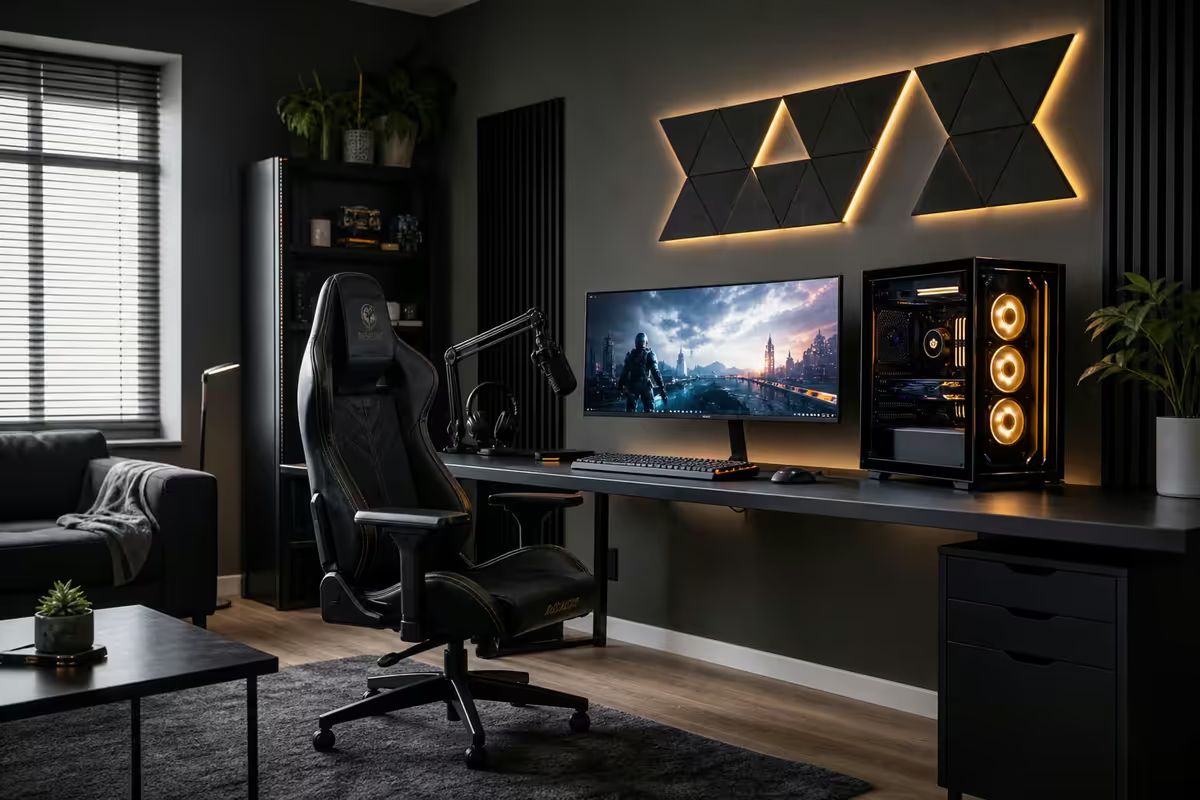
Desk + chair — 70% of the impact
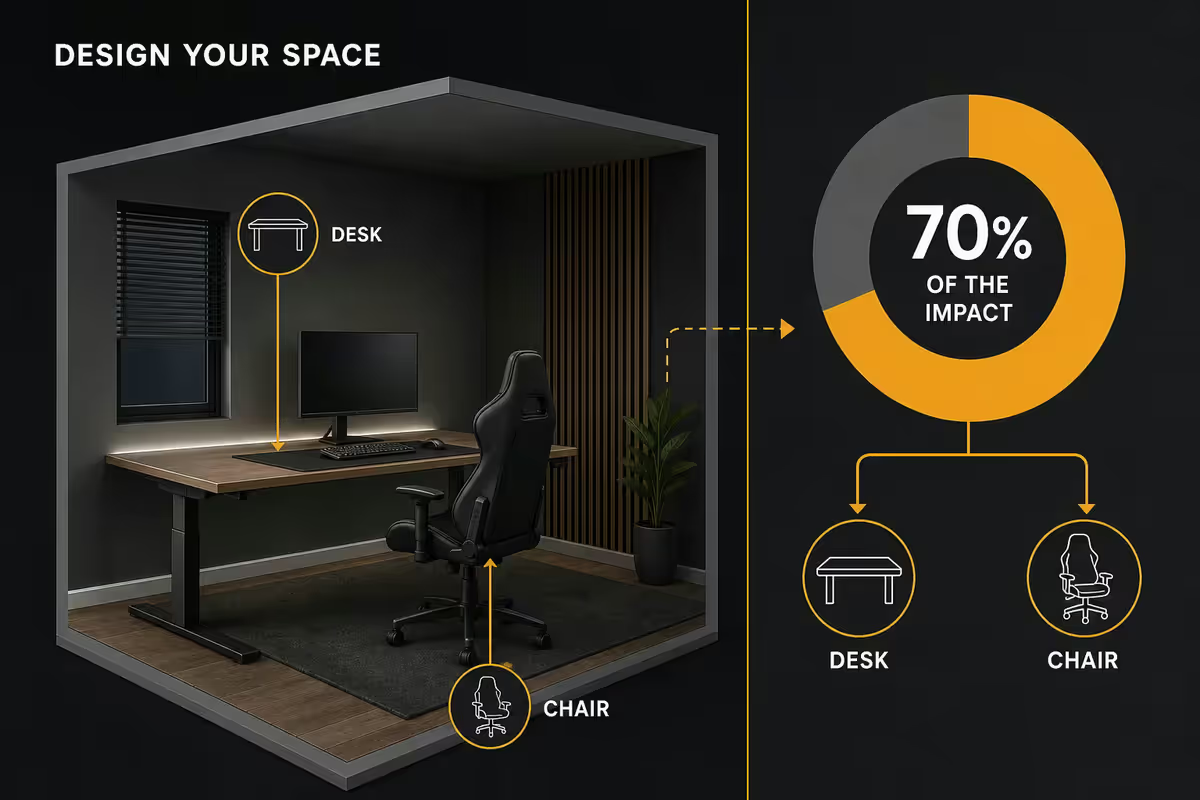
Before you spend a single Rand on RGB, monitor arms or wallpaper, sort the desk and chair. These are the only items you physically touch for hours a day, every day. Get them right and the rest is decoration; get them wrong and no amount of lighting will save the room.
Desk shape — corner vs straight vs L-shape: a corner desk maximises usable depth in a small room and keeps the back of the monitor near a wall (where bias lighting wants to live). A straight 140cm desk fits most bedrooms and stays clean visually. An L-shape gives you a second surface for a streaming PC, drawing tablet or laptop dock — useful only if you actually have a secondary workflow.
Desk depth matters more than width. A desk under 60cm deep cramps a 27" monitor against your face — you want at least 65-70cm depth so the monitor sits 50-70cm from your eyes. Width: 120cm minimum, 140-160cm sweet spot, 180cm+ if you run an ultrawide or dual monitors with peripherals spread out.
| Desk type | Best for | SA pricing range |
|---|---|---|
| Straight 140cm MDF/pine | Bedroom-based, single monitor | R1,800-R3,500 |
| Corner L-shape | Dedicated gaming room, dual monitor | R3,500-R6,500 |
| Sit-stand electric | Long sessions, ergonomics-focused | R5,500-R12,000 |
| Gaming desk (Cooler Master GD160, Trust GXT 711) | Built-in cable channel, headphone hook | R4,500-R8,500 |
| Custom solid-wood top + IKEA legs | Premium aesthetic, longevity | R6,000-R15,000 |
The chair: any chair sub-R2,500 is a temporary solution at best. Below that price point, foam compresses within 18 months, mesh stretches, and casters break. The honest sweet spot in SA is R3,500-R5,500 for a proper ergonomic chair (Mahmayi Ergo Pro, Gaming Freak Esport, Sihoo M57) and R7,500-R15,000 for premium ergonomic (Herman Miller Sayl knock-offs, ErgoChair, Secretlab Titan Evo when on sale).
Monitor arrangement — ultrawide vs dual
Two paths here, and they're genuinely different aesthetics, not just different specs.
Ultrawide (34" 21:9 or 34" 21:9 curved): wins for pure gaming immersion and a cleaner desk silhouette. One bezel, one cable run, one statement piece on the desk. Cyberpunk-style aesthetics lean this way. SA pricing in 2026: Samsung Odyssey G5 34" at R7,500-R9,500, LG UltraGear 34GP63A at R9,500-R12,000.
Dual 27" 1440p: wins for productivity, streaming, multitasking and the "command centre" look. Two screens flanking a central position with bias lighting between them. SA pricing: dual Gigabyte M27Q or LG 27GP850 setup at R8,000-R11,000 total.
Single 27" or 32" 1440p with optional second: the sensible default for most rooms. Add the second monitor later if your workflow demands it. Don't buy dual just for the look — the second monitor only earns its desk space if you actually use it.
Monitor arm — quietly transformative. Mounting your monitor on a VESA arm (R800-R2,200 in SA — North Bayou F80, Ergotron LX) removes the stock stand, reclaims 15-20cm of desk depth and lets you adjust height + tilt instantly. This is the single most under-rated aesthetic upgrade. The desk looks twice as clean.
Bias lighting — the cheapest aesthetic transformation
Bias lighting is the soft illumination behind your monitor that bounces off the wall. It reduces eye strain by lowering screen-to-room contrast and — more relevant to this guide — completely transforms how your setup looks in photos and on stream.
Three tiers exist in SA:
- Budget (R300-R600): generic USB-powered RGB strip from Takealot. Static colour or app-controlled. Fine for a starter setup, but cheaper strips often have visible "hot spots" where individual LEDs are bright dots instead of even glow.
- Mid-tier (R800-R1,500): Yeelight Lightstrip Plus, NEEWER RGB, or Govee Wi-Fi LED strip. Even diffusion, app control, music sync, scene presets. The sensible default.
- Premium (R1,500-R3,500): Govee Immersion DreamView (syncs to screen content via a small camera), Philips Hue Play Gradient (smart-home integration), Elgato Light Strip. The Govee Immersion at R1,800-R2,400 for a 27" monitor is the sweet spot — it actually mirrors what's on screen, which looks incredible during gameplay or movies.
Beyond the monitor: consider Govee Glide wall panels (R3,500-R6,500 for a set of 6) for a statement wall, an Elgato Key Light for streaming-friendly face illumination, or LIFX smart bulbs in a corner lamp for ambient room colour. Layer at least two of these — one bias source, one ambient source — for depth.
Wall treatment — the often-ignored 30%
Bare beige walls absorb all your visual investment. The wall behind your setup is the largest single surface in your photos and on your camera background during streams.
Options ranked by effort and impact:
- Removable wallpaper or wall decals (R400-R1,500): the renter-friendly option. Apply a textured matte panel or a single graphic accent behind the monitor. Easy to remove, no painting.
- Painted accent wall: a single wall in a deep colour (charcoal, navy, deep forest green) makes the setup pop. Cost is just a 5L tin of paint (R450-R900 in SA) and a Sunday afternoon.
- Acoustic panels (foam or proper): if you stream or record, dense acoustic panels (Auralex, GIK) double as dramatic wall art. Cheap foam panels (R250-R500 per 12-pack) look fine in a grid arrangement but do almost nothing acoustically.
- Framed art / poster grid: three to five framed gaming, anime or design pieces in matching frames. A2 prints from local printers in SA run R300-R600 framed.
- RGB wall panels (Govee Glide, Nanoleaf Shapes): the wow-factor option. Govee Glide Hexa Light at R3,500-R6,500 for 10 panels; Nanoleaf Shapes at R6,000-R12,000. Expensive but the statement is undeniable.
Floor + chair mat
Carpet looks softer but punishes chair casters and traps cable runs. Hard floor (tile, laminate, vinyl) rolls easily, photographs cleaner and stays cooler in SA summers.
Chair mat is non-negotiable on hard floor. A R600-R1,200 polycarbonate or rubber mat protects laminate from caster scratches, defines the "setup zone" visually, and is much easier to clean than the surrounding floor. Tempered glass chair mats (R1,500-R2,800) are the premium option — they look spectacular but cost noticeably more.
Area rug under the desk: warmth and visual grounding. A 1.6m × 2.3m rug under the desk and chair zone costs R800-R2,500 in SA and softens the room dramatically. Choose a low-pile rug — high-pile traps cables and cooks chair casters.
Storage and cable management
Cables are the difference between "Instagram-worthy" and "obviously a hobbyist's bedroom." It's not expensive — it's just tedious work most people skip.
The cable management starter kit (R1,200-R2,500 total in SA):
- Under-desk cable tray (R250-R600): screws to the desk underside, hides power strip and excess cable length.
- Velcro ties × 50 (R150): bundle cable runs from PC to monitor, mouse, keyboard. Reusable, doesn't damage cables like cable ties do.
- Wall raceway (R150-R400): plastic channel that runs along the skirting or wall to hide cables going to wall sockets. Paint to match wall colour.
- Cable sleeves (R200-R450): braided sleeves bundle multiple cables into a single clean "snake" from desk to wall.
- Monitor arm cable channel (built into most R800+ arms): routes monitor power and signal cables through the arm itself.
- Smart plug or power-strip switch (R200-R400): turns the entire setup on/off from one switch. Game-changer when you don't want to crawl behind the desk.
Storage: a small wall-mounted shelf (R300-R800), drawer unit under the desk (R600-R1,800), or open shelving for controllers, headphones, mugs and books. A vertical headphone stand (R300-R700) keeps the desk clean and protects the headband from desk-edge wear.
Aesthetic themes — pick one and commit
The room reads best when it's coherent. Mixing five different aesthetics produces visual noise; committing to one theme makes a R10,000 setup look more polished than a R30,000 mish-mash. Five themes that work in SA spaces:
1. Minimalist (white/wood/black, low RGB)
All-white desk, oak wood top, black monitor and chair. Single warm corner lamp, no RGB or minimal warm-white bias only. Cables completely hidden. Plant in the corner. Tom Sachs / studio aesthetic. Reads as "professional adult with a hobby."
2. Full RGB cyberpunk
Maximum colour bias lighting, RGB everything (keyboard, mouse, PC fans, monitor bias, wall panels). Black desk, black chair, mirrored or smoked glass surfaces. Govee Glide hexagon panels on the wall. Reads as "gamer-first, no apology." Best photographed at night with room lights off.
3. All-white / Sanrio / soft pastel
White desk, white chair, white peripherals (Logitech Aurora collection, Razer Quartz). Soft pink or lavender bias lighting only. Plants, fabric textures, ceramic accessories. Reads as a content creator's bedroom — very popular on Korean and Japanese gaming influencer accounts.
4. Cosy Japandi / wood-warm
Solid wood desk top (oak or walnut), neutral fabric chair (Herman Miller Sayl in Studio White, ErgoChair Pro+ in beige), warm 2700K lighting only, no RGB. Plants, books, a small ceramic mug. Reads as "designer who happens to game." Pairs beautifully with low-pile beige rugs.
5. Cyber industrial / dark-mode
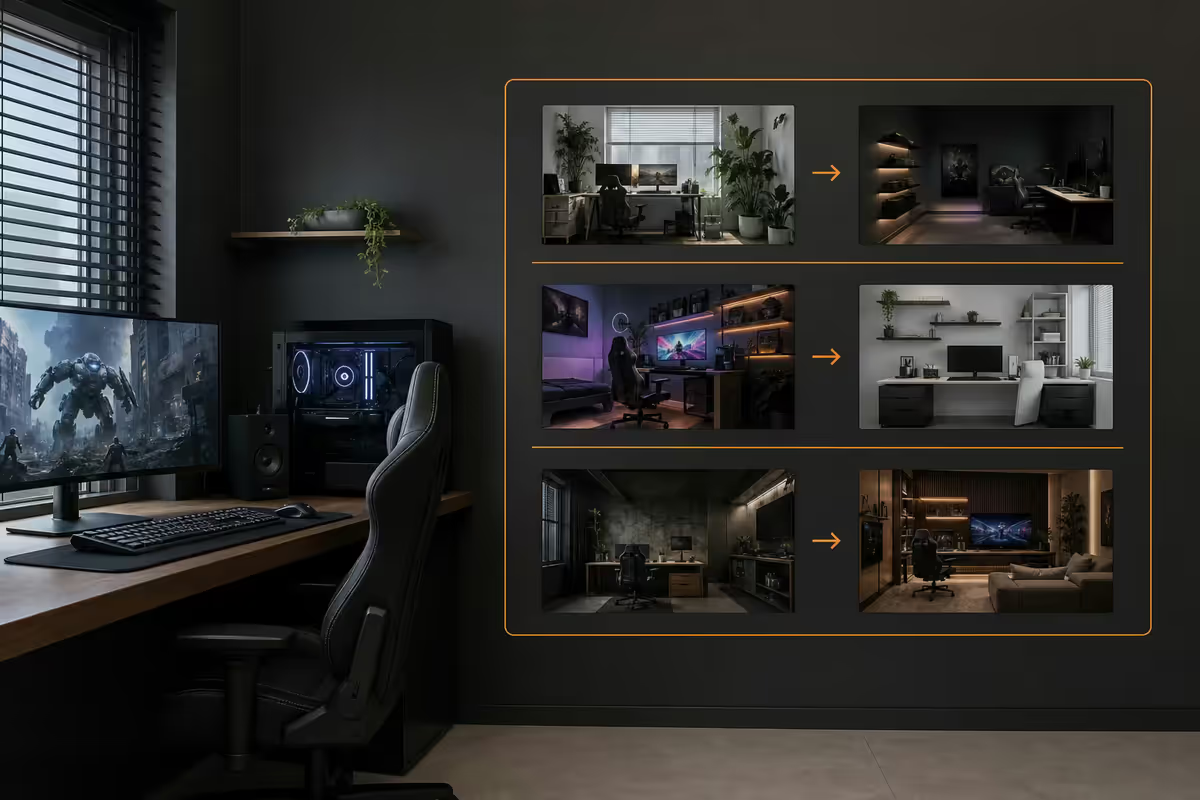
Black metal desk frame, matte-black surfaces, dark grey chair, single cool-white accent strip behind the monitor. Exposed cable raceways painted black. Maybe one neon sign or single colour accent. Reads as "PCMR purist."
The mistake to avoid: mixing aesthetics. A white desk with a black gaming chair, blue RGB and an oak shelf reads as "bought stuff over time without a plan." Even a R5,000 setup committed to one theme outperforms a R20,000 inconsistent one.
Smart automation — small spend, big payoff
Smart-home tech in a gaming room sounds excessive until you have it. Then you can't go back.
- Smart plug for the entire setup (R200-R400): "Alexa, turn on the gaming desk" powers everything from one command. Schedule auto-off at 1am to discourage late-night sessions if that's a goal.
- Smart bulbs for ambient lighting (R250-R600 each): Yeelight, LIFX or Philips Hue in a corner lamp. Schedule colour shifts (warm white morning, cool white afternoon, warm amber evening) to match circadian rhythm. Or sync with the bias lighting.
- Smart switch for room lighting (R450-R900): replace the wall switch with a smart one so you can dim or schedule the overhead light without rewiring.
- Stream Deck (R3,500-R5,500): overkill for non-streamers but transformative for anyone who multitasks — one-touch mute, scene switch, app launch, lighting preset.
- UPS with auto-detect (R2,500-R4,500): in SA, this is more "necessity" than "automation," but a smart UPS sends notifications when load shedding hits and gracefully shuts down the PC if outage exceeds battery life.
SA-specific considerations
Designing a gaming room in South Africa adds a few constraints international guides skip entirely.
Load shedding: a UPS isn't optional in 2026. Budget R2,500-R4,500 for an APC Back-UPS or Mecer 1500VA — enough runtime to save and shut down properly. For uninterrupted gaming through Stage 4-6, you're looking at a 3000VA+ inverter setup (R8,000-R15,000) or a solar/battery hybrid. Either way, never run a desktop PC without surge protection in SA — direct utility power is rough on PSUs.
Summer heat: Gauteng and the Cape Flats can push a closed gaming room past 32°C in summer. Position the PC away from west-facing windows where afternoon sun heats the case. A standing fan (R600-R1,800) or aircon during peak heat is more impactful than any case-fan upgrade. Acoustic panels also act as thermal mass — they help slightly but not enough on their own.
Dust: SA cities run dustier than European/US reference photos suggest. Dust filters on all PC intake fans (R200-R450 for a set), and a small handheld vacuum or compressed air can (R150-R300) for monthly desk and PC cleaning. Bias-lighting strips collect dust fast — clean monthly with a microfibre cloth.
Sourcing: Evetech, Wootware, Rebel Tech and Takealot cover the bulk of gaming furniture and accessory inventory in SA. For premium chairs (Secretlab, Herman Miller), check Yuppiechef, ErgoChair direct or Herman Miller dealer demos in Johannesburg and Cape Town. For lighting, Takealot has the deepest Govee and Yeelight inventory; specialty smart-home retailers like Smart Home Sourcing carry the higher-end Philips Hue range.
Setup tier examples — R10k, R20k, R40k
All tiers below exclude the PC itself — these are room and accessory budgets only. Assume you already have your PC and monitor sorted.
R10,000 — The properly designed starter room
| Item | Pick | SA price |
|---|---|---|
| Chair | Gaming Freak Esport or Mahmayi Ergo entry | R3,500 |
| Desk | 140cm sturdy MDF or pine top | R2,500 |
| Bias lighting | Govee Immersion DreamView 27" | R1,200 |
| Desk mat | XXL extended desk pad 90×40 | R600 |
| Cable management | Under-desk tray + velcro ties | R400 |
| Monitor arm | North Bayou F80 single VESA | R800 |
| Headphone stand + accessories | Stand + small mug + plant | R500 |
| Contingency / paint | Accent wall paint, frames | R500 |
R20,000 — The committed enthusiast setup
Same structure as R10k but upgrade chair to Mahmayi Ergo Pro or Sihoo M57 (R5,500), add an L-shape corner desk (R5,500), Philips Hue Play Gradient bias lighting (R2,800), tempered-glass chair mat (R1,800), Govee Glide wall panel accent (R3,200), Mecer 1500VA UPS (R2,500). Result: a properly furnished, lit and protected room.
R40,000 — The dedicated showroom
Secretlab Titan Evo or Herman Miller Sayl chair (R12,000-R15,000), solid-wood desk top with steel frame (R8,500), Govee Immersion DreamView Pro + Nanoleaf Shapes wall (R8,000), acoustic panels for streaming (R4,500), Elgato Light Strip + Key Light (R4,000), full smart-home integration (R3,000), inverter/UPS solution (R8,000-R15,000). Result: a content-creator-grade space photographable from any angle.
Common gaming room mistakes
Skipping the chair to spend on RGB. The single most common mistake. A R1,500 chair is the comfort equivalent of a kitchen stool after three hours. Always spend the chair budget first.
Buying RGB without warm ambient. Pure RGB looks like a kid's bedroom. Layer in warm 2700K-3000K ambient lighting somewhere to add depth and "make it adult."
Ignoring cable management. You can spend R30,000 on hardware and the photos will still look amateur if cables are visible. Cable management is the unsexy work that separates good rooms from great ones.
Mixing aesthetics. A white desk + black chair + RGB + oak shelf reads as "no plan." Commit to one of the five themes and resist the impulse-buy that breaks it.
Mounting the monitor too high. The top of your screen should be at or below eye level when sitting upright. Higher than that and you'll have neck pain in six months. Monitor arms make this trivial to adjust.
Forgetting load shedding. SA-specific but critical. A R2,500 UPS prevents data loss, PSU stress and the rage of losing a 3-hour gaming session at Stage 6. No SA gaming room is complete without one.
Spending on hardware before the room. If your R45,000 PC sits in a beige bedroom with a R900 chair, the photos will never capture what you paid for. Spend 25-30% of your total budget on the room itself.
Key takeaways
- Desk and chair are 70% of impact — spend here first, accessorise second.
- Bias lighting (Govee Immersion R1,200-R2,400) is the cheapest aesthetic transformation available.
- Cable management costs R1,200-R2,500 total and separates "amateur" from "designed."
- Pick one aesthetic theme and commit — mixing themes always reads as "no plan."
- SA reality: UPS is mandatory, west-facing windows cook PCs, dust filters earn their keep.
Frequently asked questions
What is the most important part of a gaming room?
Desk and chair together are roughly 70% of how a room feels. Spend R3,500 on a quality chair (Mahmayi Ergo Pro, Gaming Freak Esport) and R2,500-R4,500 on a 140cm desk before any RGB or accessory upgrade.How much should bias lighting cost for a gaming setup?
R400 entry to R2,500+ premium. Govee Immersion DreamView at R1,200-R1,800 is the sweet spot for most 27" monitor setups — syncs lighting to screen content.Single ultrawide vs dual monitor for a gaming room?
Ultrawide wins for pure gaming immersion and clean desk aesthetic. Dual 27" 1440p wins for productivity, streaming and multitasking. SA pricing: 34" ultrawide R7,500-R12,000; dual 27" R8,000-R11,000.Do I need acoustic panels in my gaming room?
Only if you stream or record. Otherwise they are aesthetic. Foam panels (R250-R500/12-pack) are mostly aesthetic; proper acoustic panels (Auralex, GIK) at R800-R2,500 each.How do I manage cables in a gaming setup?
Under-desk cable tray (R250-R600), velcro ties, wall raceway, cable sleeves and a monitor arm with cable channel. Total cost R1,200-R2,500 for a complete setup.What lighting works best for a gaming room?
Layer three sources: bias lighting behind monitor, warm ambient lamp in corner (2700K-3000K), and accent RGB. Avoid overhead lights while gaming — they reflect off the monitor.What is a good gaming room setup for R10,000 total?
R3,500 chair, R2,500 desk, R1,200 bias lighting, R600 desk mat, R400 cable management, R800 monitor arm, R500 accessories, R500 contingency. Result: properly designed corner setup.Does the room temperature in South Africa affect gaming setups?
Yes. SA summers can push room temps to 32-36°C. Position PC away from west-facing windows. Standing fan or aircon during peak heat. UPS is mandatory for load shedding.
Get the Evetech app
Exclusive app-only prices, daily flash sales, and free delivery on orders over R4,000 — download the app and start saving.